Vendor Management Software for Contractors: Bid Requests, Purchase Orders and Sub Payments in One Place
Every residential job runs on other people. A kitchen remodel might involve an electrician, a plumber, a tile installer, a countertop shop and a cabinet supplier, each with their own bids, orders, invoices and payment terms. For most contractors, keeping track of all of that means a mix of email threads, text messages, spreadsheets and the bank portal.
Vendor management software brings that work into the same system you use to estimate, sell and run the job. This guide covers what construction vendor management involves, where the manual approach breaks down, and how Bolster handles each step from bid request to payment.
What Is Vendor Management in Construction?
Vendor management is how a contractor prices, orders from, coordinates and pays the subcontractors and suppliers on a job. It covers requests for quote (RFQs, or bid requests), purchase orders and work orders, keeping vendor paperwork such as insurance and licences up to date, handling bills and invoices, and paying vendors once the work is done or the materials arrive.
Done well, it protects your margin. Done badly, it is where profit leaks out: a supplier price that went up and never made it into the budget, an invoice for more than was ordered, or a bill paid twice because nobody could find the original order.
The Problem With Managing Vendors by Email and Spreadsheet
The traditional workflow is scattered. You email three trades for a price, wait, chase, then copy the numbers into a spreadsheet to compare them. You type up a purchase order, re-entering quantities that already exist in your estimate. When the invoice arrives you check it against the order by hand, then log in to the bank to pay.
Each step is a chance to make a mistake, and none of it is connected to the job budget. By the time you find out a job went over, the money is already spent.
Bid Request (RFQ) Software for Contractors
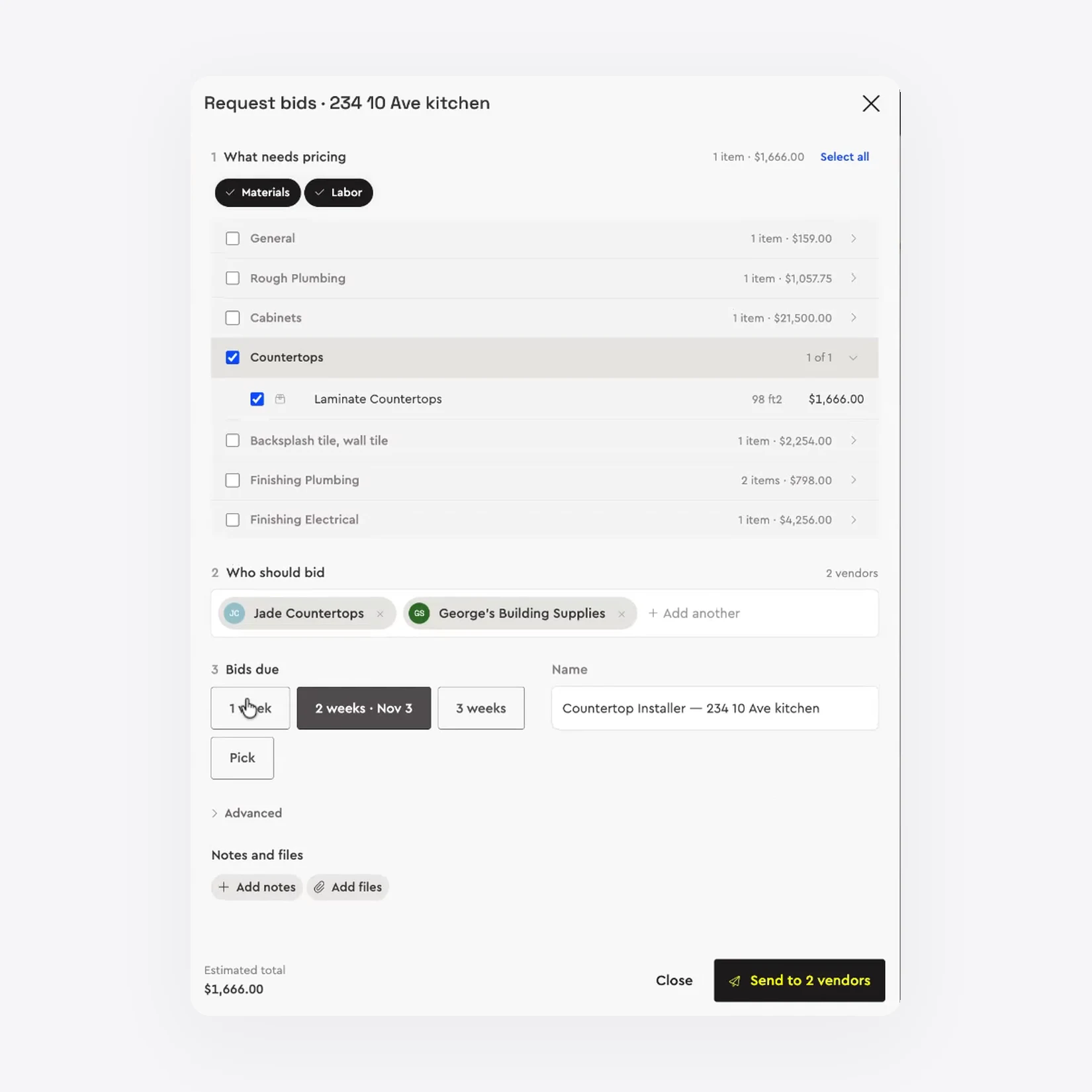
In Bolster, bid requests start from the estimate. Choose what needs pricing, materials, labour or both, by trade or line item. Pick the subs and suppliers who should bid, set a due date of one, two or three weeks or a date of your choosing, add notes, drawings or photos, and send it to every vendor at once.
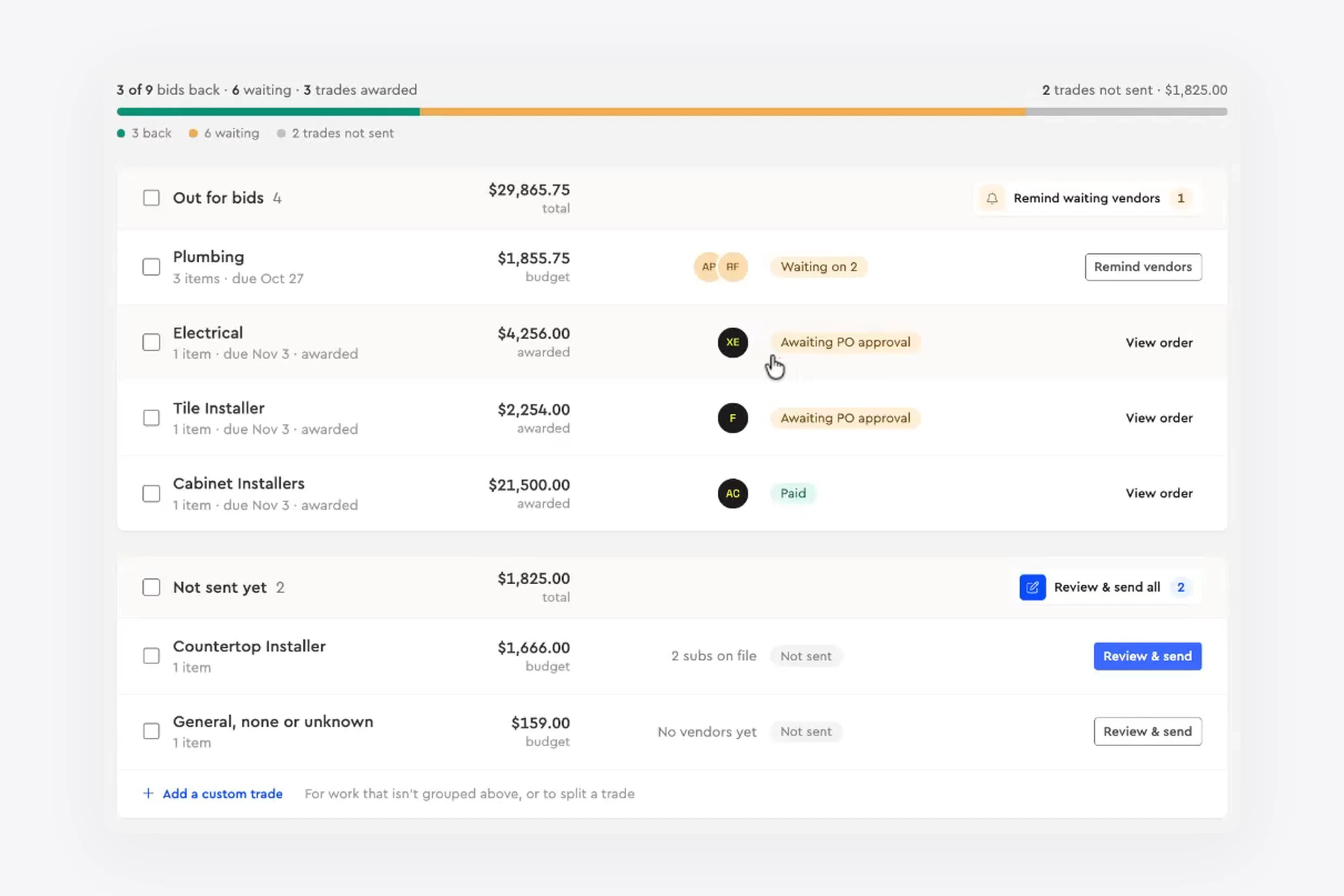
Each job shows how many bids are back, how many are still waiting and which trades have not been sent yet. If a vendor has not replied, remind them individually or remind every waiting vendor in one click.
Compare Bids Against Your Budget
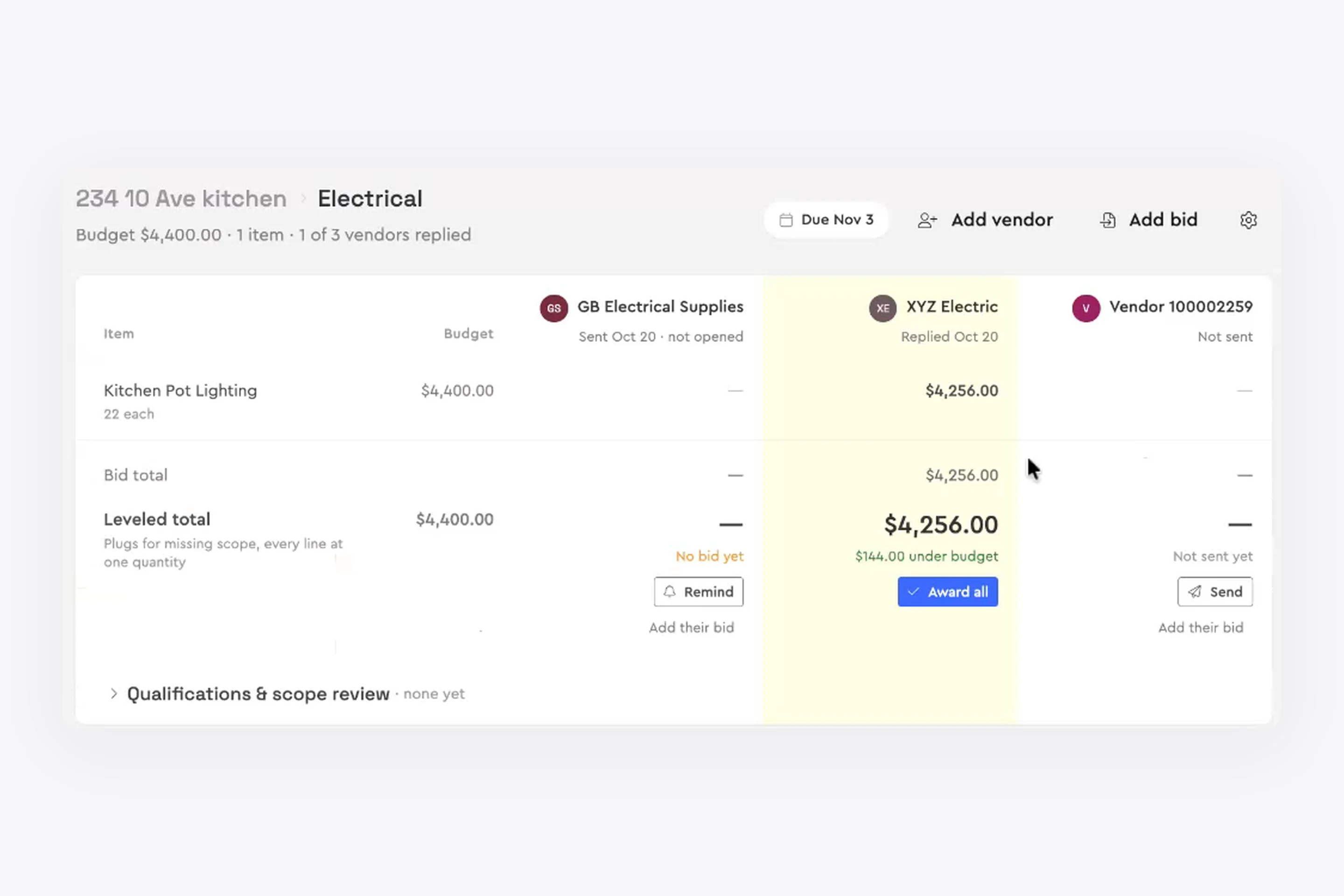
Returned bids are laid out side by side against the budget for each item. A levelled total accounts for missing scope, so you are comparing like with like, and Bolster shows how far each bid is over or under budget. When you are happy, award the work and the bid moves on to an order.
Construction Purchase Order Software
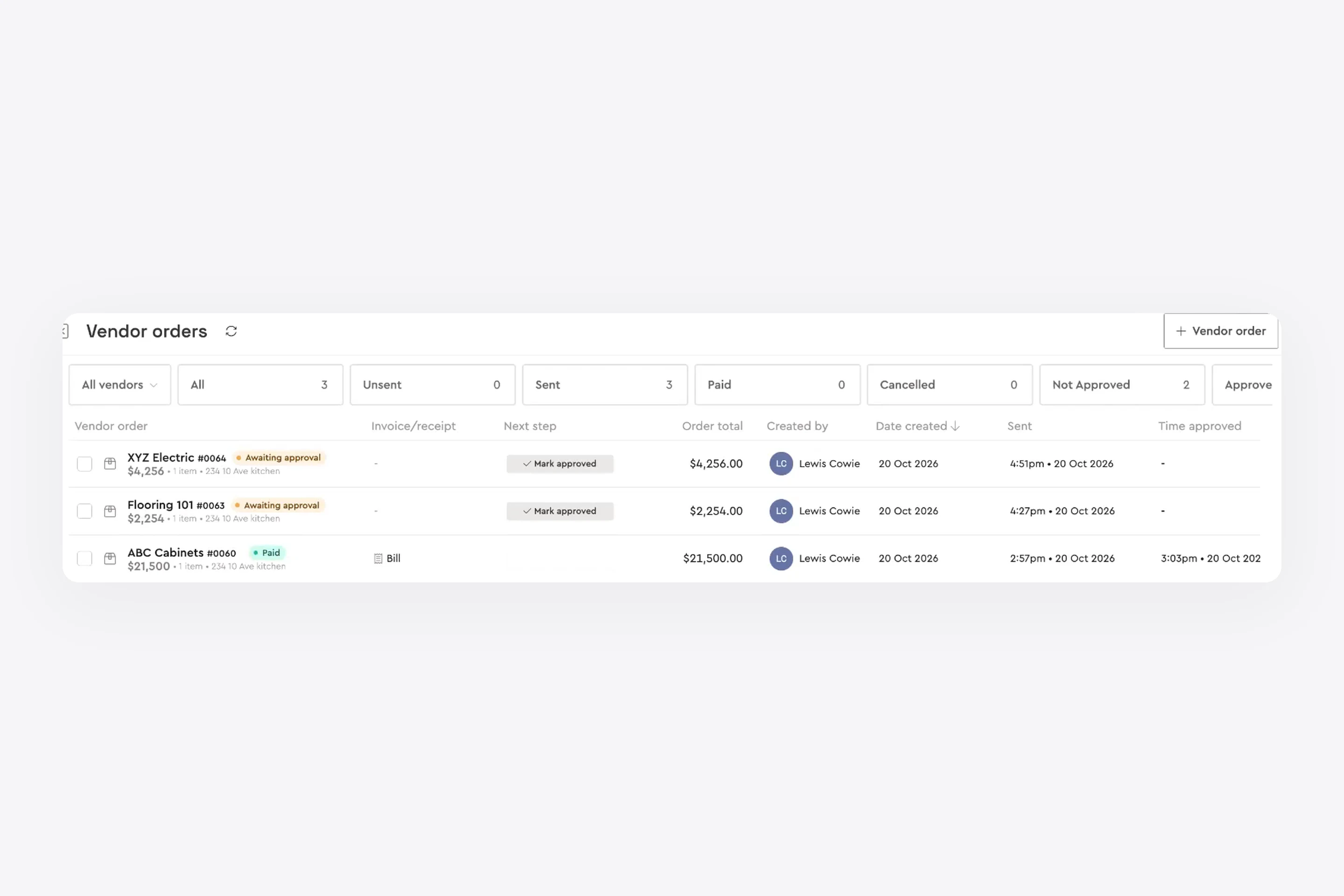
A purchase order commits you to a price with a supplier. A work order does the same for labour with a subcontractor. In Bolster, awarded bids become vendor orders, and you can also create an order straight from the job budget using your estimate quantities and pricing.
Every order on the job, or across all jobs, sits in one list that you can filter by status (unsent, sent, awaiting approval, paid or cancelled), by vendor or by job, so nothing falls through the cracks.
Bills and Expenses, Matched to the Job
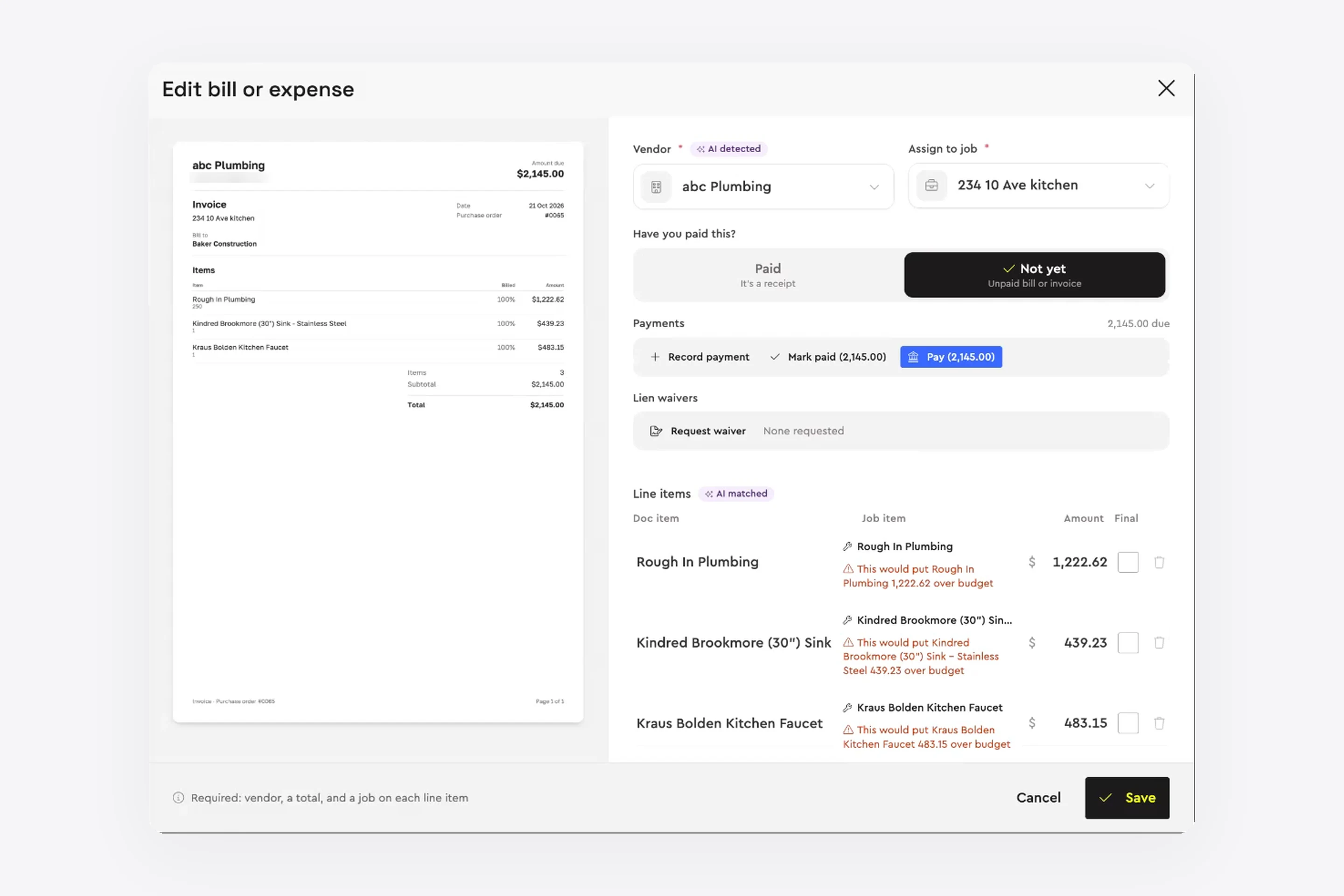
When a bill arrives, upload it or accept the invoice the vendor submitted. Bolster reads the document, detects the vendor and matches each line item to the job. If a line would put an item over budget, you see a warning before you save it, not after the job closes.
Everything Flows Into the Job Budget
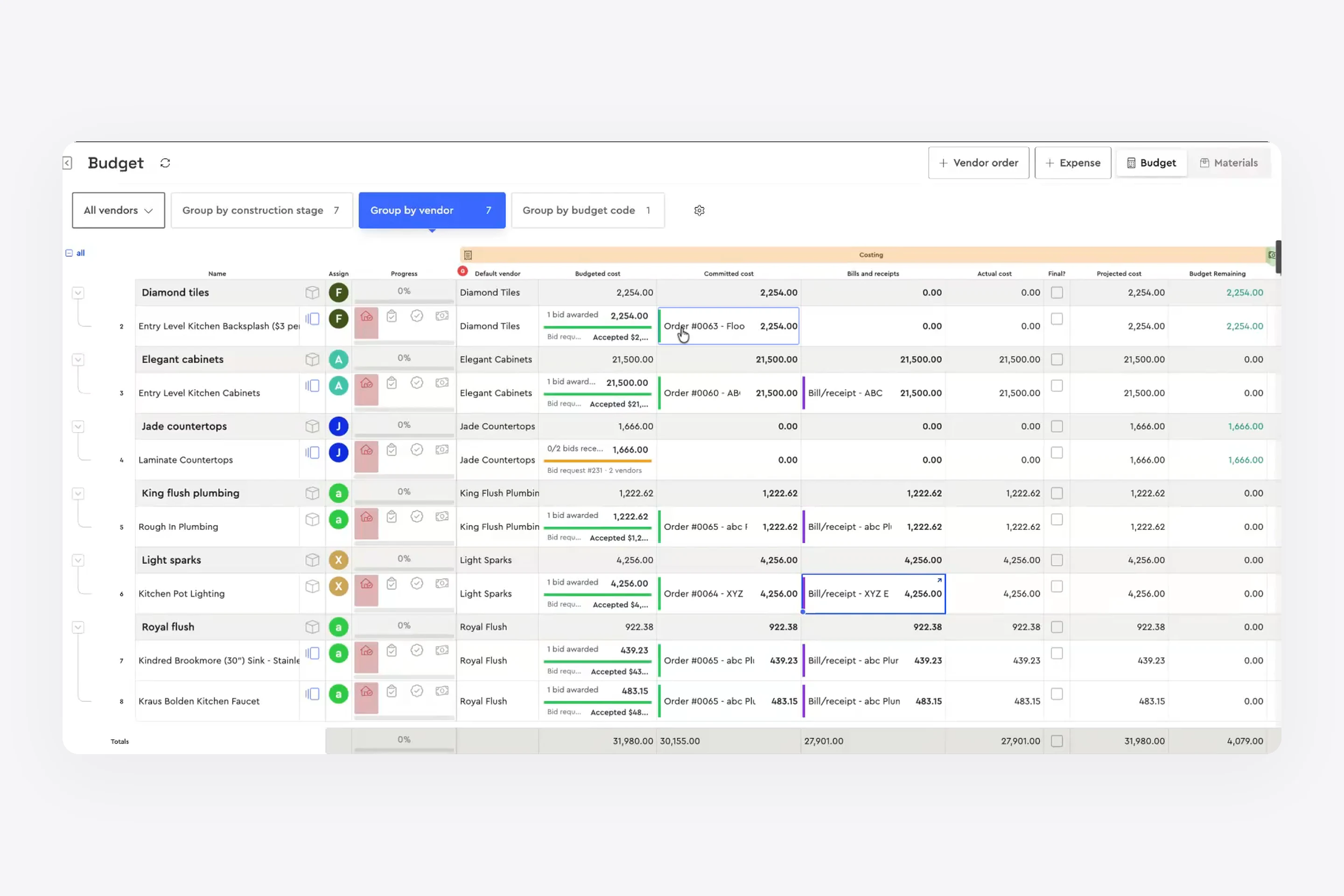
This is where it comes together. Group the budget by construction stage, by vendor or by budget code. Each line shows the budgeted cost, the committed cost from awarded orders, the bills and receipts received, the actual cost, the projected cost and what is left. Items with an awarded order and items still out for bid are flagged, so you can see where every dollar stands.
One View of Every Vendor
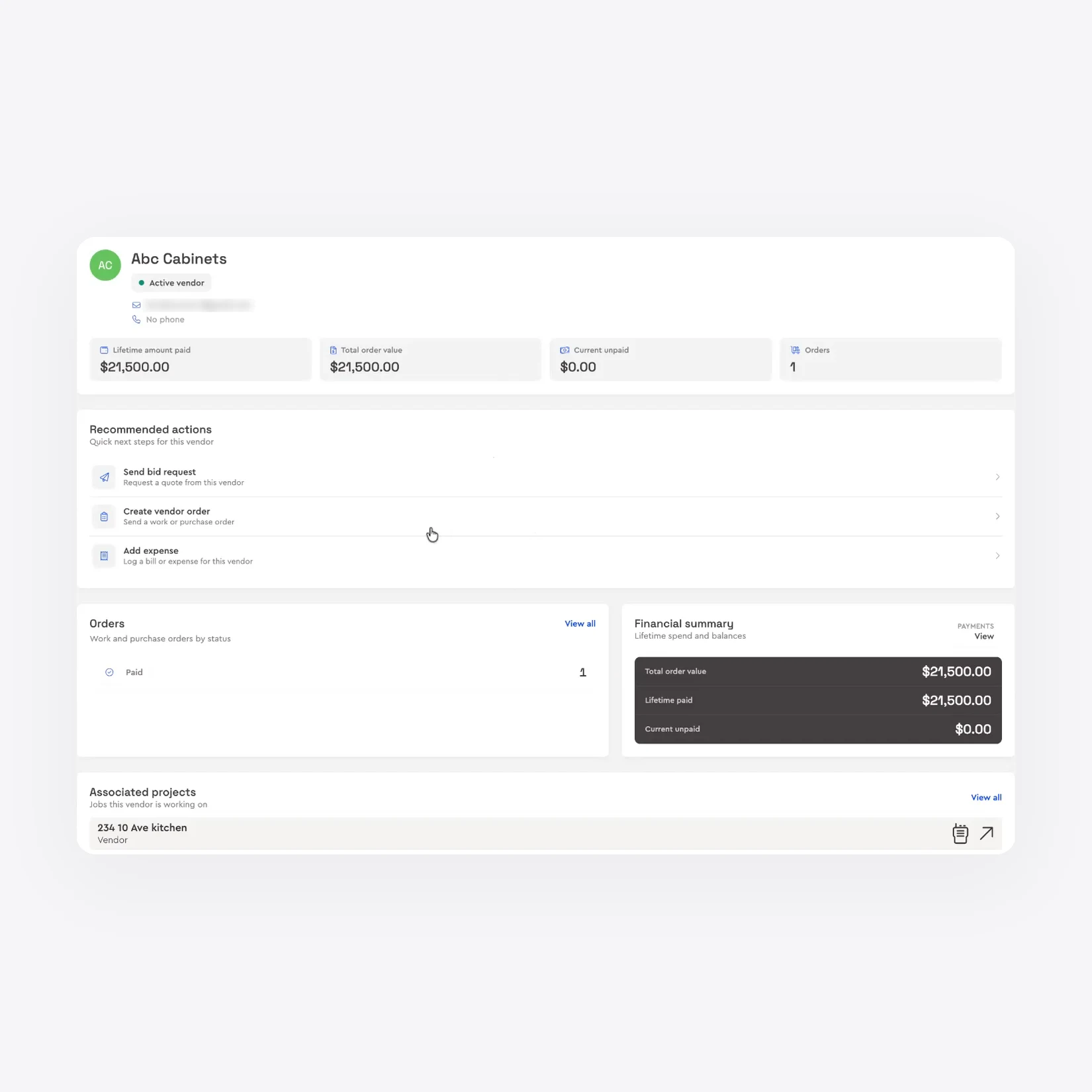
Each vendor has an overview: lifetime amount paid, total order value, what is currently unpaid and the jobs they are working on, with shortcuts to send a bid request, create an order or log an expense. On each job you can also see which vendors are missing documents such as a certificate of insurance or a licence, and request them in a click. Bring your existing list across in bulk from a spreadsheet.
What to Look for in Construction Vendor Management Software
Before you choose a tool, check that it covers the whole path from bid to payment rather than one piece of it:
Bid requests from the estimate: send the scope without retyping it, with due dates, files and reminders.
Side-by-side bid comparison: levelled totals against your budget, then award in a click.
Orders that track themselves: purchase orders and work orders with status you can filter by vendor and job.
Bills matched to the job: line items checked against budget before you approve them.
Budget sync: committed, billed and actual cost update automatically.
Vendor records: spend, open orders, unpaid bills and compliance documents in one place.
Bring Your Vendors Into Bolster
Bolster connects estimating, proposals, scheduling, budgets and payments, so vendor management is part of the job rather than a separate admin task. Request bids, place orders and pay your vendors from the same place you won the work.
Book a demo to see vendor management on one of your own jobs.