General Contractor Software: What Residential GCs Actually Need
General contractor software is the system a GC uses to run jobs from first call to final payment: estimating, proposals, scheduling subcontractors, change orders, client communication and getting paid. For a residential general contractor, the right software replaces the patchwork of Excel, email, a calendar, a group text and QuickBooks with one place where every job lives.
This guide explains what general contractor software should do, how to choose it, a practical setup checklist, and how Bolster handles each stage of a residential job.
What is general contractor software?
A general contractor coordinates everything: the estimate, the client, the subs, the suppliers, the schedule and the money. General contractor software gives each of those a home and connects them, so information entered once flows through the whole job.
For residential GCs that usually means:
- Estimating and takeoff to price jobs quickly and accurately.
- Proposals and contracts the client can review, choose options on and sign digitally.
- CRM and pipeline to track leads, estimates sent and jobs won.
- Scheduling to assign work to your crew and subcontractors.
- Budgets and material lists to track costs against the estimate.
- Change orders so scope changes are priced, approved and paid.
- Client portal and messaging so homeowners see progress without calling you.
- Invoicing and payments tied to milestones.
Why residential GCs outgrow spreadsheets and point tools
Most GCs start with a spreadsheet for estimates, a template for quotes and a phone full of texts. It works until you are running five or six jobs at once. Then the cracks show:
- The estimate, the proposal and the budget are three different documents that drift apart.
- Subs find out about schedule changes late because the update lived in one text thread.
- Change orders get agreed verbally and never invoiced.
- You spend evenings and weekends on admin instead of selling or managing work.
Construction professionals spend roughly 35% of their time on non-optimal activities, and 48% of rework is caused by poor communication and bad data. Software does not fix a bad process, but it removes the retyping and the lost information that turn small misses into real losses.
How to choose general contractor software
Use these questions when comparing platforms:
- Is it built for residential work? Commercial construction management platforms are designed around RFIs, submittals and large teams. A residential GC needs fast estimating, polished proposals and homeowner-friendly communication.
- Does the estimate drive everything else? The schedule, budget, material list and invoices should come from the estimate automatically. If you have to rebuild the job in each module, the "all-in-one" label is just marketing.
- How are change orders handled? Look for change orders that reprice from your estimate, collect a digital signature and add to the next invoice.
- Can homeowners pay online? Card and bank transfer payments tied to milestones shorten the gap between finishing work and getting paid.
- Is pricing all-in or modular? Some tools gate scheduling, client portals or integrations behind higher tiers. Price the plan you actually need.
- Does it connect to your accounting? QuickBooks sync avoids double entry.
- Who helps you set it up? Ask about onboarding, item library build-out and ongoing coaching.
If you are switching from another platform, our comparisons with Buildertrend, JobTread and CoConstruct cover the differences in detail.
Setup checklist: your first 30 days on GC software
A practical order of operations that keeps your business running while you switch:
- Week 1: Load your pricing. Build or import your most common items and assemblies (framing, drywall, bathrooms, kitchens, decks). Turn on live pricing where available.
- Week 1: Set your proposal template. Logo, terms, payment schedule and deposit.
- Week 2: Run new estimates only in the new system. Leave jobs in progress where they are. Every new lead goes through the new pipeline.
- Week 2: Invite your key subs. Give them task assignments and messaging so they learn the system on one job.
- Week 3: Turn on online payments for new jobs and set milestone-based invoices.
- Week 4: Connect QuickBooks and review your first budgets against actual costs.
The goal is one job fully run in the new software within a month. After that, the rest follows.
Where residential GCs lose margin
Most margin on a residential job is not lost on the original estimate. It leaks out afterwards, in four predictable places:
- Missed scope. An item that was never priced (disposal, permits, protection, a second coat) becomes free work. Assemblies that include every component stop this at the source.
- Unbilled changes. The homeowner asks for an extra outlet or a different tile, the crew does it, and nobody writes it up. A change order process that takes two minutes on a tablet is one that actually gets used.
- Stale prices. Lumber, drywall and fixtures move. An estimate built on last quarter's costs can be underwater before work starts.
- Slow invoicing. Every week between finishing a stage and sending the invoice is a week you are financing the client's project.
When evaluating general contractor software, ask how it handles each of these four. The right answer is that the estimate, the change order, the price data and the invoice are the same record, not four documents someone has to keep in sync.
How Bolster works for general contractors
Bolster is an end-to-end platform built for residential builders and contractors in the US and Canada. Everything starts with the estimate.
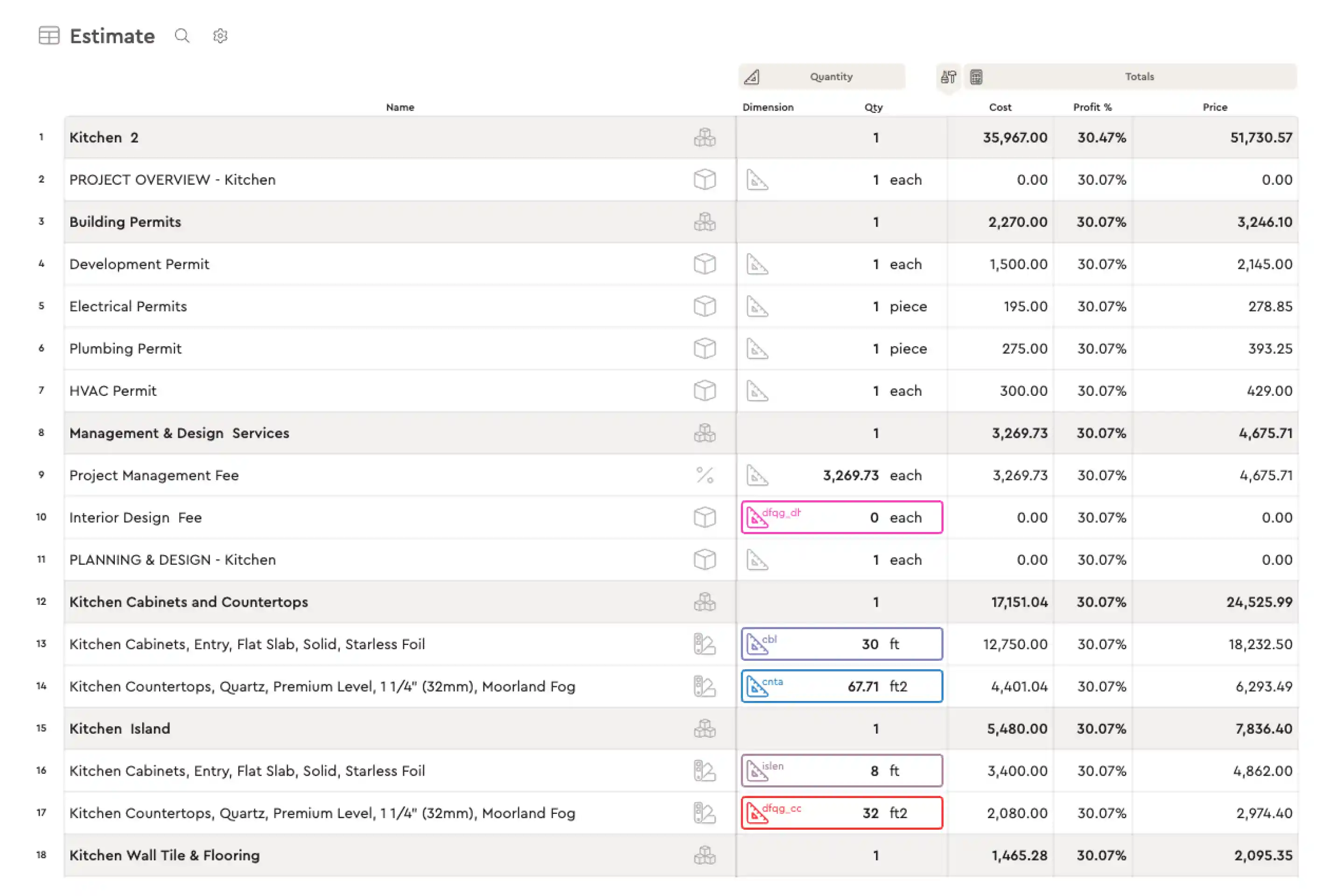
- Estimating. A spreadsheet-style estimator with assemblies, formulas and AutoCost live regional pricing for materials and labour. Users spend 84% less time estimating on average. See construction estimating software.
- Takeoff. Measure from plans, satellite imagery or a sketch and link dimensions to your assemblies. See construction takeoff software.
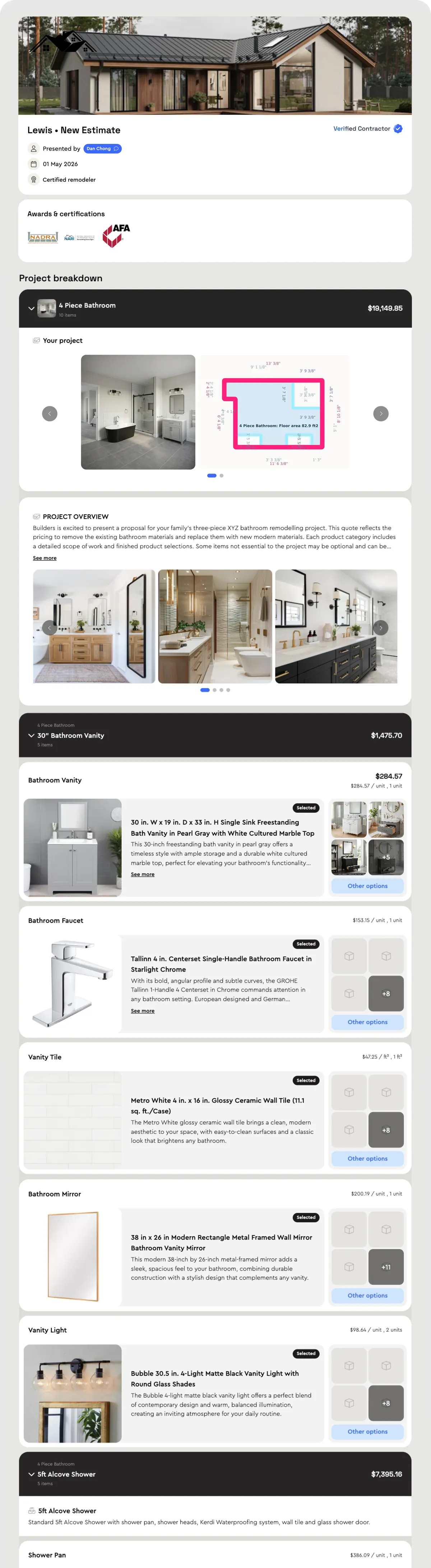
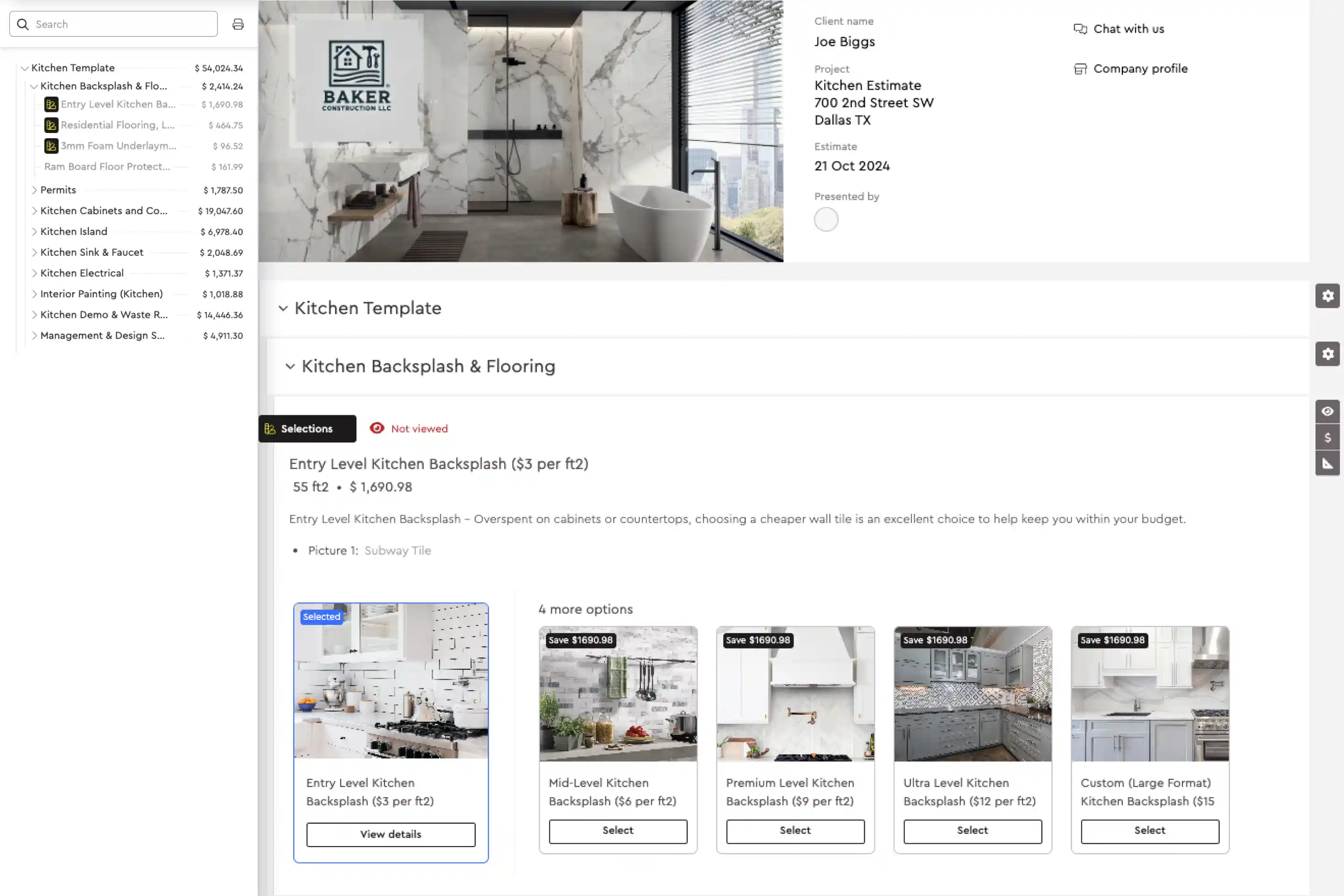
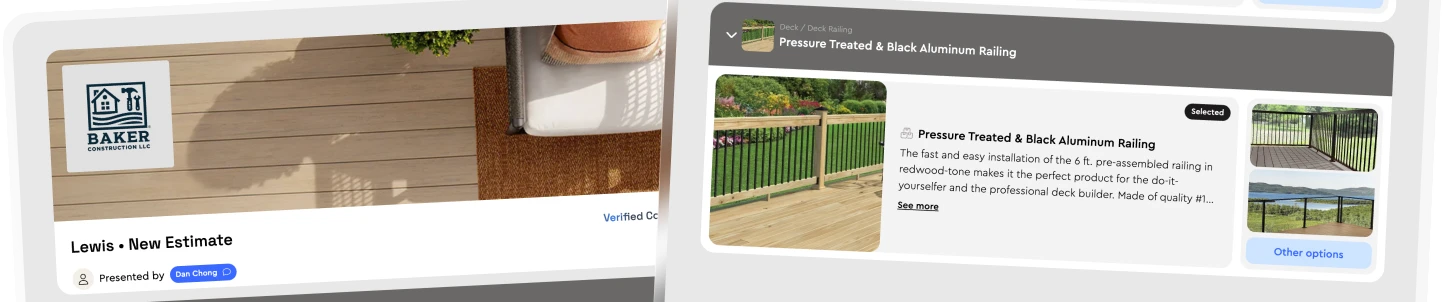
- Presentations and approvals. Estimates become interactive proposals automatically, with digital signatures. Contractors using presentations close 20% more jobs on average.
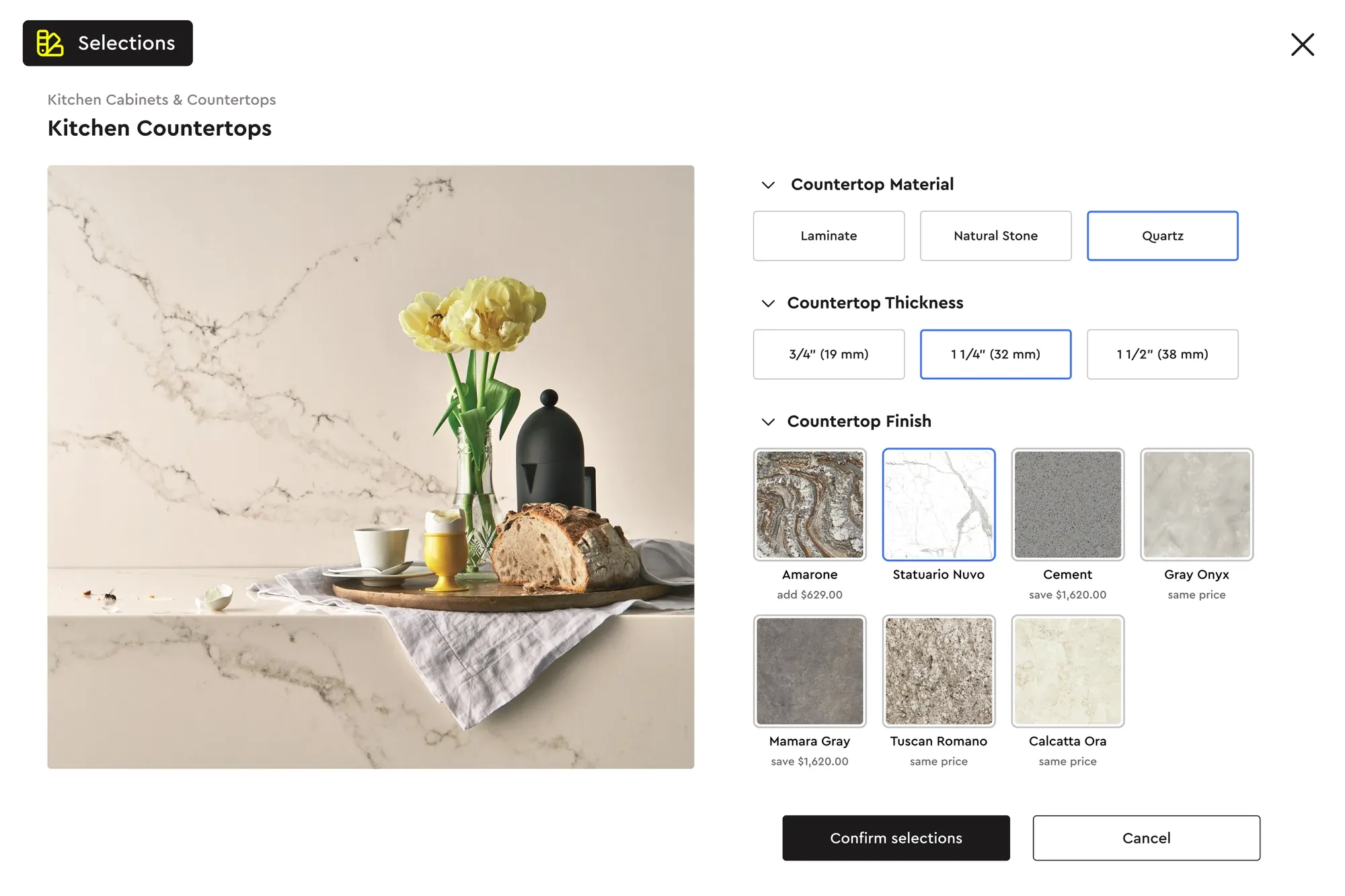
- Options and upgrades. Homeowners pick finishes and upgrades themselves. GCs using options win 15% bigger jobs on average.
- CRM pipeline. Every lead, estimate and job on a Kanban board, with alerts when clients open or change a proposal. See construction CRM.
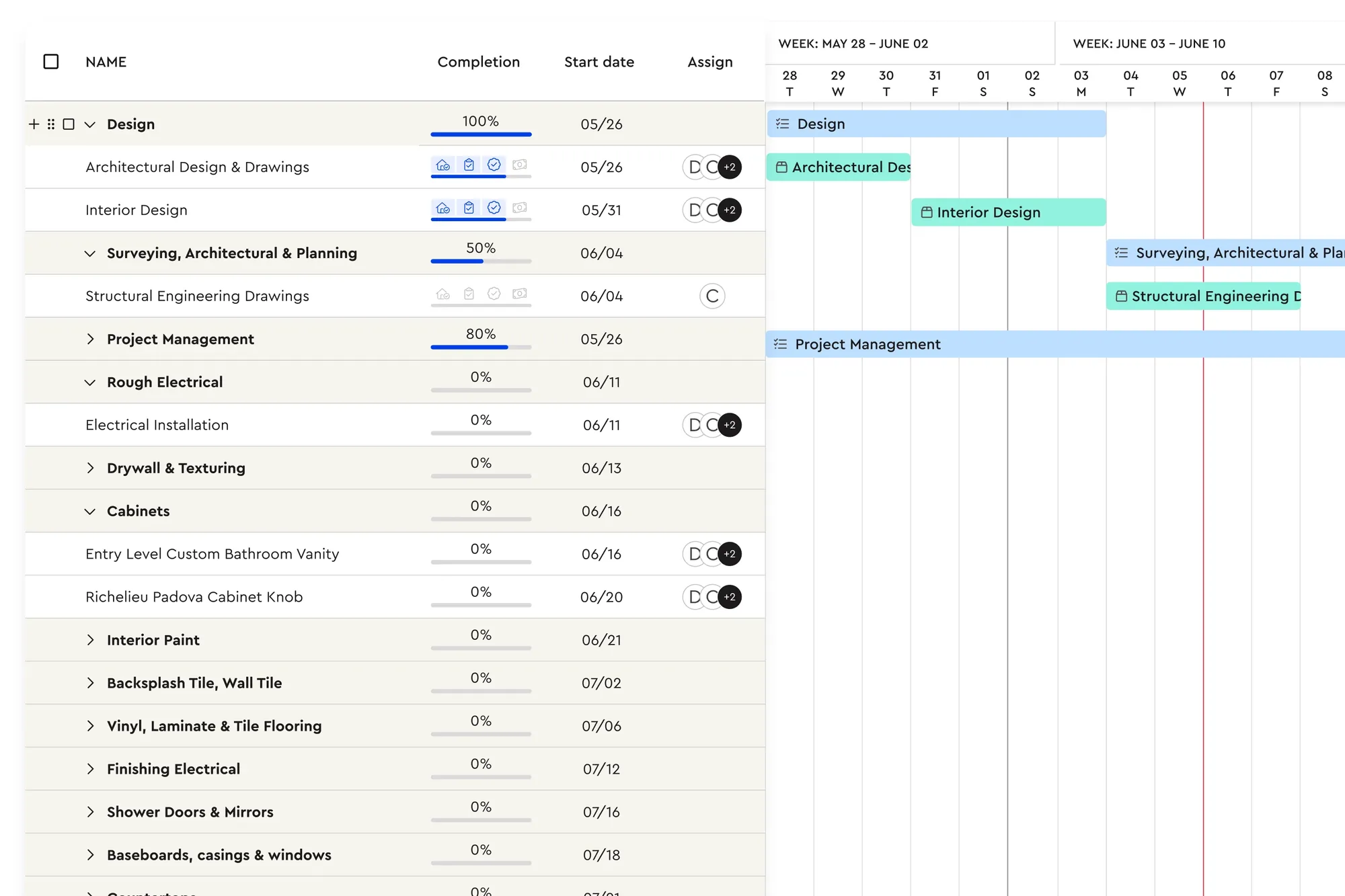
- Scheduling. When a job is booked, every estimate item becomes a task you can assign to staff or subcontractors, with notifications by email, SMS or Bolster chat. See construction scheduling software.
- Material lists and budgets. Created automatically from the estimate, with actuals tracked as costs come in.
- Change orders. Changes to scope create a new version for digital approval, which helps cut non-recoverable change orders by about 50%.
- Client portal and messages. Homeowners see progress, approve changes and pay in one place.
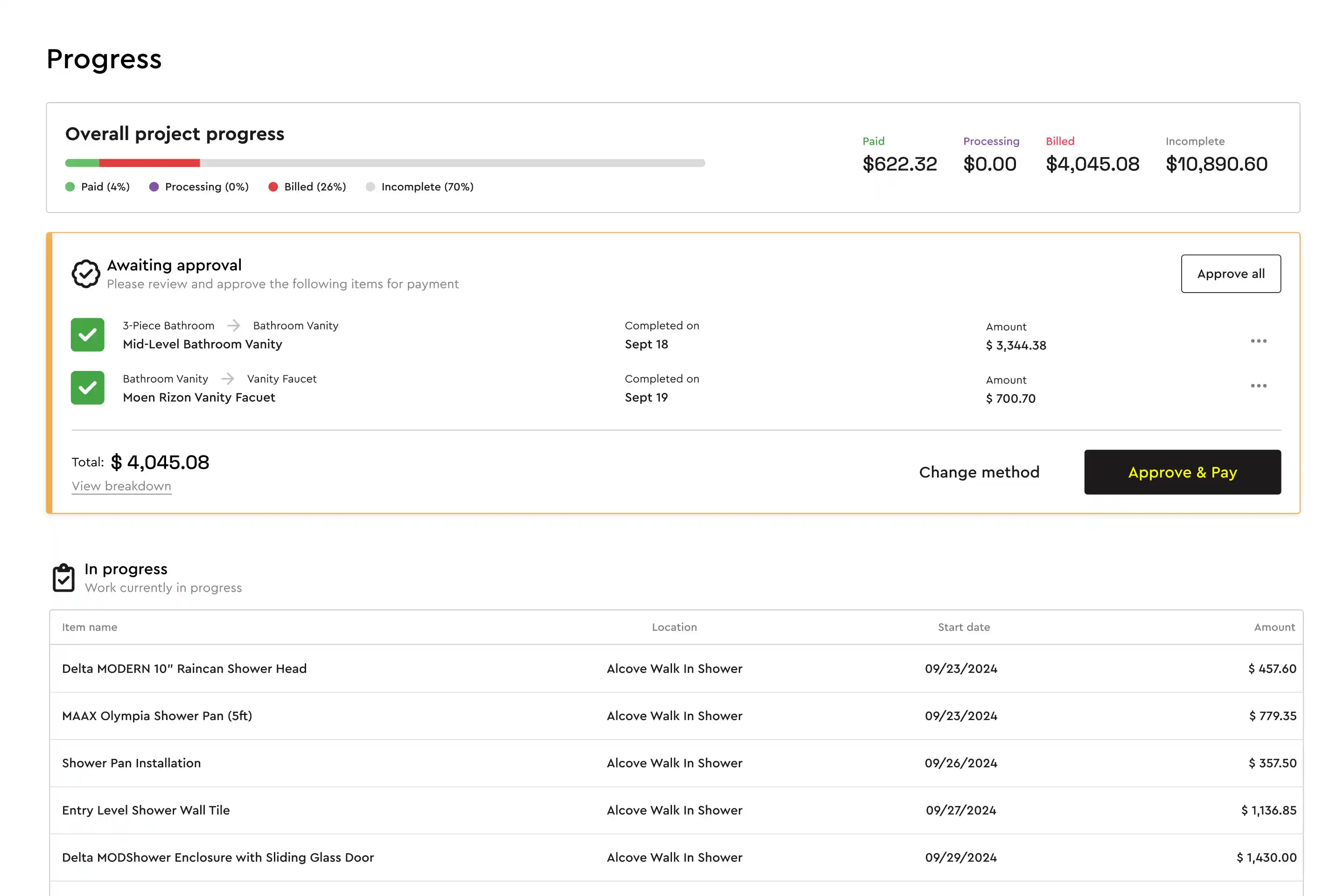
- Payments. Progress payment requests go out when tasks are approved, and clients pay by card or bank transfer. QuickBooks sync keeps the books aligned.
What GCs say
Baylen Morse at HB Builders moved from oil field work into general contracting. Estimates that took 8 to 9 days in Excel now take about 30 minutes, and he won a $325,000 four-townhome renovation. Caylor Mangino grew Mangino Home Improvements from $10,000 jobs to $300,000-plus projects and says: "Without Bolster, I wouldn't even feel comfortable bidding on a $700,000 home."
Kathy at Fitts Construction inherited a general contracting business with no construction background and used Bolster to book more projects and run the company profitably alongside another career.
Bolster for specialty work under a GC
Many residential GCs self-perform some trades. Bolster has templates and pages for remodelers, custom home builders, roofing and siding, decking and more, so the same system covers the work you sub out and the work you do yourself. To see it on one of your own jobs, book a demo.
Frequently asked questions
What software do general contractors use?
Residential general contractors typically use a mix of estimating software, a CRM, a scheduling tool, accounting software such as QuickBooks and a payment processor. All-in-one platforms like Bolster combine estimating, proposals, scheduling, change orders, client portal and payments so the job lives in one system.
What is the best software for a small general contractor?
Look for something built for residential work that starts with fast estimating and professional proposals, because winning jobs is the first constraint for a small GC. Make sure scheduling, change orders and payments come from the same estimate so admin does not grow with every job.
How much does general contractor software cost?
Residential platforms typically range from a few hundred dollars a month to several thousand a year, depending on users and features. Check which features are gated behind higher tiers and whether payment processing has extra fees. See Bolster's current plans on the pricing page.
Can subcontractors use the software too?
Yes. In Bolster you assign tasks to subcontractors and message them by job, and they are notified by email, SMS or Bolster chat.
Does Bolster work with QuickBooks?
Yes. Bolster syncs customers, line items, tax, discounts and payments with QuickBooks, so invoices and payments are not entered twice.
Is Bolster available in Canada?
Yes. Bolster is headquartered in Calgary and serves residential contractors across Canada and the US.