Custom home builder software that keeps estimates, selections and budgets in one place
Custom home builder software brings estimating, client selections, budgets, schedules, communication and payments into one system, so a 3,000 sq ft custom build is managed from the same record it was quoted from. For builders, that means fewer spreadsheets, fewer surprises in the budget and clients who know exactly where their money is going.
Custom homes are the most complex work in residential construction. Every client is different, selections run to hundreds of items, and a single change can ripple through the budget, the schedule and the payment draws. Generic project management tools and spreadsheets were not built for that level of detail.
The real challenges of running a custom home building business
- Estimating takes too long: a detailed custom home estimate in Excel can take a week. Jason at Mesa Custom Homes was spending nearly that long per estimate on 2,500 to 12,000 sq ft homes before switching.
- Selections drive the budget: flooring, cabinets, counters, fixtures and exterior finishes change the price constantly, and clients want to see the impact before they decide.
- Allowances and change orders: every allowance overrun and client change has to be documented, approved and billed, or it becomes unpaid work.
- Budget control: you need to compare estimated costs to actuals as the build progresses, not after the job closes.
- Client communication: custom home clients expect regular updates, photos and visibility into progress.
- Draws and progress payments: payment schedules tied to milestones need to go out on time.
What to look for in home builder software
Use this checklist when comparing custom home builder software:
- Detailed estimating with assemblies: reusable assemblies for foundations, framing, roofing, mechanicals, finishes and site work.
- Current cost data: material and labour pricing that reflects your region, so big bids are not based on stale numbers.
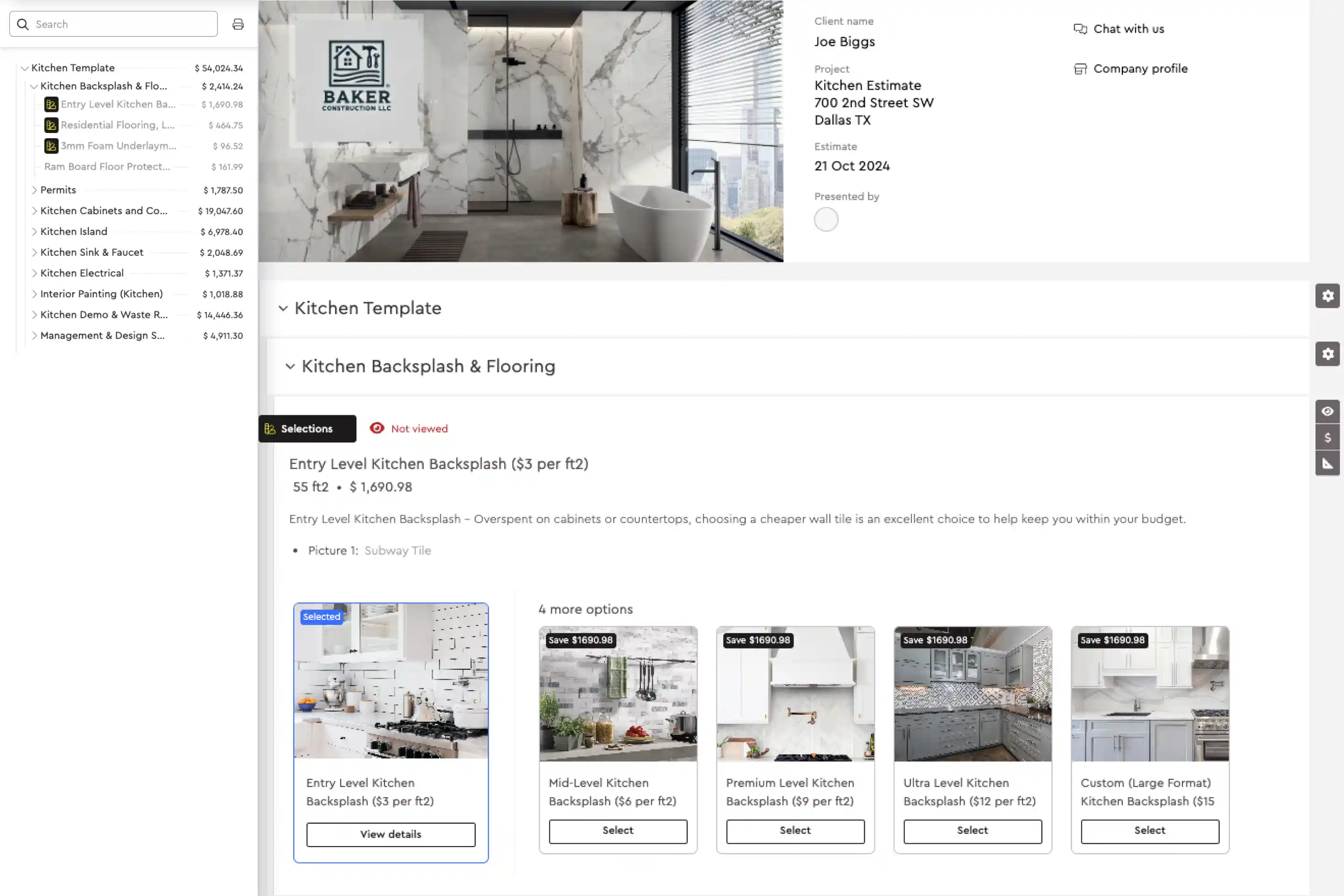
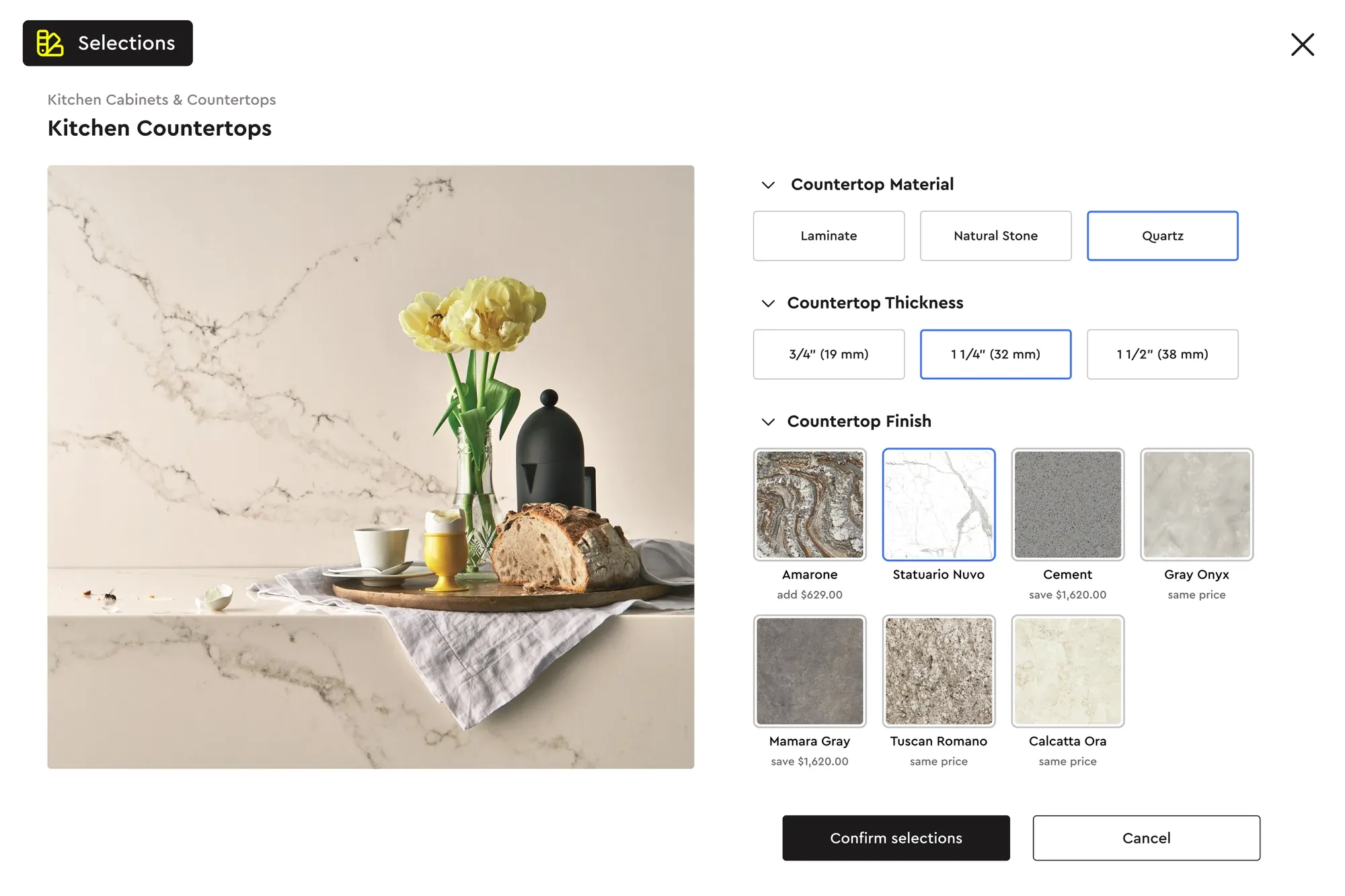
- Client selections with live pricing: tiered finish packages and individual selections that update the budget automatically.
- Estimate to budget hand-off: the approved estimate becomes the working budget, with actual costs tracked against it.
- Scheduling from the estimate: tasks generated from estimate items, assignable to your crew and subcontractors.
- Change orders with e-signatures: versioned revisions the client signs digitally before work changes.
- Client portal: progress updates, messages, photos, approvals and online payments in one place.
- Accounting integration: QuickBooks sync so your bookkeeper is not re-entering invoices.
- Migration help: if you are moving from another platform, look for help getting your item library and templates across.
How to structure a custom home estimate
A clear structure makes the estimate easier to build, easier for the client to understand and easier to turn into a budget.
- 1. Preconstruction: design, engineering, permits and surveys.
- 2. Site work and foundation: excavation, footings, foundation walls, waterproofing and backfill.
- 3. Structure: framing, sheathing, trusses, windows and exterior doors.
- 4. Envelope: roofing, siding, insulation and air sealing.
- 5. Mechanical, electrical and plumbing: rough-ins and finish.
- 6. Interior finishes: drywall, trim, cabinets, counters, flooring, tile, paint and fixtures.
- 7. Exterior and site finish: decks, driveways and landscaping.
- 8. Allowances, contingency and fees: list allowances as separate lines, add contingency for unknowns (5% to 10% is common on new construction) and apply your builder fee or markup.
Presenting finish levels as tiers, for example a base, mid and premium package, lets clients set their own budget without you rebuilding the estimate for every conversation.
Allowances and change orders on a custom build
Allowances are where custom home budgets most often go wrong. An allowance is a placeholder amount for an item the client has not chosen yet, such as $8,000 for lighting fixtures. When the client picks fixtures that cost $11,500, the $3,500 difference has to be documented, approved and billed.
- Set realistic allowances: base them on what clients in your market actually choose, not the cheapest option. Low allowances win the bid and lose the client's trust later.
- Track selections against allowances: every selection should show the allowance, the chosen item and the difference.
- Get sign-off before ordering: a change order signed digitally before materials are ordered protects both sides.
- Bill changes promptly: add approved changes to the next draw instead of saving them for the end of the job, when they are harder to collect.
Running several custom builds at once
Most growing builders have two or three homes under way while quoting the next one. That is where a system earns its keep. Each build needs its own schedule, budget, selections and client conversation, and your superintendent and trades need to know what is next on every site. When all of that lives in one place, you can see which job is behind, which client owes a selection and which draw is due, without calling around. It also means a new estimator or project manager can pick up a job without relying on what is in someone else's head, which is what lets a custom home business grow past the owner.
Keeping custom home clients informed
Custom home clients are making one of the largest purchases of their lives, and they want to know what is happening. Builders who communicate well get fewer anxious calls, faster decisions on selections and better referrals.
- Share progress regularly: task updates and photos show the build moving, even in weeks when the client cannot visit site.
- Keep messages in one place: project conversations with the client, your team and subcontractors should not be scattered across personal texts.
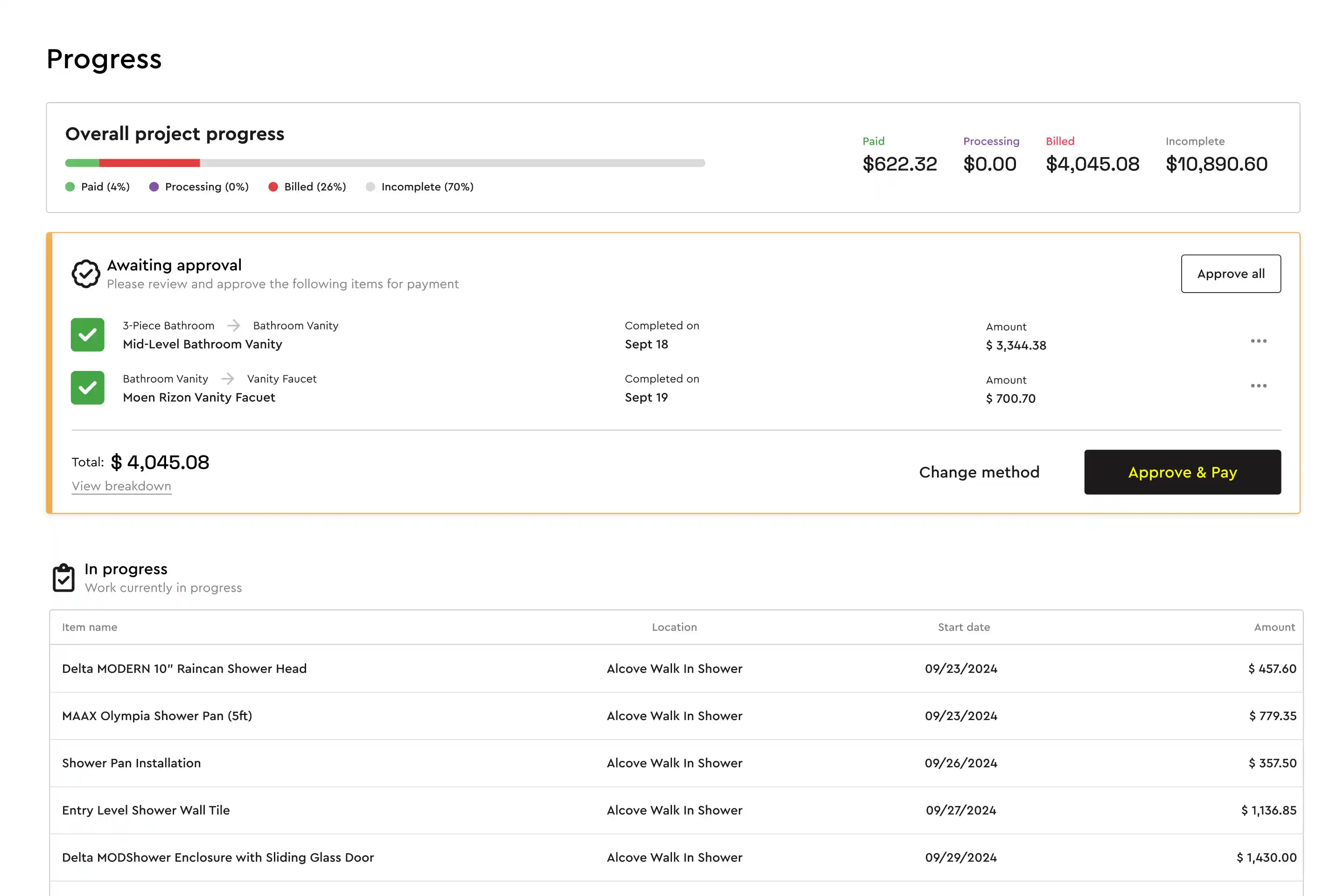
- Show the money clearly: clients should be able to see the budget, approved changes and what has been paid.
- Make decisions easy: selections deadlines tied to the schedule help clients understand why a late choice delays their move-in date.
How Bolster supports custom home builders
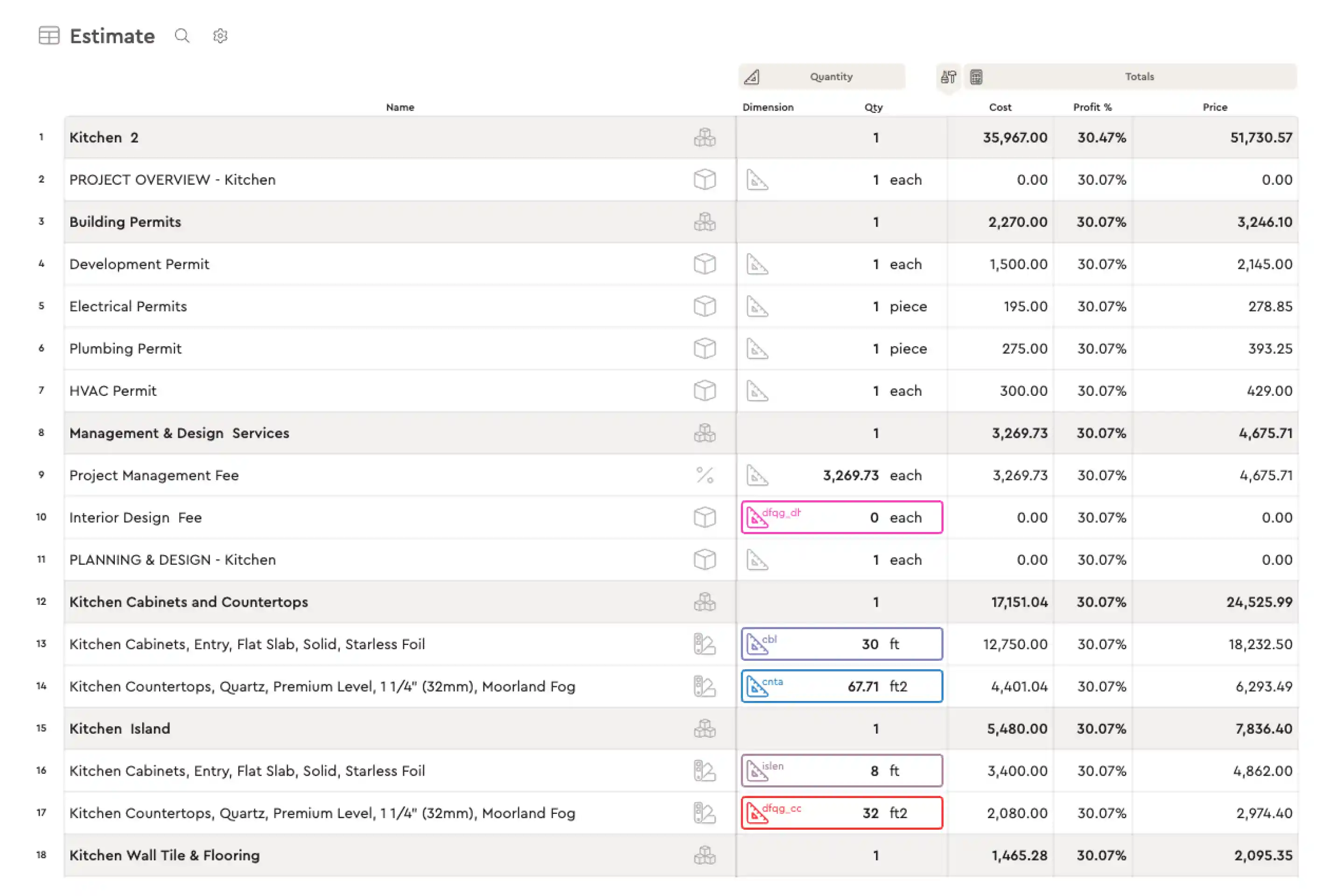
- Fast, detailed estimates: Bolster's estimating uses formula-based items and assemblies, so quantities and costs update from your dimensions. Mesa Custom Homes now estimates around 5x faster, in one to two days instead of a week.
- Live pricing: AutoCost prices items from more than 100 million real construction items with live, region-specific costs. Mangino Home Improvements says, "Without Bolster, I wouldn't even feel comfortable bidding on a $700,000 home."
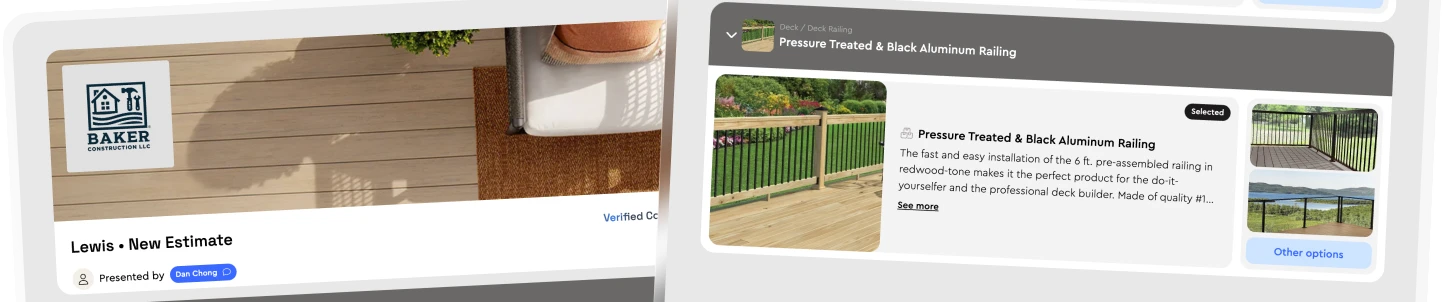
- Selections clients enjoy: tiered finish options and selections update the price in real time. As Jason at Mesa put it, "It's like online shopping. They see the item, they see the price, and they can choose."
- Budget and material lists: a booked estimate automatically creates the material list and budget, with an actuals column to track variances.
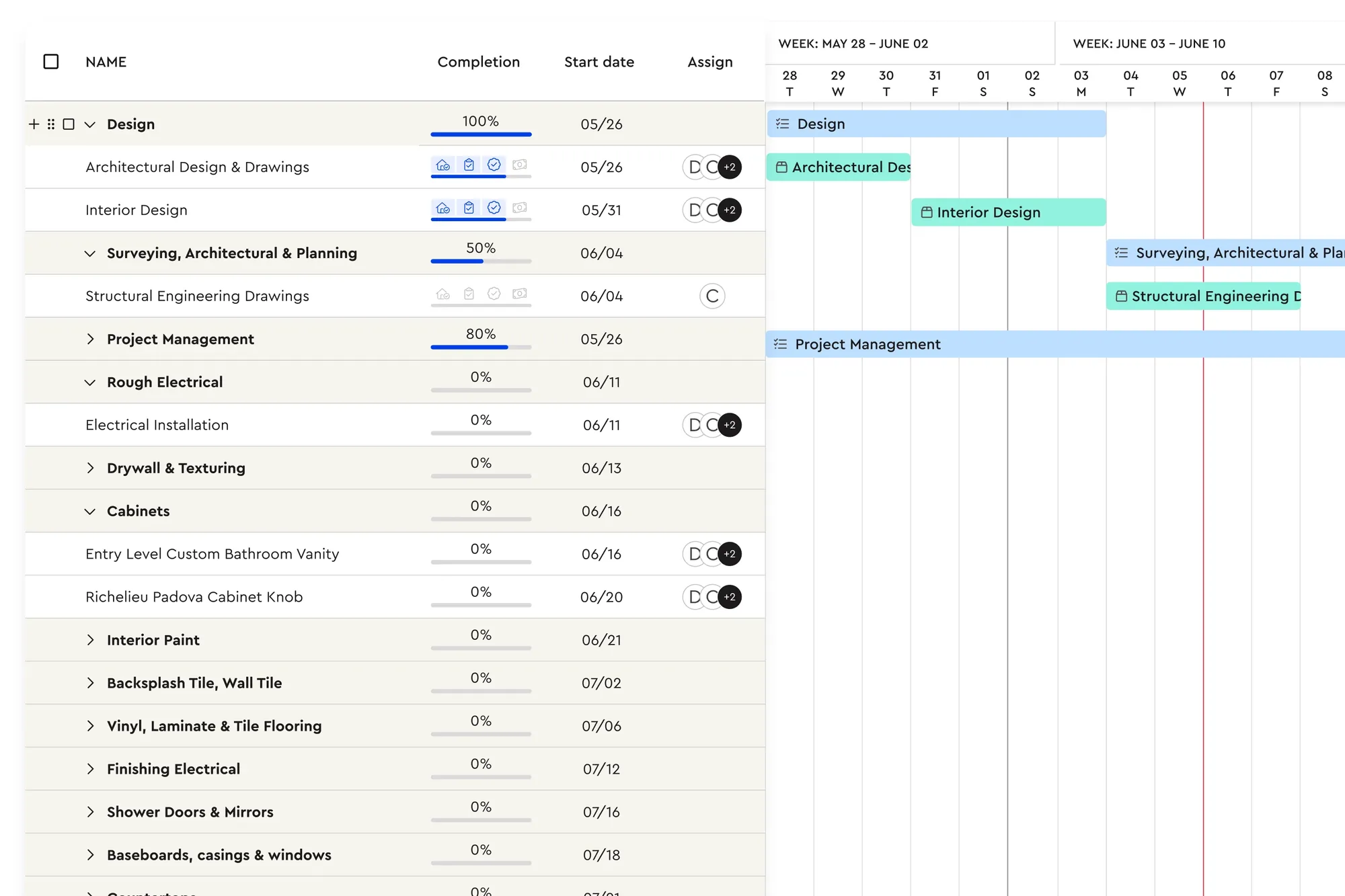
- Schedule from the estimate: each estimate item becomes a task in the schedule, assignable to staff or subcontractors.
- Change orders: revisions and change orders are versioned and signed digitally, so every change is approved and billed.
- Client portal and payments: clients follow progress, message your team, approve changes and pay draws online through the client portal.
Switching from CoConstruct
CoConstruct is switching off, and many custom home builders are choosing a replacement now rather than later. Bolster offers a free migration to help you move your items, templates and active work across. See our CoConstruct comparison for a side-by-side view, or book a demo to walk through a recent build.
Frequently asked questions
What is custom home builder software?
Custom home builder software is a platform that handles estimating, client selections, budgets, schedules, communication and payments for custom residential builds. It replaces separate spreadsheets and apps with one system tied to the estimate.
What is the best software for home builders?
The best home builder software ties the estimate to everything that follows: selections, budget, schedule, change orders and payments. Look for live cost data, client selections with automatic pricing, a client portal and QuickBooks integration.
How do builders handle client selections without re-quoting?
Set up finish tiers and individual selections in the estimate with their own pricing. When the client chooses, the total and budget update automatically. In Bolster, selection changes after booking can generate change orders automatically.
How much contingency should a custom home estimate include?
Many builders use 5% to 10% on new construction, shown as its own line. Allowances for items not yet selected should be listed separately from contingency.
Is there a CoConstruct replacement for custom builders?
Yes. CoConstruct is switching off, and Bolster offers custom home builders a free migration, with estimating, selections, budgets, scheduling, a client portal and payments in one platform.
Does Bolster integrate with QuickBooks?
Yes. Bolster syncs customers, line items, tax and payments with QuickBooks. It also integrates with CompanyCam and Zapier.