Construction Scheduling Software for Residential Contractors
Construction scheduling software builds and manages the timeline for a job: what happens, in what order, who does it and when. For residential contractors the hard part is not drawing a Gantt chart. It is keeping the schedule accurate when the client changes the tile, a sub runs late or materials arrive a week behind. Good scheduling software makes those updates fast and makes sure everyone, including the homeowner, sees them.
This guide covers what to look for in construction scheduling software, a free construction schedule template you can use today, how to schedule across multiple job sites, and how Bolster creates schedules automatically from your estimate.
What does construction scheduling software do?
At minimum it should:
- List the tasks for each job and put them in order, including dependencies (drywall cannot start until inspection passes).
- Assign work to your crew or subcontractors and tell them when it is their turn.
- Track progress so you know what is started, in progress and done.
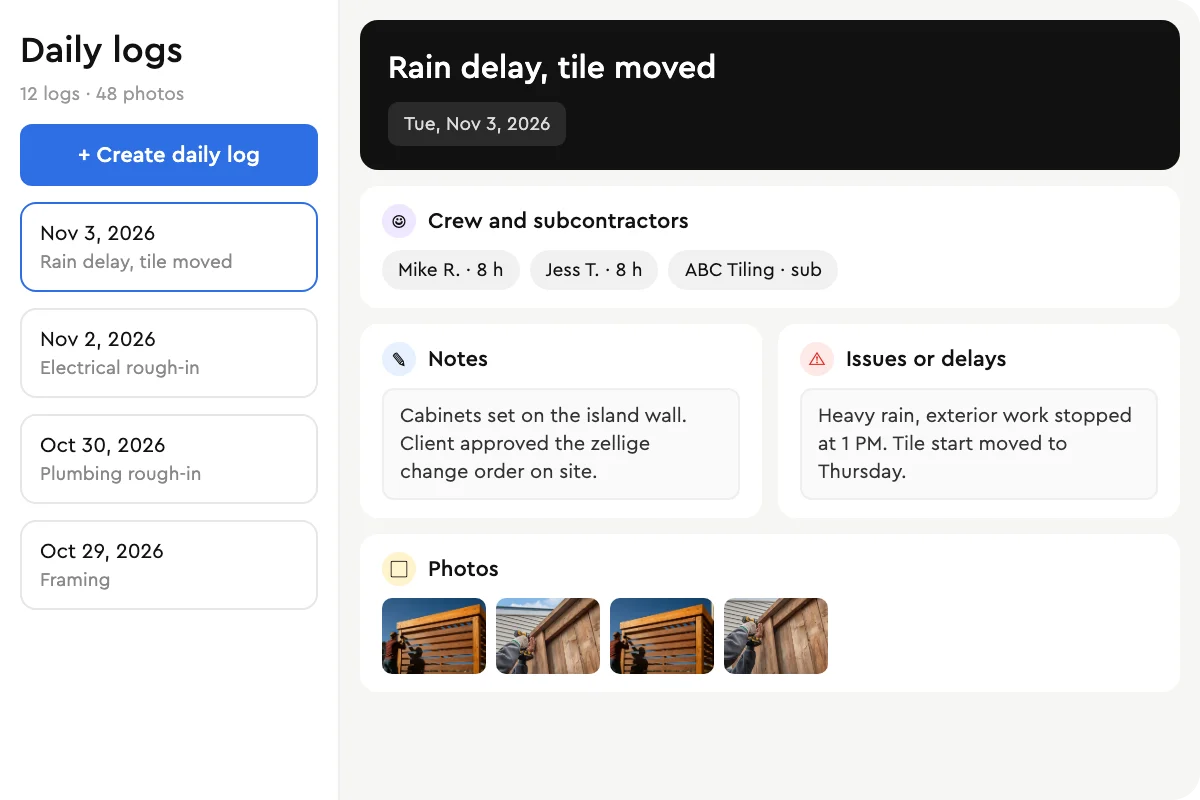
- Show the timeline to the client so you are not answering "when are you coming back?" calls.
- Update when plans change without rebuilding the whole schedule.
Better tools go further and connect the schedule to the estimate, the budget and invoicing, so finishing a task can trigger the next payment request.
Why spreadsheets and whiteboards stop working
A whiteboard in the shop works for two or three jobs. Past that, problems stack up: subs show up to sites that are not ready, two crews are booked for the same day, and the homeowner hears about a delay after it has happened. The most common search we see on this topic is about managing multiple job sites, and the answer is always the same: one shared schedule that updates in real time, instead of separate calendars and text threads.
What to look for in construction scheduling software
- Schedules built from the estimate. If you have to type every task again after the job is sold, the schedule will lag behind reality. The tasks already exist in your estimate.
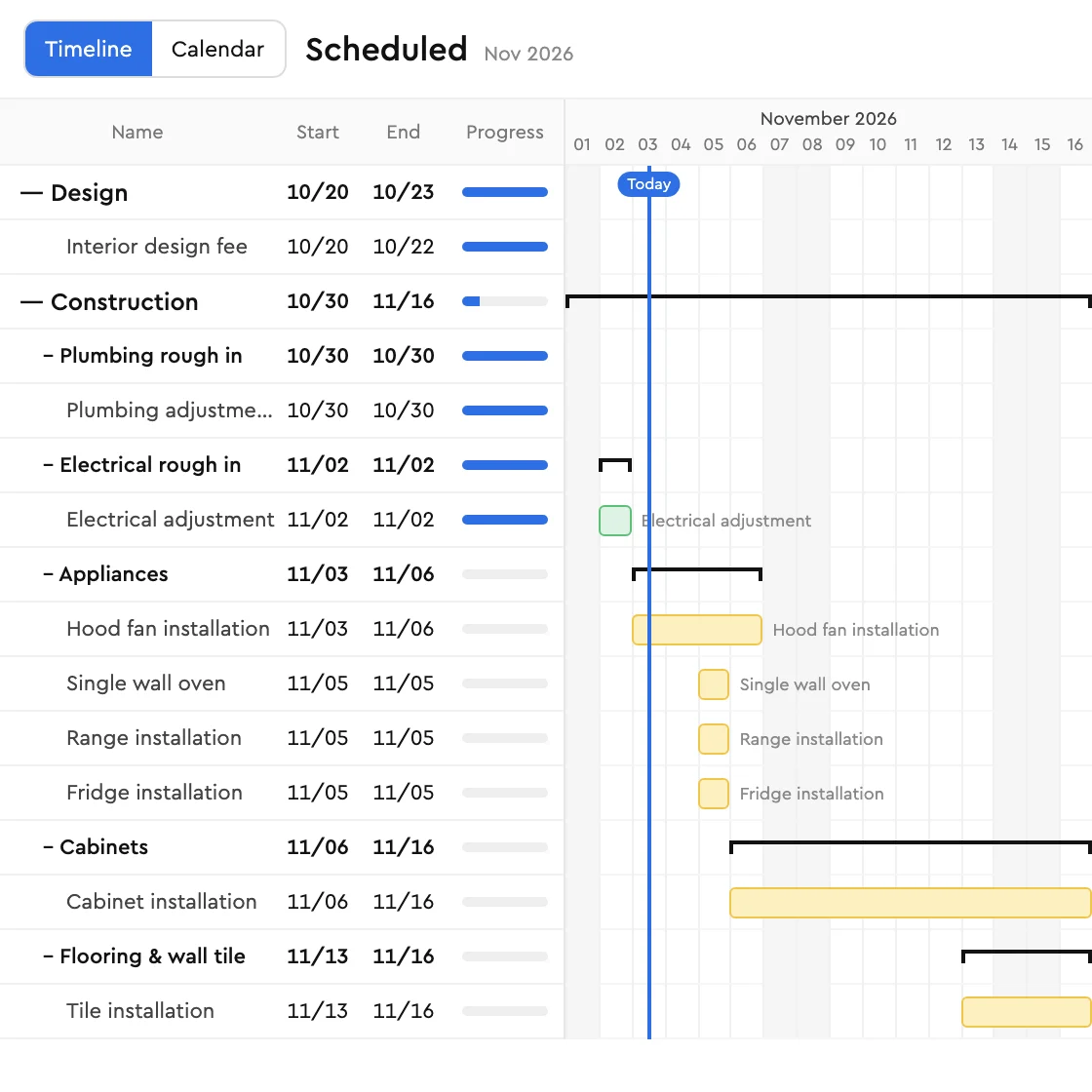
- Stages and dependencies. Group work into stages (demo, rough-in, inspection, close-up, finishes) so the order is clear.
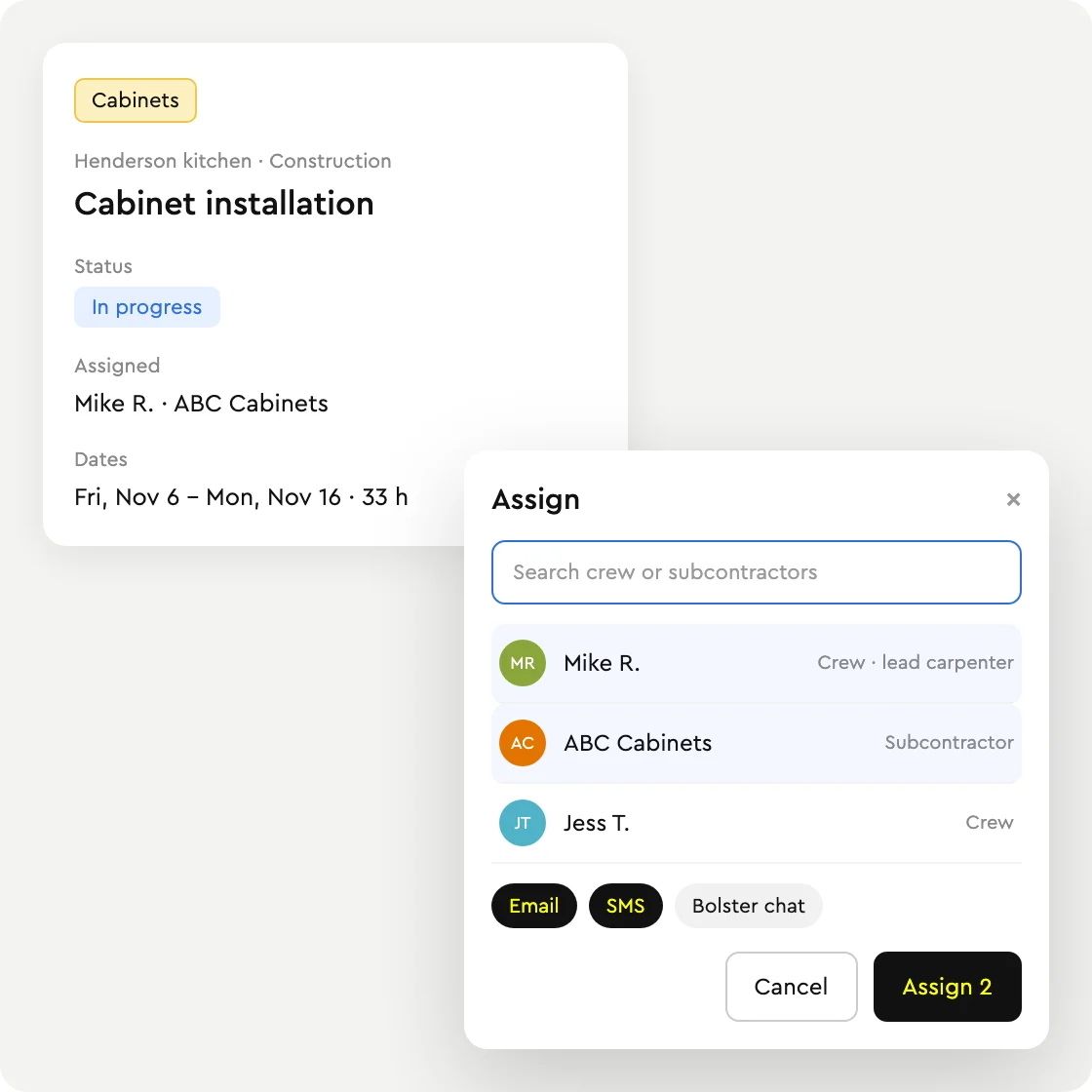
- Subcontractor access. Subs should be able to see their tasks and get notified by email or SMS without needing a complicated login.
- Client visibility. A client portal that shows progress builds trust and cuts down on calls.
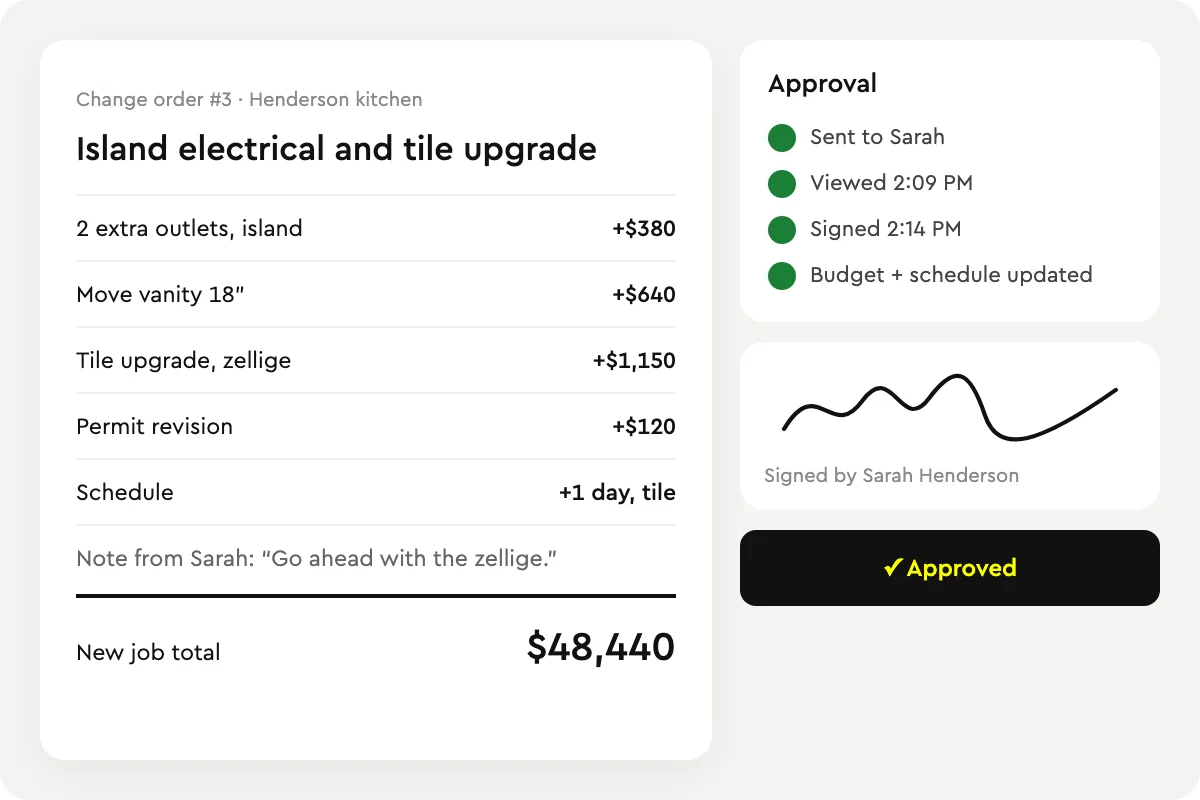
- Change handling. When a change order is approved, the schedule and budget should update with it.
- Payments tied to progress. Milestone invoicing from completed tasks keeps cash flowing.
- Mobile access. Crews update tasks from the site, not the office.
Free construction schedule template
If you are not ready for software yet, use this structure in a spreadsheet. It works for most residential remodels and additions. Columns: Stage, Task, Assigned to, Depends on, Start date, Duration (days), Status, Notes.
- Stage 1: Pre-construction. Sign contract and collect deposit. Finalize selections. Order long-lead materials (windows, cabinets, custom items). Apply for permits. Confirm subcontractor dates.
- Stage 2: Site prep and demolition. Protect floors and access routes. Demolition and disposal. Inspect for hidden damage and price any change orders.
- Stage 3: Structure. Framing or structural repairs. Framing inspection if required.
- Stage 4: Rough-ins. Plumbing, electrical and HVAC rough-in. Rough-in inspections.
- Stage 5: Close-up. Insulation and inspection. Drywall hang, tape and mud. Prime.
- Stage 6: Finishes. Cabinets and countertops. Tile and flooring. Trim and doors. Fixtures and devices. Paint.
- Stage 7: Close-out. Final inspections. Punch list walk-through with the client. Final cleaning. Final invoice and warranty information.
Tips for using it: set durations from your past jobs, not best-case guesses; add a buffer before inspections and long-lead deliveries; and send the client the stage view, not every task. In Bolster this structure is built for you from the estimate, and each stage can carry its own payment milestone.
How to schedule multiple job sites
- One calendar for every job. Every crew and sub should be scheduled from the same system so double-bookings are visible.
- Schedule by stage, assign by task. Plan at the stage level, then assign individual tasks to people.
- Confirm subs a week out. Automatic notifications remove the round of phone calls.
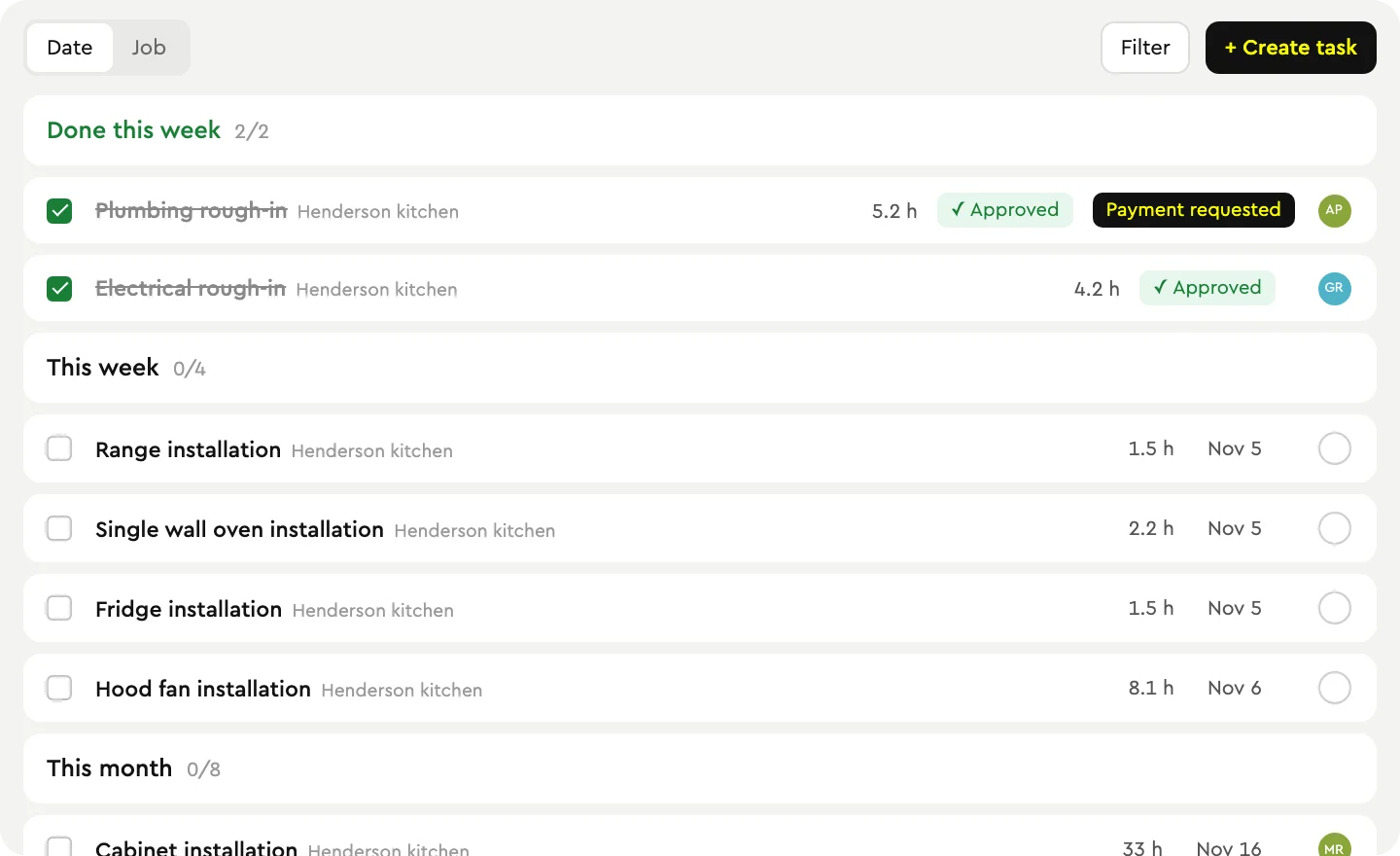
- Approve completed tasks. A quick quality check before marking work done keeps the schedule honest and triggers the next step.
- Review weekly. Fifteen minutes on Monday looking at what slipped saves days later in the month.
Common scheduling mistakes on residential jobs
- Scheduling from memory. If the schedule is not built from the scope you sold, tasks get missed. A forgotten inspection or a late cabinet order can stall a job for a week.
- No buffer for inspections and deliveries. Inspectors and suppliers do not run on your timeline. Put a day or two of float before anything you do not control.
- Booking subs without confirming the site is ready. A tile setter who arrives before the backer board is up costs you a trip charge and a week of waiting for the next opening.
- Telling the client too much or too little. Homeowners do not need every task, but they do need to know which stage you are in and what is next. A stage-level view in a portal answers most of their questions before they call.
- Not updating after a change order. An approved change that adds two days of work needs to move everything after it, or the rest of the schedule is fiction.
- Treating the schedule and the invoices separately. If finishing a stage does not trigger the next payment request, cash flow depends on someone remembering to invoice.
How Bolster scheduling works
Bolster creates the schedule for you. When a client approves a proposal and the job is booked, every item in your estimate becomes a trackable task, organized into project stages.
- Zero-click schedules. No retyping. The tasks come from the estimate you already built in Bolster estimating.
- Assign to staff or subcontractors. Notify them by email, SMS or Bolster chat from the schedule.
- Approve work for quality. When the crew marks a task complete, you approve it. Bolster then sends the client a payment request through the client portal automatically. See payments.
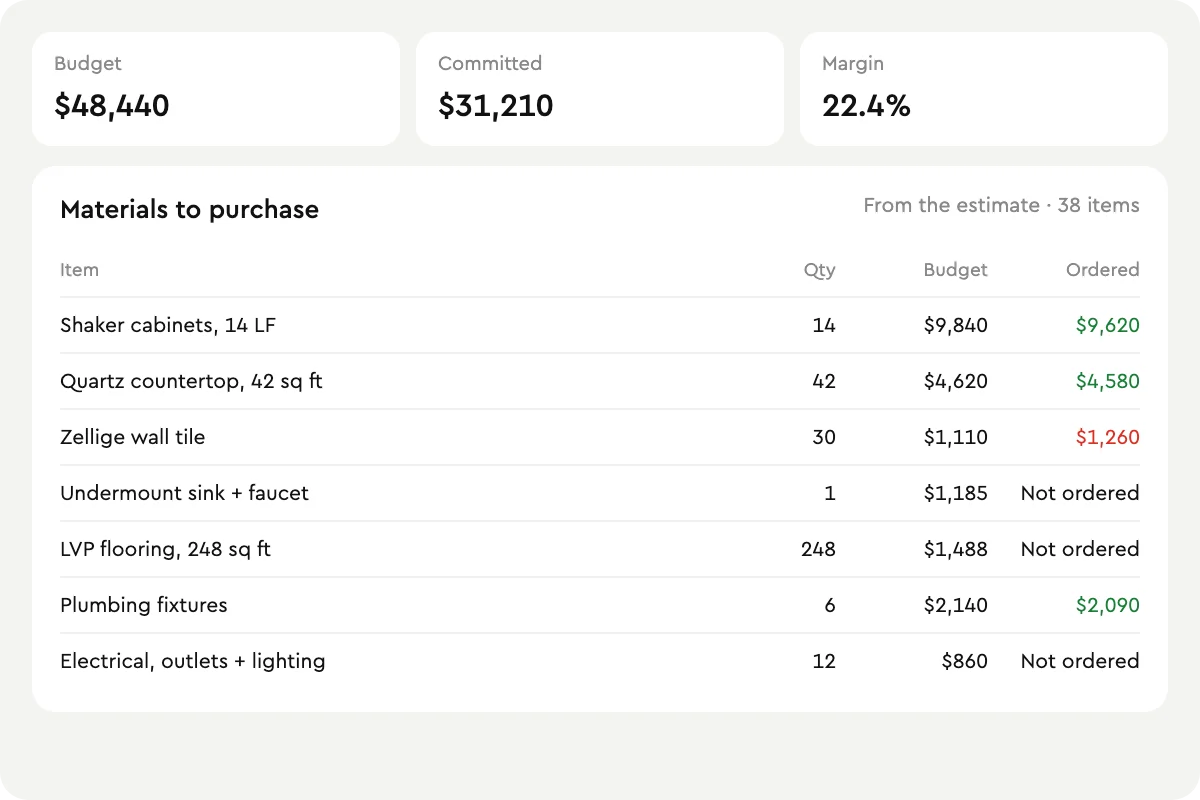
- Material lists and budgets. Before the job starts, a material list and budget are created from the estimate. See material list and budget.
- Changes flow through. Approved change orders update the schedule and budget.
- Clients stay informed. Homeowners see stages and progress in the client portal, and you message the team and client in one place with Bolster messages.
Michael at MJK Builders sums up the value: "If I save two hours a week on projects, that's a hundred hours out of the year. If I'm charging $100 an hour for my time, that's $10,000 saved." Bolster users report saving about two hours a week per project on scheduling and admin.
Scheduling for general contractors and remodelers
Scheduling is where general contractors and remodelers feel the most pain, because they coordinate the most trades. Because Bolster builds the schedule from the estimate, the same system that won the job runs it. Book a demo to see a schedule built from one of your own estimates.
Frequently asked questions
What is construction scheduling software?
It is software that plans and tracks the tasks on a construction job, assigns them to crew and subcontractors, and shows progress to the team and client. Better tools connect the schedule to the estimate, budget and invoicing.
What is the best construction scheduling software for residential contractors?
Choose a tool that builds schedules from your estimate, lets subcontractors see their tasks, gives clients a progress view and ties payments to completed work. Bolster creates schedules automatically when a job is booked.
Is there a free construction schedule template?
Yes. Use the seven-stage template above (pre-construction, demolition, structure, rough-ins, close-up, finishes, close-out) in any spreadsheet. Bolster builds the same structure automatically from your estimate.
How do I manage schedules across multiple job sites?
Keep every job on one shared schedule, plan by stage and assign by task, confirm subcontractors a week ahead with automatic notifications, and review what slipped every week.
Can subcontractors see the schedule?
In Bolster you assign tasks to subcontractors and they are notified by email, SMS or Bolster chat, so they know when and where they are needed.
Does the schedule update when there is a change order?
Yes. When a change order is approved in Bolster, the schedule and budget update to match.