Free contractor templates and forms
Every job runs on paperwork. An estimate wins the work, a proposal gets it signed, purchase orders buy the material, change orders protect your margin, a schedule keeps the trades in order and invoices get you paid. Most contractors start with a folder of half-finished Word files and spreadsheets they found online, and every one of them is laid out differently.
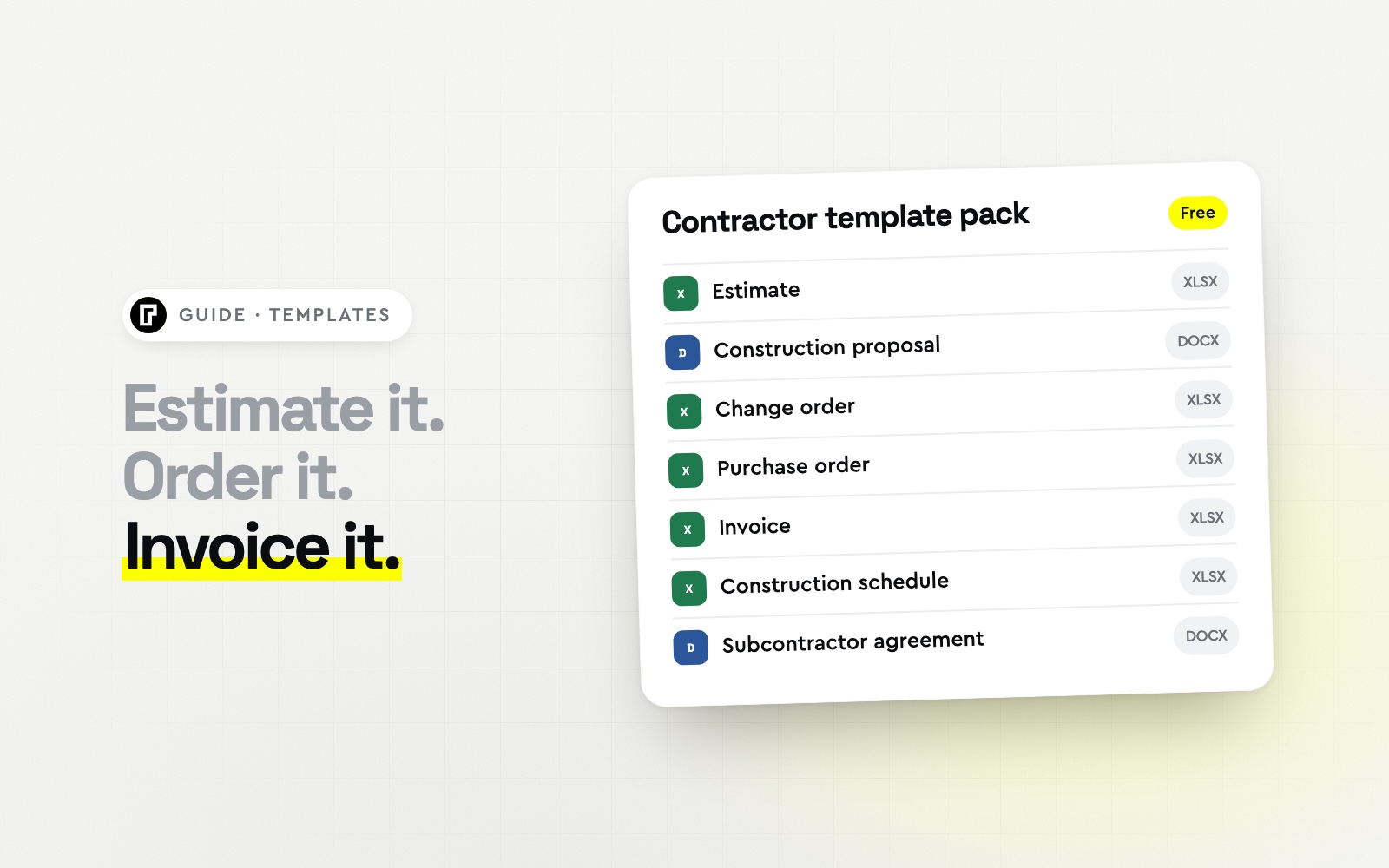
This pack gives you seven contractor forms that work together, built by the team behind Bolster, the all-in-one software for residential contractors. The spreadsheets calculate for you, the Word documents are ready to brand, and each template below shows exactly what is inside, what it needs to include and how to use it.
Construction estimate template (Excel): line items, markup, tax and gross margin
Construction proposal template (Word): scope, price, options, payment schedule and sign-off
Change order template (Excel): priced changes, new contract sum and schedule impact
Purchase order template (Excel): vendor, delivery, line items and terms
Contractor invoice template (Excel): progress billing, change orders, payments and due date
Construction schedule template (Excel): workdays, dependencies and an automatic Gantt chart
Subcontractor agreement template (Word): a starting outline to review with your lawyer
Enter your work email at the top of the page and the whole pack downloads as one zip file. The spreadsheets work in Excel and Google Sheets; the documents open in Word, Google Docs and Pages.
Construction estimate template
An estimate is your price for the job, built from the cost of every piece of it. Whether you call it an estimate, a bid sheet or a quote, a good construction estimate template does three things: it lists every cost line so nothing gets forgotten, it applies your markup consistently, and it shows you the margin you are actually keeping.
What a contractor estimate template should include
Your company, the client, the job address, an estimate number and the date it is valid until
Line items grouped by category or trade, each with a quantity, unit and unit cost
Markup per line, so you can price risky or specialty work differently
Subtotal, sales tax and the estimate total
Total cost and gross margin, so you know what the job is worth to you before you send it
Construction estimateExcel
| Category | Description | Qty | Unit cost | Cost | Markup | Price |
|---|
| Cabinets | Supply and install shaker cabinets | 22 lf | $410.00 | $9,020.00 | 25% | $11,275.00 |
| Countertops | Quartz, template and install | 58 sq ft | $78.00 | $4,524.00 | 25% | $5,655.00 |
| Flooring | LVP, supply and install | 210 sq ft | $7.40 | $1,554.00 | 25% | $1,942.50 |
| Total cost (9 lines) | | | $26,710.00 | | |
| Estimate total | | | | 20% margin | $33,387.50 |
How to fill it in
Set your default markup and tax rate at the top, then work through the job trade by trade. Enter quantities from your takeoff and unit costs from your latest supplier pricing, not last year's. The sheet multiplies each line out, applies the markup and shows the gross margin at the bottom. Remember that markup and margin are not the same number: a 25% markup is a 20% margin. Our markup vs margin guide explains why that matters.
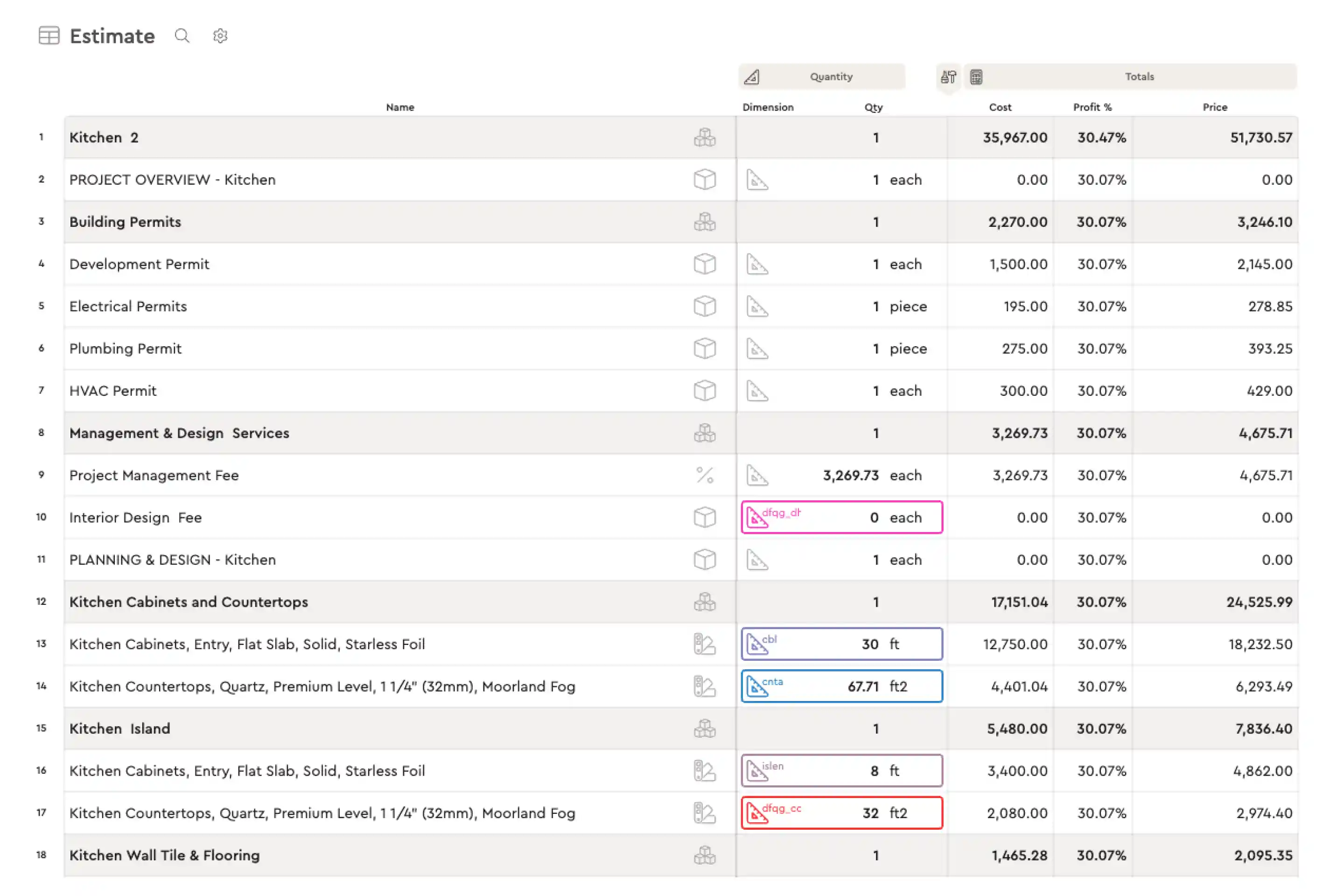
A spreadsheet is only as good as the prices you type into it. Bolster's estimating software keeps the same spreadsheet feel with formula-based items and assemblies, and with AutoCost it fills in live, regional material and labor pricing from more than 100 million real construction items.
Construction proposal template
The estimate is for you; the proposal is for your client. A construction proposal template (sometimes called a bid proposal template) turns your numbers into a document a homeowner can read, trust and sign. It explains what you will build, what it costs, what is not included, how payments work and when you will start. Not sure where an estimate ends and a proposal begins? See estimate vs bid vs quote vs proposal.
What to include in a construction proposal
A short project overview written in the client's own words
A clear scope of work, item by item
The price, with optional upgrades priced separately so clients can choose
A payment schedule tied to milestones, starting with the deposit
Timeline, exclusions and allowances, so there are no surprises later
Terms (changes by signed change order, warranty, insurance) and a signature block
Construction proposalWord
| Section | What goes in it |
|---|
| Scope of work | Demolition, framing, electrical, plumbing, finishes, permits |
| Price and options | Base scope $48,500; options listed and priced separately |
| Payment schedule | 10% on signing, 30% rough-in, 40% cabinets and counters, 20% completion |
| Exclusions and allowances | Client-supplied appliances; $1,200 lighting allowance |
| Acceptance | Client and contractor signatures and date |
Fill in every bracketed field, delete what does not apply, and send it as a PDF. Price the upgrades you know clients ask about (a better countertop edge, lighting, an extra outlet) as options: it is the easiest way to raise the job value without discounting.
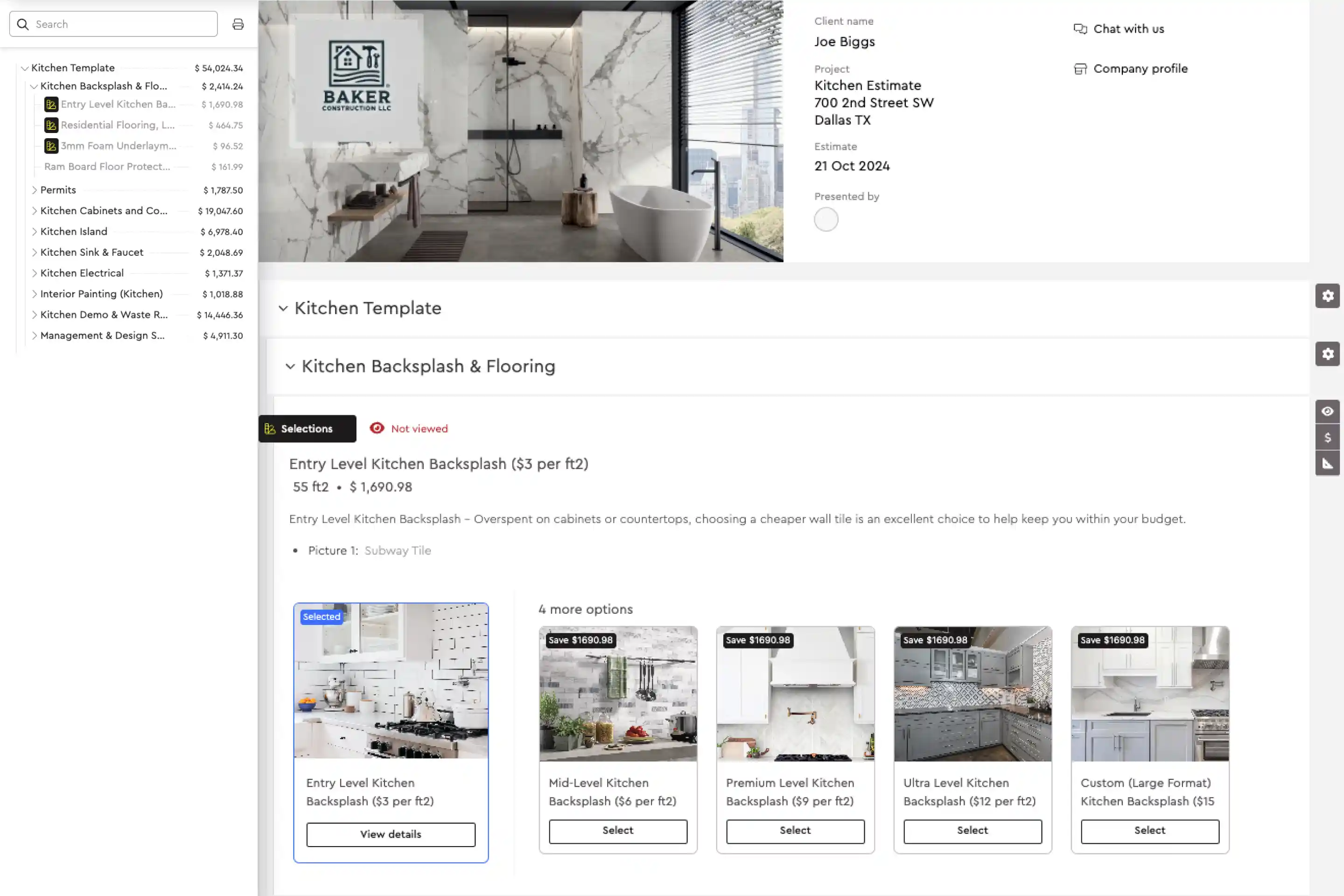
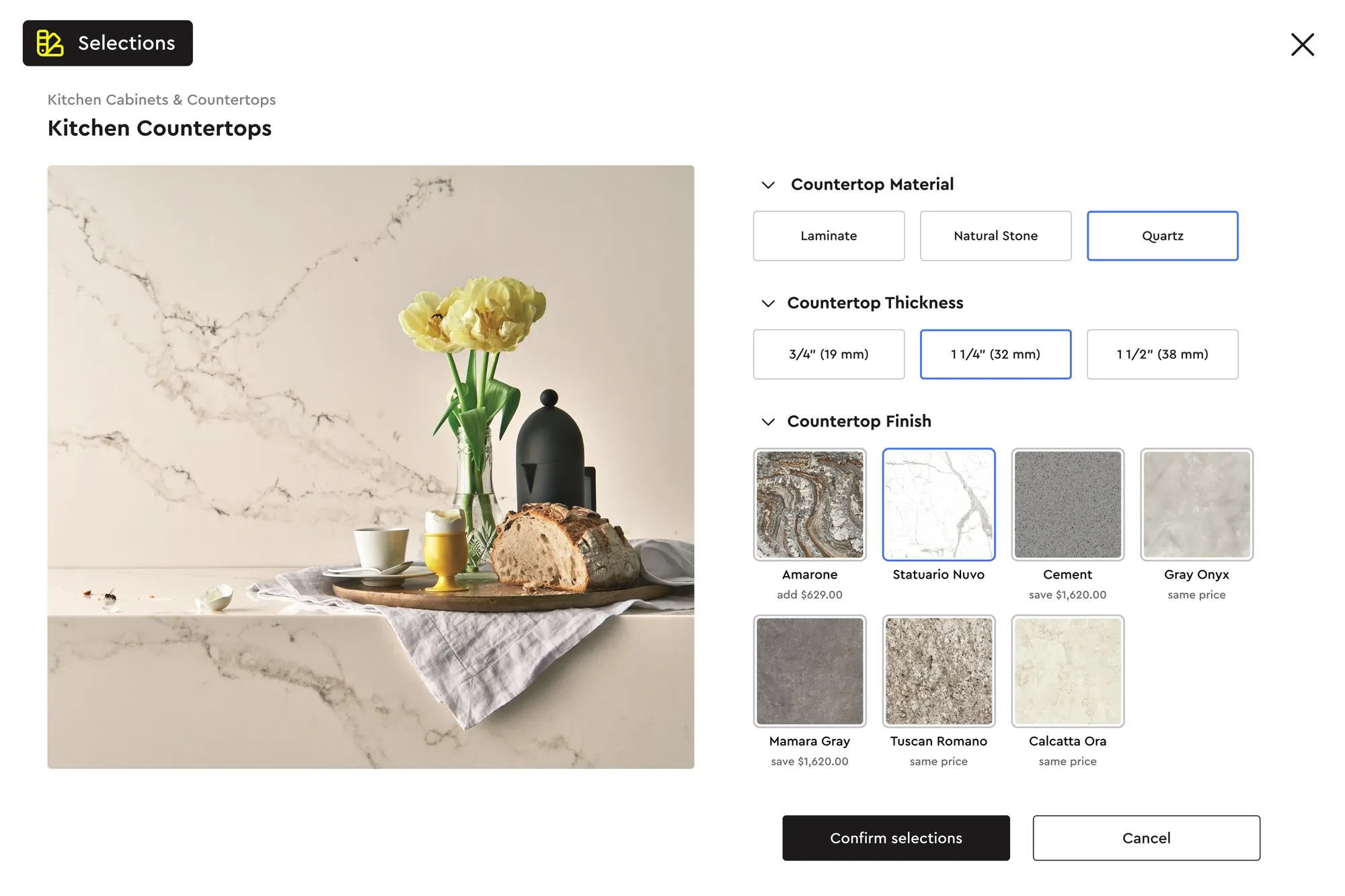
In Bolster, the proposal is generated from the estimate in one click. Clients open an interactive presentation, pick their own options and upgrades, sign and pay the deposit in one step, and every selection updates the budget and schedule. See construction proposal software.
Change order template and change order form
A change order is a signed agreement to change the scope, price or schedule of a job after the contract is signed. Without one, extra work turns into an argument at the final invoice. A good change order template makes the change, the cost and the new contract total impossible to misread, and it gets signed before the work is done.
What a construction change order form should include
Project, change order number, date and who requested the change
A plain description of what is changing
Priced line items, including credits for work that is no longer needed
The original contract sum, previous change orders and the new contract sum
Schedule impact in days
Signatures from the client and the contractor, with a line that says work starts after approval
Change orderExcel
| Item | Description | Qty | Amount |
|---|
| Range hood | 36" stainless hood, supply and install | 1 | $1,450.00 |
| Electrical | Dedicated 20A circuit for hood | 1 | $380.00 |
| Pendant lights | Supply and install, client fixtures | 3 | $495.00 |
| Credit | Original 30" hood, not installed | 1 | −$620.00 |
| This change order | | | $1,705.00 |
| New contract sum | Was $48,500 + $2,150 earlier changes | +2 days | $52,355.00 |
Write the change while you are still on site with the client, price it from your estimate, and get it signed before anyone picks up a tool. Keep a running log so the next invoice and the final reconciliation match.
Bolster creates change orders from the estimate and from client selection changes, and clients sign them digitally from their phone. Contractors using integrated estimating report about 50% fewer non-recoverable change orders. See change order software.
Purchase order template for contractors
A purchase order (PO) is your written order to a supplier or subcontractor: what you are buying, how many, at what price, delivered where and when. A purchase order template protects you twice. Vendors know exactly what was agreed, and when the bill arrives you can match it line by line before you pay.
What to put on a construction purchase order
PO number, date, required-by date, and the job or cost code it is charged to
Vendor contact, the job site delivery address and an on-site contact
Item numbers, descriptions, quantities, units and unit prices
Subtotal, tax, delivery and the PO total
Terms: quote the PO number on every delivery ticket and invoice, payment terms, and who authorized it
Purchase orderExcel
| Item # | Description | Qty | Unit price | Amount |
|---|
| T-1042 | Porcelain floor tile 12x24, matte grey | 85 sq ft | $6.20 | $527.00 |
| T-2210 | Ceramic wall tile 3x12, white gloss | 120 sq ft | $8.40 | $1,008.00 |
| S-0310 | Thinset mortar, 50 lb | 6 bag | $24.50 | $147.00 |
| S-0412 | Grout, unsanded, 25 lb | 2 bag | $31.00 | $62.00 |
| PO-0064 | Including $75 delivery | | | $1,819.00 |
Number your POs in sequence, send one per vendor per delivery, and file the matching bill against it. If you are still collecting prices, send a request for quote first and turn the winning bid into the PO. Our guide to construction purchase orders walks through the full RFQ to paid process.
In Bolster, you request bids straight from the estimate, compare them against your budget, and the awarded bid becomes the purchase order. Vendor bills are read and matched to the job, then paid from Bolster. See vendor management.
Contractor invoice template
Most contractors do not lose money on the estimate; they lose it waiting to get paid. A contractor invoice template should make it obvious what the client is paying for, what they have already paid and exactly when the balance is due.
What to include on a construction invoice
Your business details, the client, the project, an invoice number and invoice date
Payment terms and a due date (the template calculates it from the terms)
What is being billed: a progress payment milestone, approved change orders, or time and materials
Tax, payments or credits already received, and the balance due
How to pay, and a request to quote the invoice number
InvoiceExcel
| Item | Description | Amount |
|---|
| Progress payment 2 | Rough-in complete (electrical, plumbing, framing) | $14,550.00 |
| Change order CO-03 | Range hood upgrade and pendant lights | $1,705.00 |
| Balance due | Due Nov 17, 2026 (15-day terms) | $16,255.00 |
Invoice the day a milestone is done, not at the end of the month. Bill approved change orders on the next invoice rather than saving them for the end, and keep payment terms short and consistent.
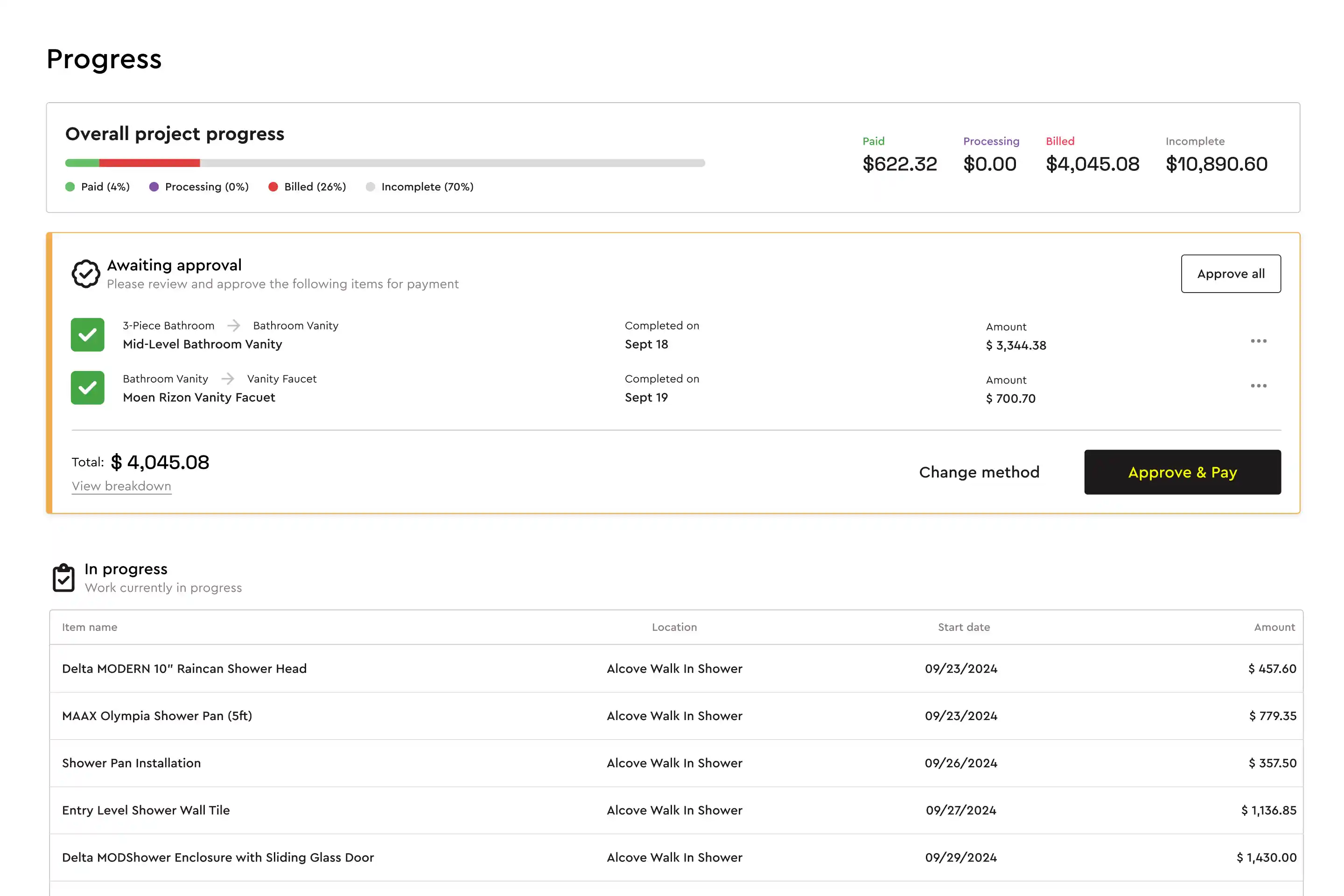
In Bolster, progress payments are requested automatically as scheduled tasks are completed, invoices and receipts are generated for you, and clients pay online in their portal. See construction payments.
Construction schedule template
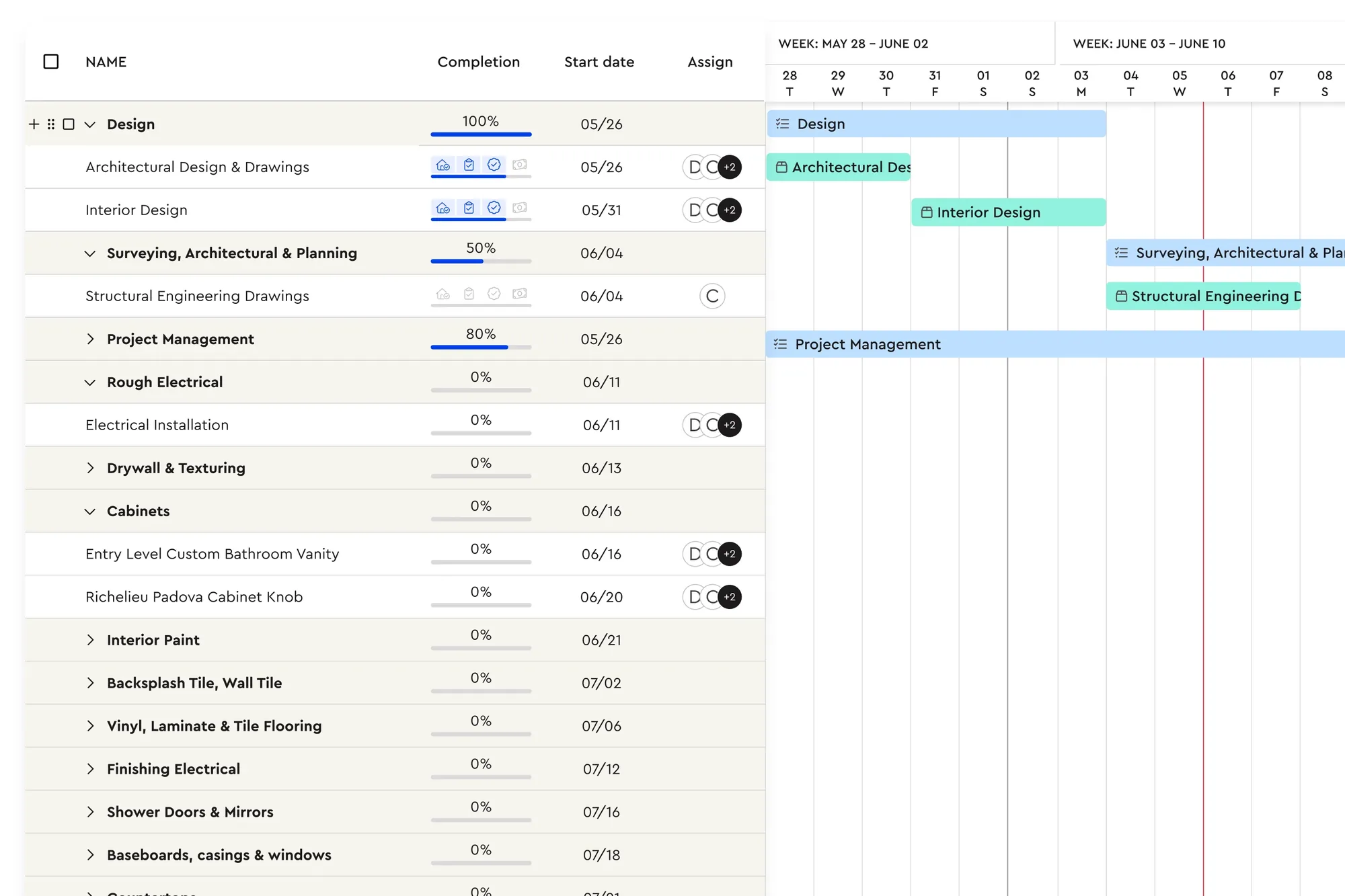
A schedule is a promise to your client and an instruction to your trades. A construction schedule template lists every task, who does it, how long it takes and what has to finish first, then shows the whole job on a timeline.
How the schedule template works
Type the project start date and your tasks with a duration in workdays
Enter the row of the task each one depends on; its start date moves automatically to the next workday after that task finishes
Weekends are skipped, so finish dates are real working days
The yellow Gantt bars redraw whenever you change a duration or a dependency
Construction scheduleExcel
| Task | Trade | Days | Start | Finish |
|---|
| Demolition | Crew | 2 | Mon Nov 2 | Tue Nov 3 |
| Framing changes | Crew | 2 | Wed Nov 4 | Thu Nov 5 |
| Plumbing rough-in | Plumber | 2 | Fri Nov 6 | Mon Nov 9 |
| Electrical rough-in | Electrician | 2 | Fri Nov 6 | Mon Nov 9 |
| Rough-in inspection | Inspector | 1 | Tue Nov 10 | Tue Nov 10 |
| … | | | | |
| Final walkthrough | Owner + client | 1 | Tue Dec 8 | Tue Dec 8 |
Build the schedule from your estimate so every trade on the estimate has a task, add inspections and lead times for special-order items, and share the dates with your subs before the job starts. Our construction scheduling guide covers sequencing in more detail.
In Bolster, the schedule builds itself when a job is booked: each estimate item becomes a trackable task, and completing tasks triggers the matching progress payment. See construction scheduling software.
Subcontractor agreement template
A subcontractor agreement sets out the scope, price, payment terms, insurance and responsibilities between you and a sub. Even on small residential jobs, a written agreement prevents most disputes before they start.
This template is a starting outline, not legal advice. Construction law, lien rules, licensing and insurance requirements differ by state and province. Have a lawyer review and adapt it before you use it.
What a subcontractor agreement should cover
The parties, project and owner
Scope of work, ideally with the drawings and specifications attached
Contract price and payment terms, including retainage and lien waivers with each invoice
Schedule, change orders in writing, insurance certificates, licensing and safety
Warranty, indemnity, termination, independent contractor status and how disputes are resolved
Subcontractor agreementWord
| Section | Covers |
|---|
| Scope and price | Exhibit A scope, fixed price or unit rates |
| Payment | Progress payments, retainage, conditional and unconditional lien waivers |
| Changes and schedule | Written change orders only; follow the project schedule |
| Insurance and licensing | Liability and workers' compensation certificates before work starts |
| Legal | Warranty, indemnity, termination, disputes (review with your lawyer) |
For finding and vetting subs in the first place, read our guide to finding and hiring residential subcontractors. In Bolster, subs and suppliers receive bid requests from the estimate, their bills are matched to the job and lien waivers and documents are tracked on the vendor. See vendor management.
When to move from templates to software
Templates are a big step up from a blank page, and plenty of contractors run their first years on them. The cracks show when the same information has to be typed three times: the estimate into the proposal, the proposal into the schedule, the schedule into invoices, the estimate into purchase orders. Every copy is a chance for a wrong number, and prices in a spreadsheet go stale the day you save it.
Bolster connects all seven of these documents. The estimate becomes the proposal, the signed proposal becomes the schedule and budget, change orders flow from client selections, bids become purchase orders and completed tasks trigger the invoice. Book a demo and we will build one of your real jobs with you.
Frequently asked questions
Are these contractor templates really free?
Yes. Enter your work email at the top of the page and you get the full pack: five Excel spreadsheets (estimate, change order, purchase order, invoice and schedule) and two Word documents (proposal and subcontractor agreement). There is nothing to buy.
Do the templates work in Google Sheets and Google Docs?
Yes. The spreadsheets work in Excel and Google Sheets, and the documents open in Word, Google Docs and Pages. The formulas, totals and the Gantt chart in the schedule all keep working after you upload them to Google Drive.
What should a construction estimate include?
Every cost line with a quantity, unit and unit cost, your markup, sales tax and the estimate total, plus your company, the client, the job address and how long the price is valid. The estimate template also shows total cost and gross margin so you can check the job is worth taking.
What is the difference between a change order and a change order form?
They are the same thing. The change order is the agreement to change scope, price or schedule; the form is the document both parties sign. It should show the priced change, the new contract sum and any schedule impact.
Is the subcontractor agreement template legally binding?
Once signed it can be, which is why it needs a lawyer's review first. The template is an outline of the sections a subcontractor agreement usually covers, not legal advice, and the rules differ by state and province.
When should a contractor switch from templates to software?
When you are retyping the same numbers into several documents, chasing payments, or sending more than a few estimates a week. Software like Bolster connects the estimate, proposal, schedule, purchase orders, change orders and invoices so you enter the information once.