1
Their week, task by task
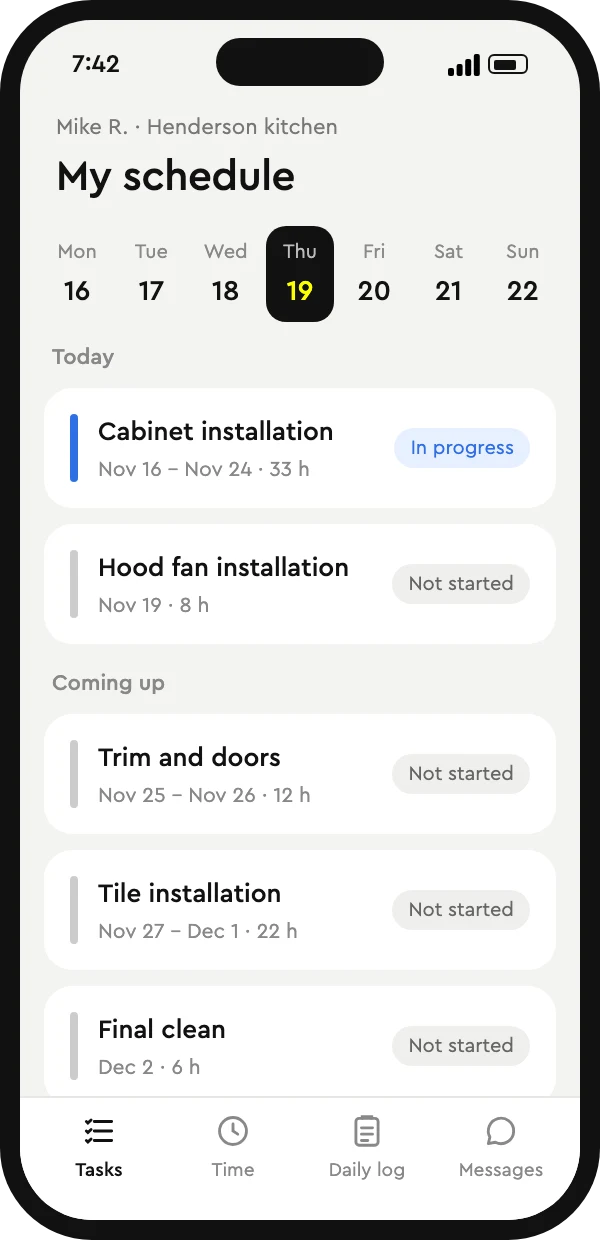
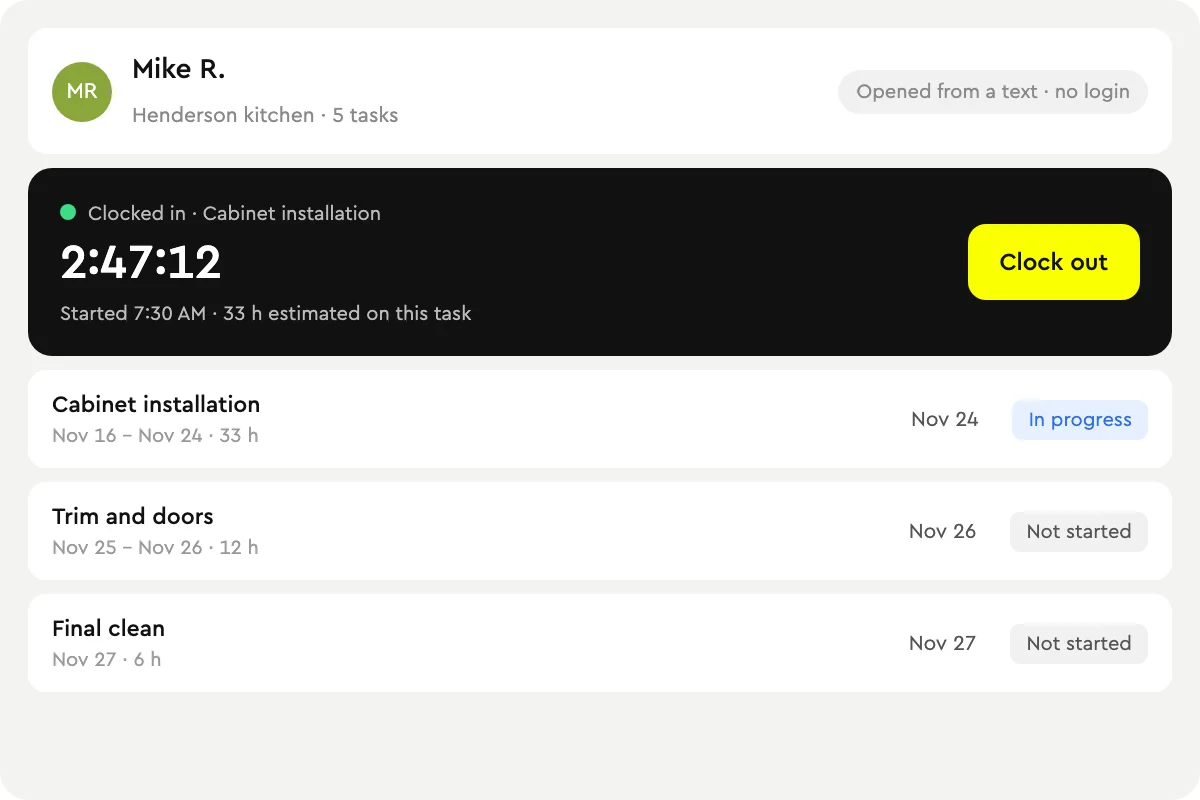
Each person sees the tasks assigned to them, with dates and hours, and marks each one not started, in progress or completed as they go.
Scheduling





What your crew sees in Bolster Field, and where it lands for you.
Each person sees the tasks assigned to them, with dates and hours, and marks each one not started, in progress or completed as they go.
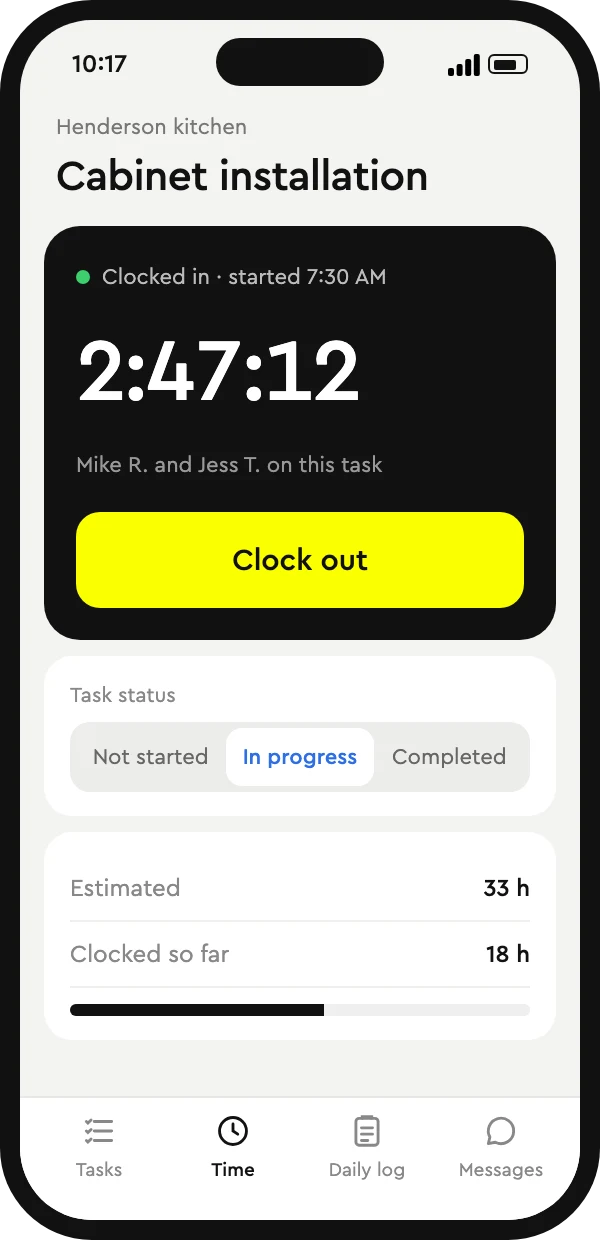
SchedulingOne tap to clock in on the task they’re on, with a GPS stamp on every clock in and out. They pause for lunch and switch tasks when the work changes.
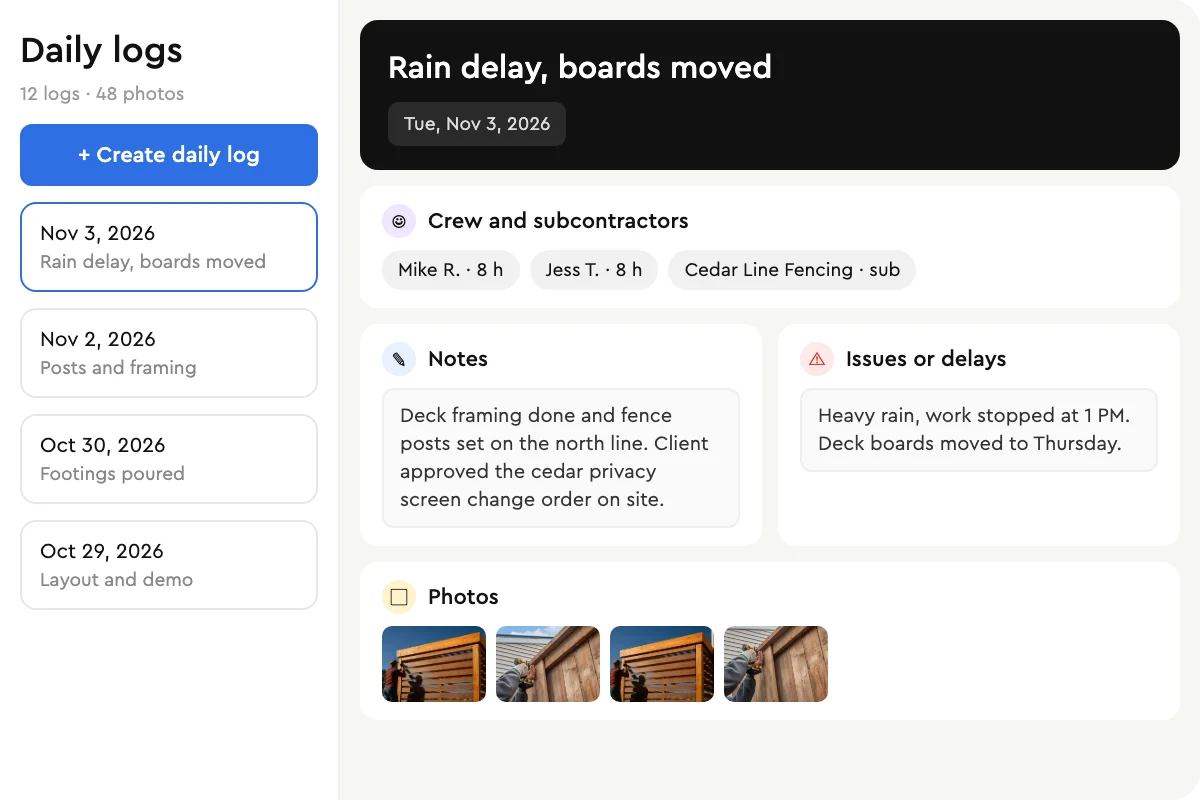
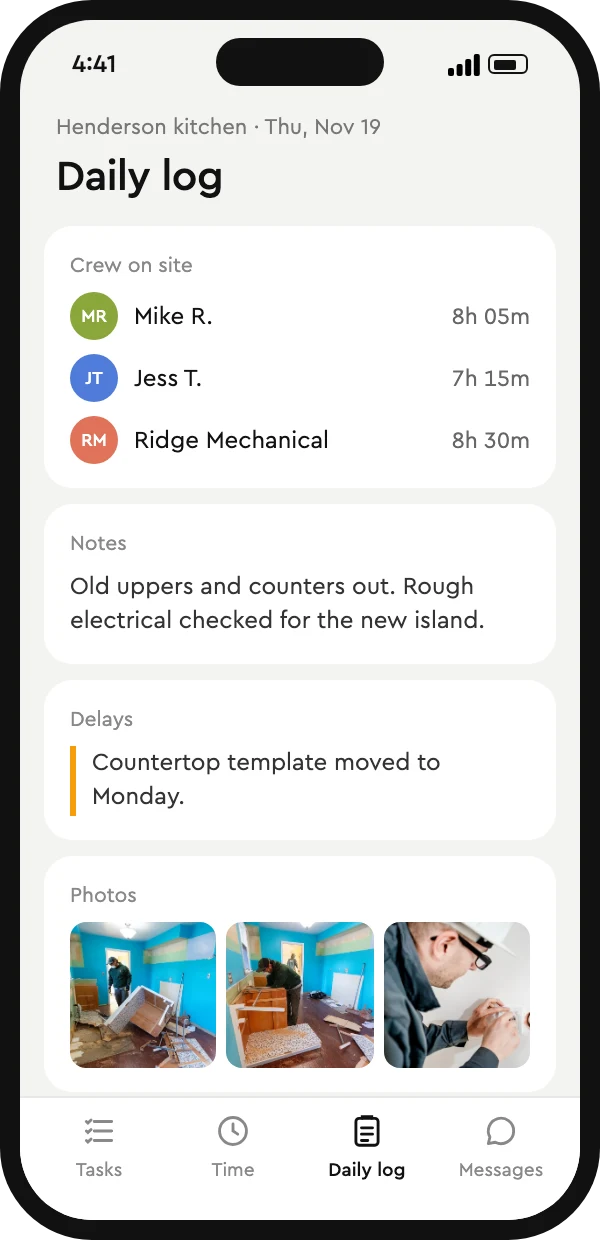
Time trackingCrew on site, notes, delays and photos, filed on the job and the date, so the office sees the day without a phone call.
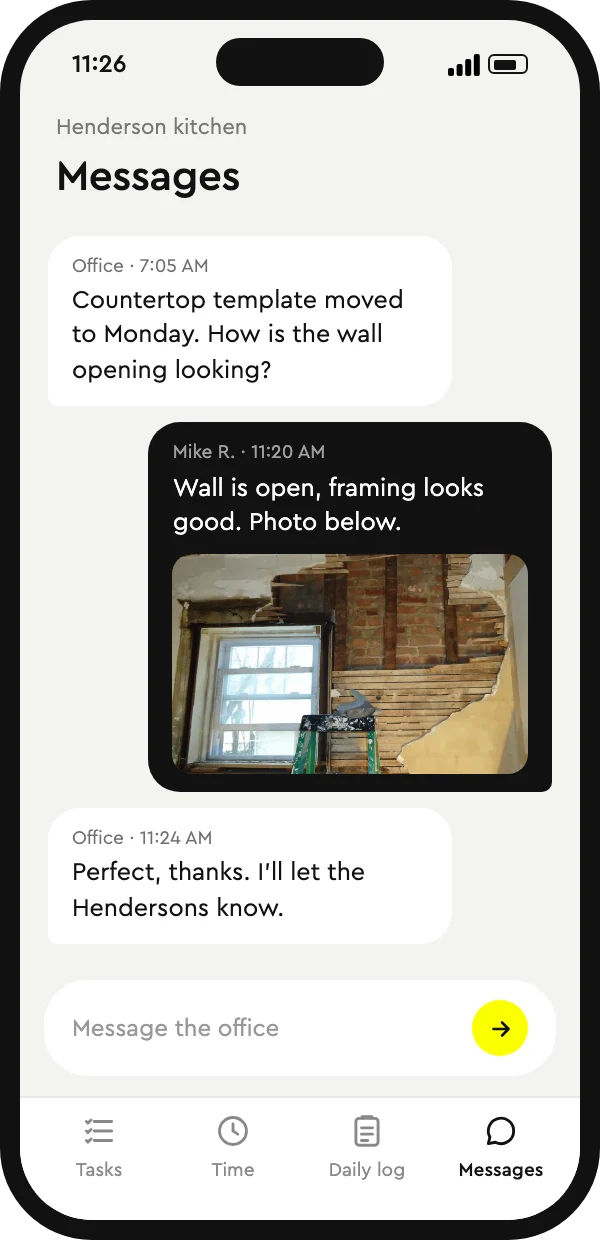
Daily logsQuestions and photos stay on the job, not lost in a group text. Subs only ever see their own tasks, never your prices or your margin.
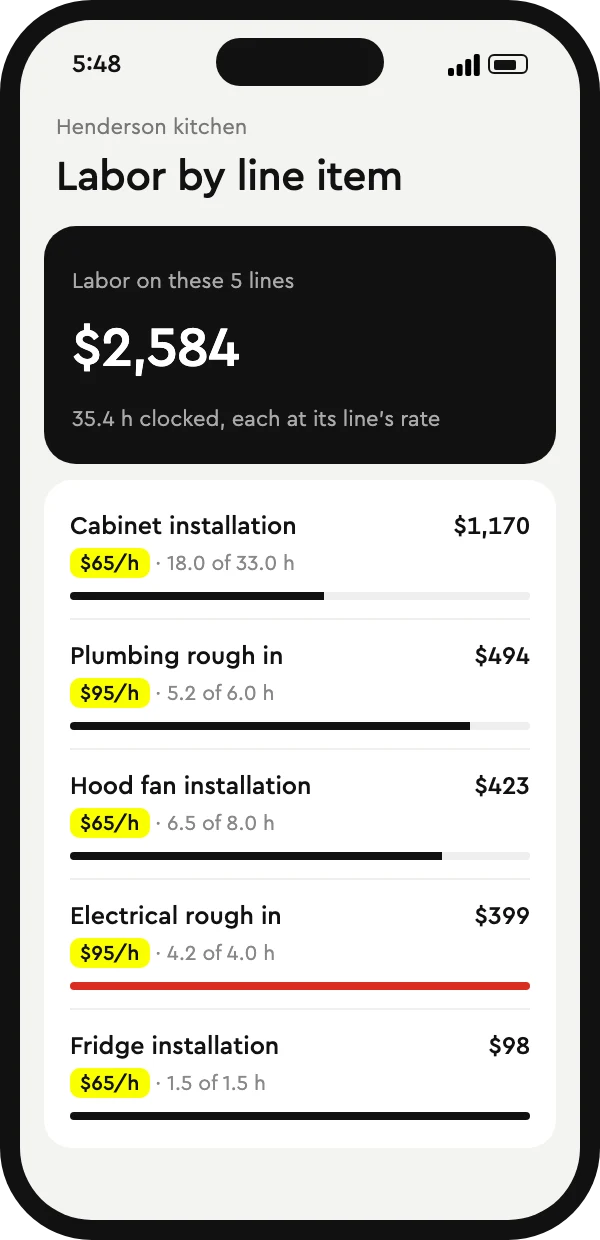
Clocked hours land on the line they were worked on, at that line’s labor rate, so you see labor against what you priced while the job is running.
Material list & budget
Pick your trade and open a real job, from takeoff to proposal to schedule. Click anything, change the options, open the estimate behind it.
Save time, win more jobs, increase profit, and get paid faster with Bolster.
Get startedA construction crew app has one job: get what happens on site back to the office without anyone typing it twice. That means the schedule going out to the crew, and hours, notes and photos coming back in.
Most small contractors run this on group texts, paper timesheets and photos that live in someone’s camera roll. It works until a customer asks why the job ran long, or until payroll needs the hours split by job.
Tasks, not just a calendar. Each person should see the work assigned to them, with dates and hours.
Clock in on the task. Hours tied to the work, not just a start and an end to the day.
GPS on the clock in. A location on every clock in and out, so you know the hours were worked on site.
Daily logs with photos. Notes, delays and photos filed on the job and the date.
Subs see only their work. Their tasks and the scope, never your prices.
Easy for the field. iPhone and Android, and a link from a text when someone can’t remember a password.
Connected to the office. The hours and logs should land on the job, not in another spreadsheet.
Bolster Field is the crew side of Bolster project management. The tasks come from the schedule built from your estimate, clocked hours land on the budget at each line’s labor rate (see time tracking), and daily logs are filed on the job. Download it on the App Store or Google Play.
Bolster Field is the mobile app for your crew and subcontractors. They see their tasks, clock in on the task, log the day with photos, mark work complete and message the office, and it all lands on the job in Bolster.
Yes. Download it from the App Store or Google Play.
They can sign in to the app with their Bolster login, or open their tasks from the link in the text or email you send them, with no login to remember.
Only their own tasks, the scope and the photos for their work. Never your prices or your margin.
Yes. Every clock in and clock out gets a GPS stamp, so you can see the hours were clocked on the job site.
Yes. They switch to the next task when the work changes, and the hours land on each task they worked on.
At the end of the day your crew logs the work: who was on site, notes, delays and photos. The log is filed on the job and the date.
Onto the job in Bolster. Each hour lands on the line it was worked on, at that line’s labor rate, next to what you estimated, and your timesheets export for payroll.
Book a demo to see Bolster Field on one of your own jobs.