How to Pay Subcontractors and Suppliers Without Overpaying
Paying subs on time keeps the good ones working for you. Paying them accurately protects your margin. The trouble is that the information you need to check a bill, what was ordered, what has already been billed and what was budgeted, usually lives in three different places.
What to Look for in Subcontractor Payment Software
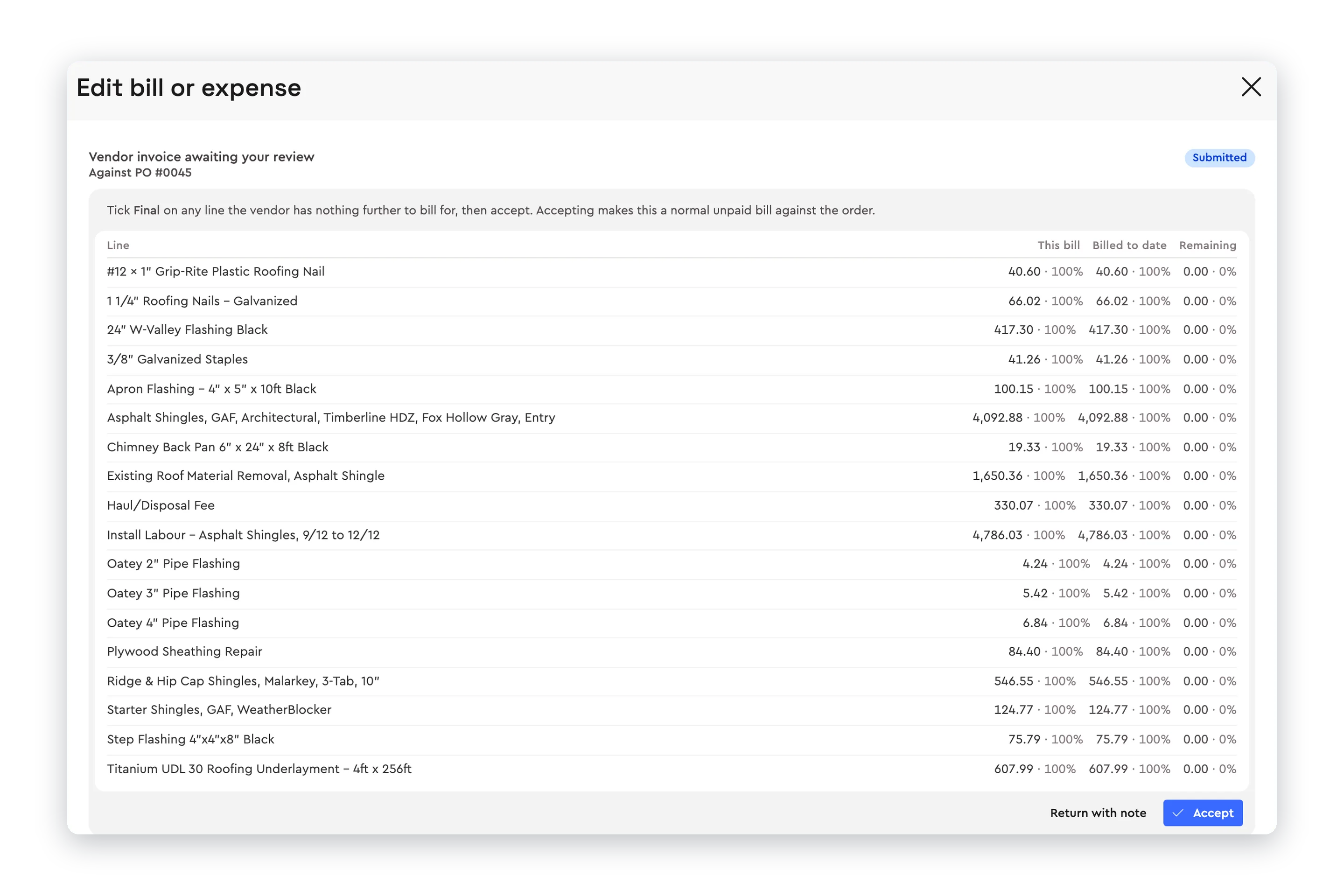
Bills against the purchase order. Each invoice line next to what was ordered and what has already been billed.
Vendors who submit their own invoices. Less retyping, and every bill tied to an order from the start.
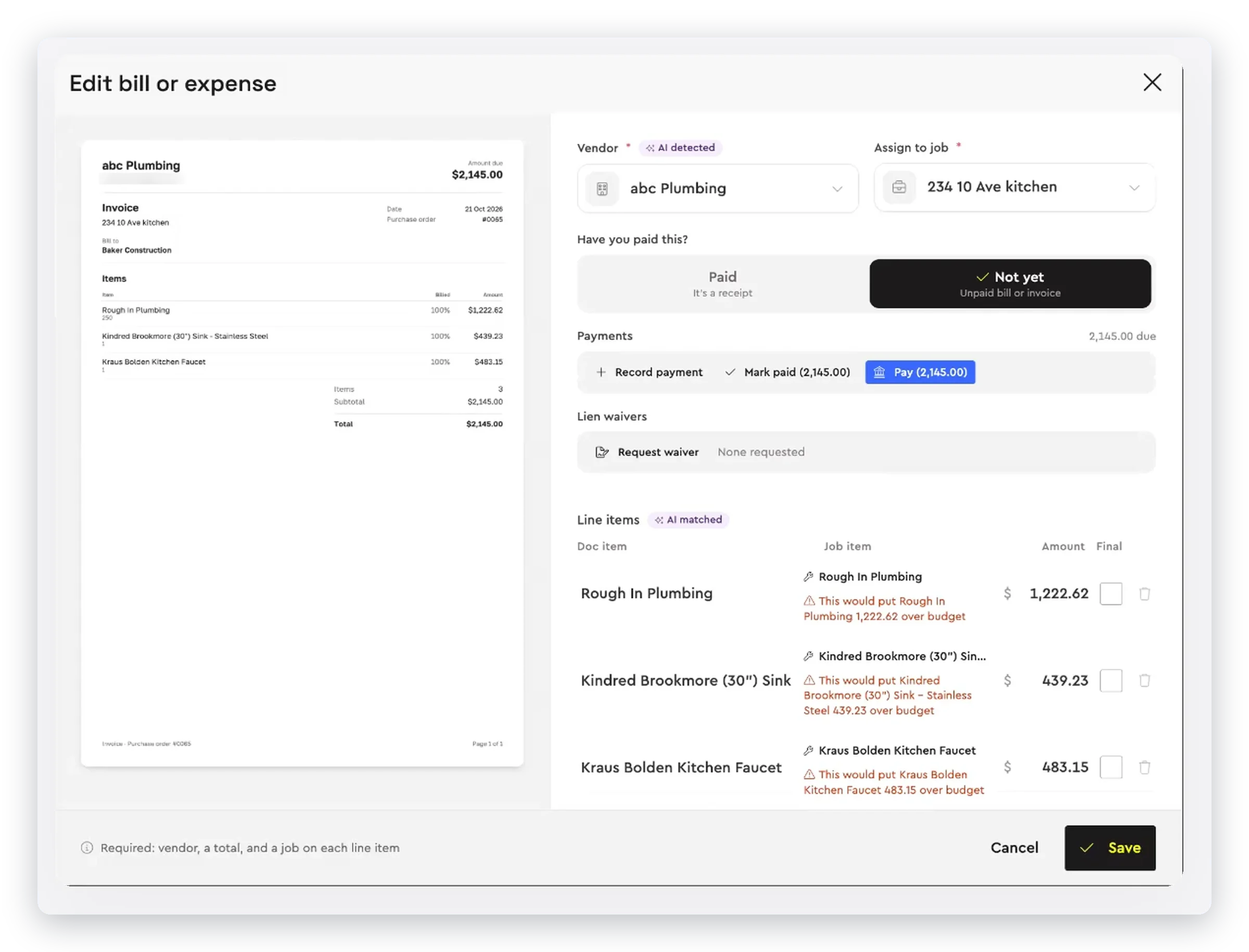
Budget warnings. A flag before a bill takes an item over budget, not at the end of the job.
A way to send bills back. Return a bill with a note instead of an email thread.
Lien waivers. Requested from the bill and tracked with it.
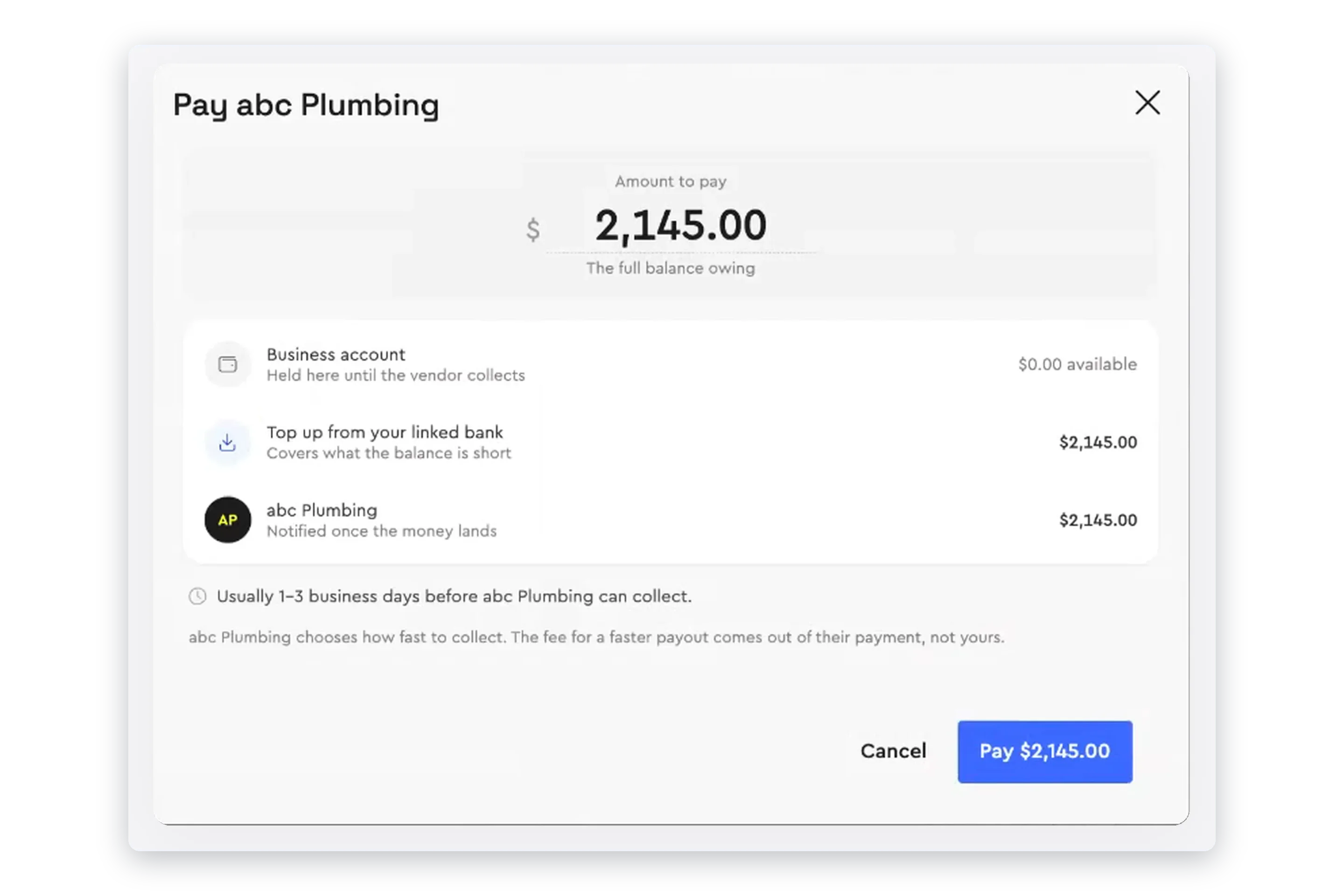
Payment in the same place. No second login to a bank portal to pay what you just approved.
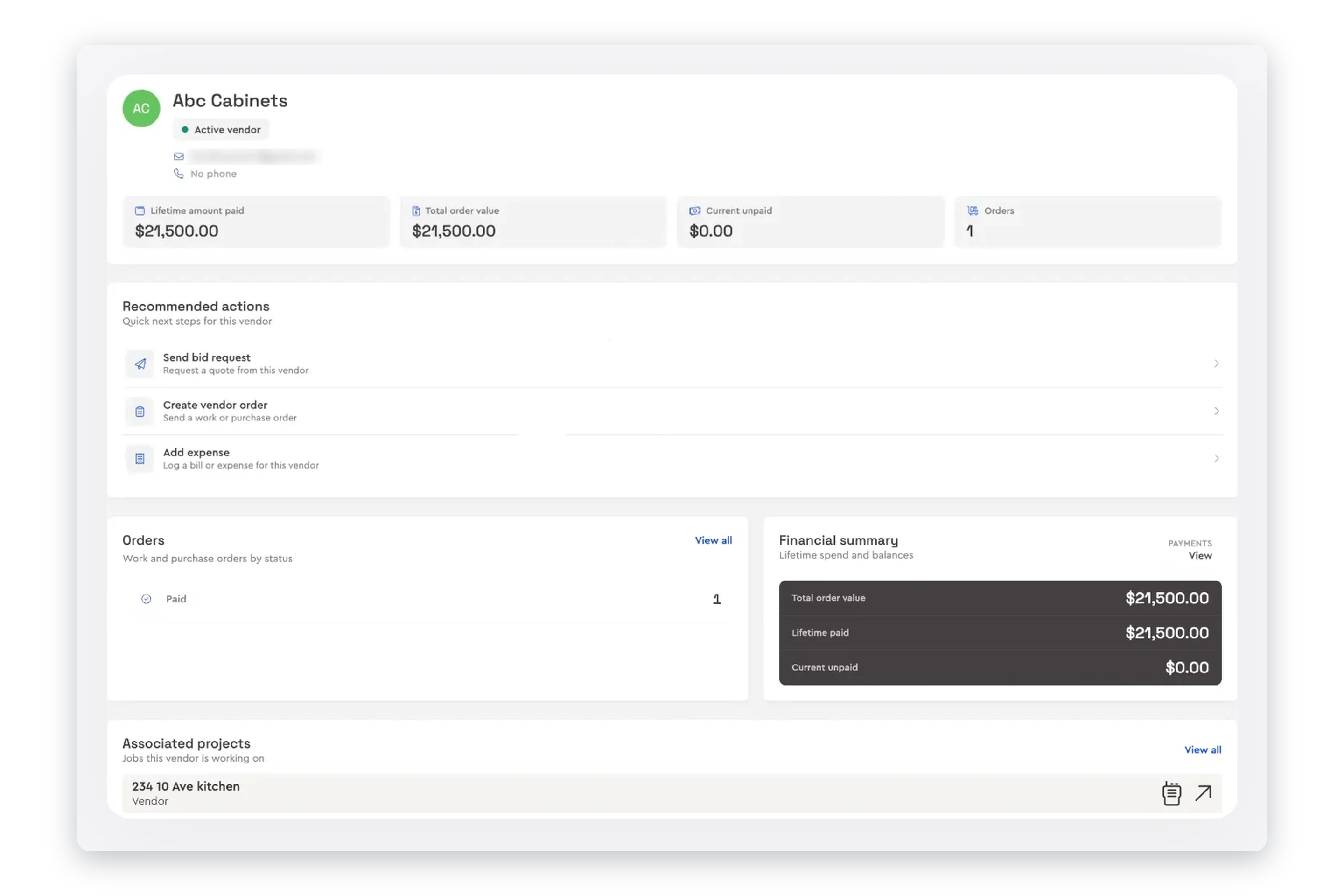
Vendor history. What each sub has been paid, what is on order and what is still owed.
Accounting sync. Bills and receipts pushed to QuickBooks.
Why the Purchase Order Matters
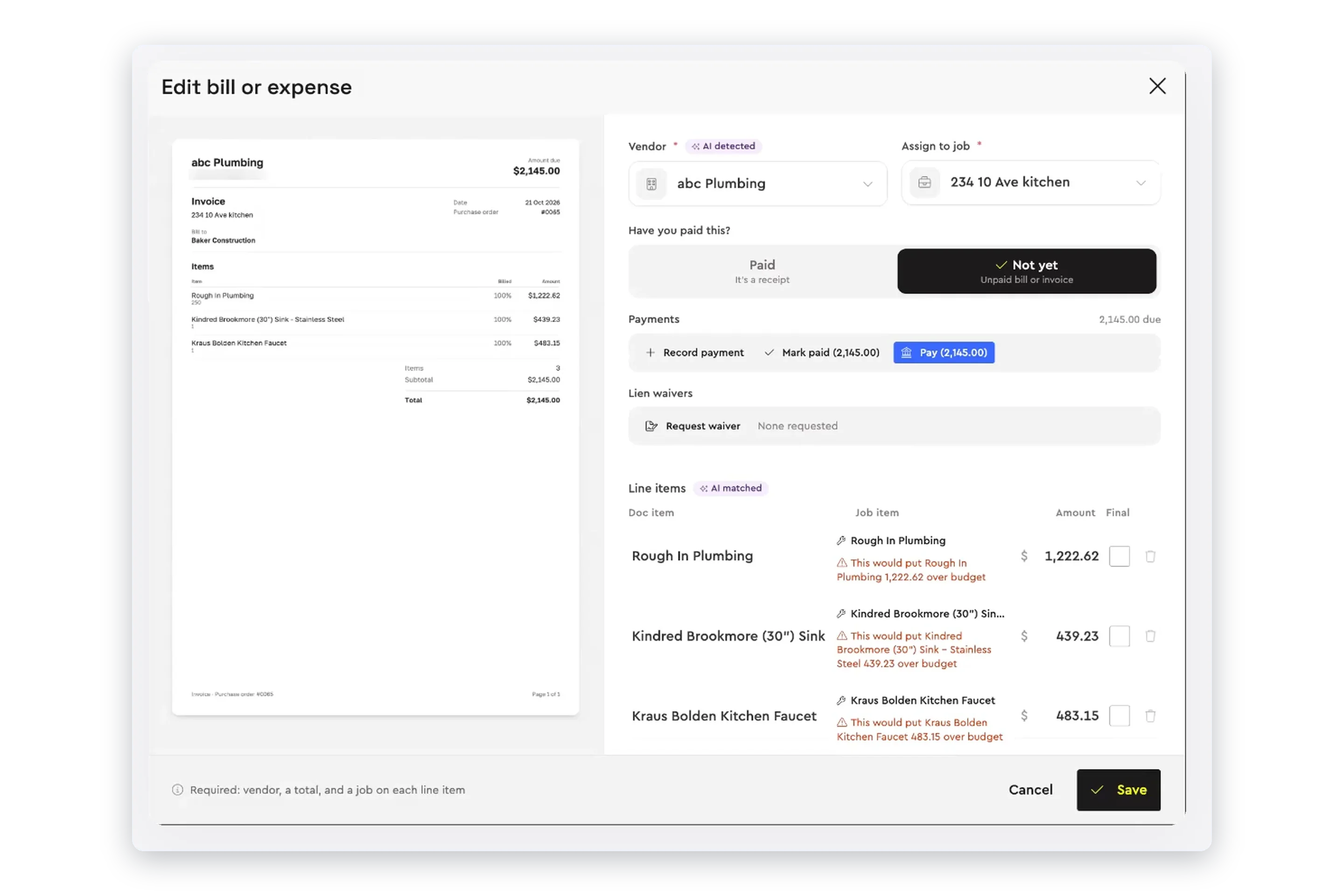
A bill can only be checked against something. When the work was awarded from a bid and sent as a purchase order, the vendor’s invoice comes in against that order and every line can be compared with it. That is how partial billing, double billing and creeping extras get caught before you pay. See bids and purchase orders for how the order is created in Bolster.
How Bolster Handles Subcontractor Payments
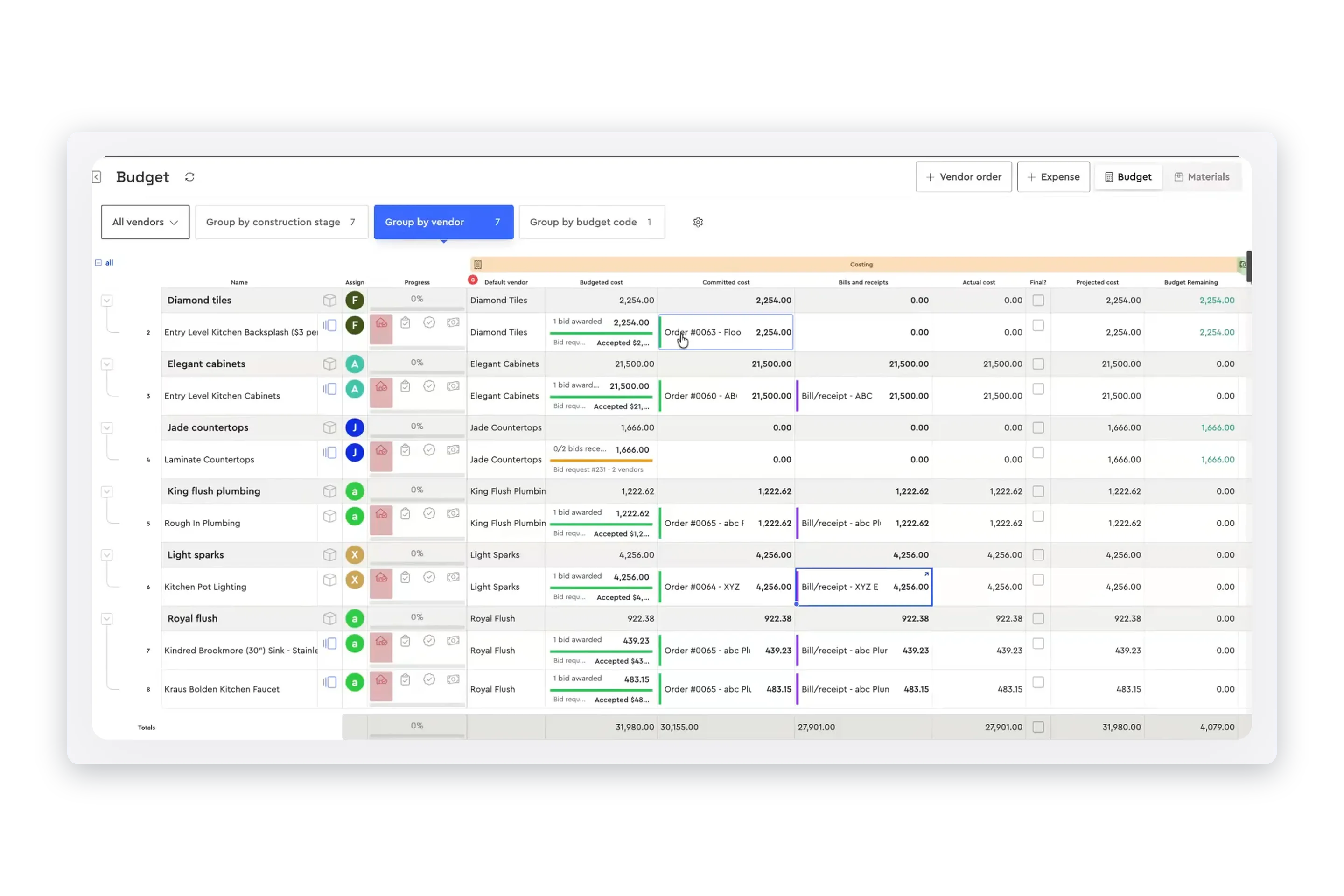
In Bolster, vendor invoices come in against their order, or you upload the bill. Each line is matched to an item on the job and shown against the purchase order, with a warning before anything goes over budget. Accept it and pay from Bolster Wallet, the business account built into Bolster, and the vendor is notified when the money lands. Bills and actual cost show on the job budget straight away. It is all part of vendor management in Bolster.
Frequently Asked Questions
How do I pay subcontractors in Bolster?
Open the bill on the job or under Bills & Expenses, check it against the purchase order and pay it from Bolster Wallet, the business account built into Bolster. The vendor is notified when the money lands.
Can vendors send their invoices into Bolster?
Yes. Vendors submit invoices against their order, and they wait for you under Submitted by vendors until you review them. You can also upload a bill yourself or take a photo of a receipt.
How does Bolster stop me paying for work twice?
Every line of a vendor invoice is shown against its purchase order, with what is on this bill, what has been billed to date and what remains. Bolster also warns you before a bill puts an item over budget.
What if a vendor bill is wrong?
Return it with a note. The vendor sees what needs fixing, and nothing is paid until you accept a corrected bill.
How long does it take my sub to get paid?
Usually one to three business days after you pay. The vendor chooses how fast to collect, and the fee for a faster payout comes out of their payment, not yours.
Can I collect lien waivers from subs?
Yes. Request a lien waiver from the vendor right on the bill, and Bills & Expenses shows the waiver status of every bill.
What if my Bolster Wallet balance is short?
Top up from your linked bank account in the same step as the payment.
Can I track receipts and expenses as well as vendor bills?
Yes. Add an expense by uploading a file, choosing one from Bolster Drive or taking a picture, and tag it to an item on the estimate so it lands on the right line of the job budget.
Do bills sync to QuickBooks?
Yes. Push a bill or receipt to QuickBooks from its advanced options, as a bill or a receipt.
Which Bolster plans include subcontractor payments?
Subcontractor payments and the Bolster business account are included on every plan: Core, Pro and Premium.
Book a demo to see it on one of your own jobs.