




How your clients receive payment requests
This article shows you how it looks when your clients receive payment requests from Bolster.
More in Proposals & Client Experience
Presentations
- Building stellar job-winning presentations
- Changing presentation settings
- How to Download & Print Proposals
Options, upgrades & selections
- How to Make Items Optional
- How to Make Assemblies Optional
- How to Add Upgrades to Assemblies
- How to Add Line Item Upgrades
- Building a Selector Tool (or Variation Options) with pricing
- Using the Selections tab
- How to Let Buyers Set Their Own Quantity or Dimension
Custom inputs
- How to Add a Custom Input or Question to a Proposal or Template
- How to Add Pre-Built Paint Fandexes to a Line Item
Customer portal
Once the proposal has been accepted and the job has been booked, you will begin the project.
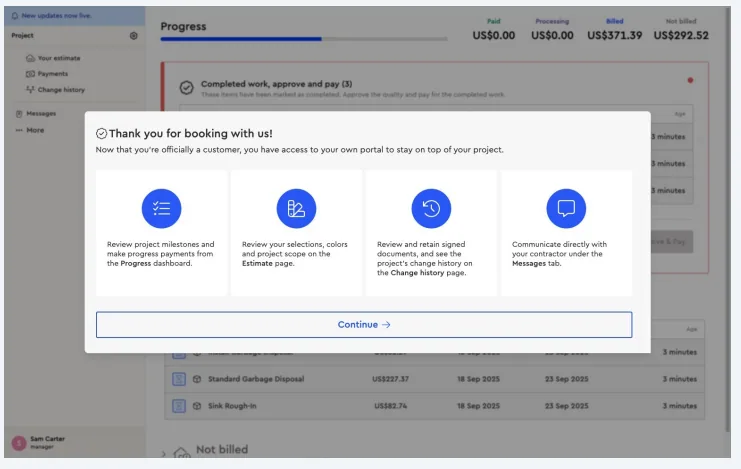
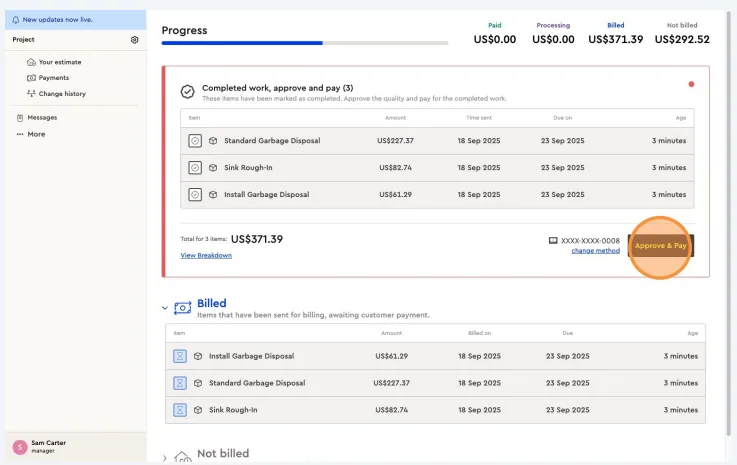
• As you complete items, tasks, or project milestones, payment requests will automatically be sent to the client according to the agreed payment terms.
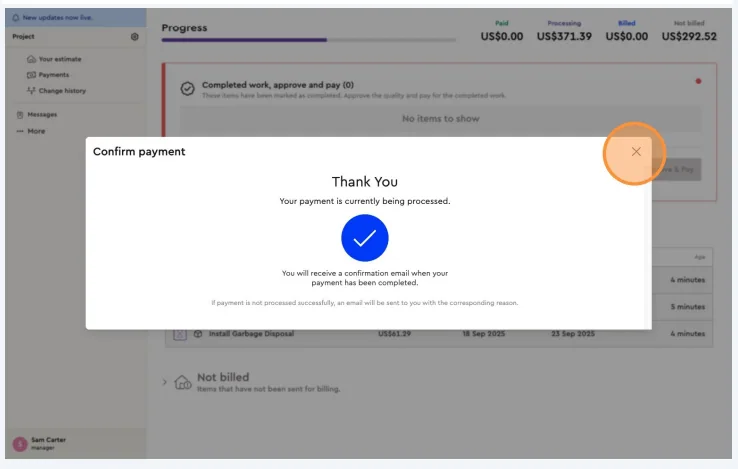
• The client will receive the payment request, review the completed work, approve it & pay.
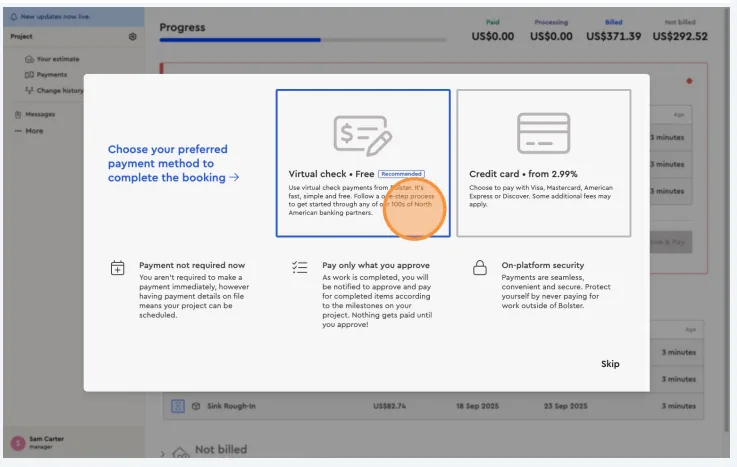
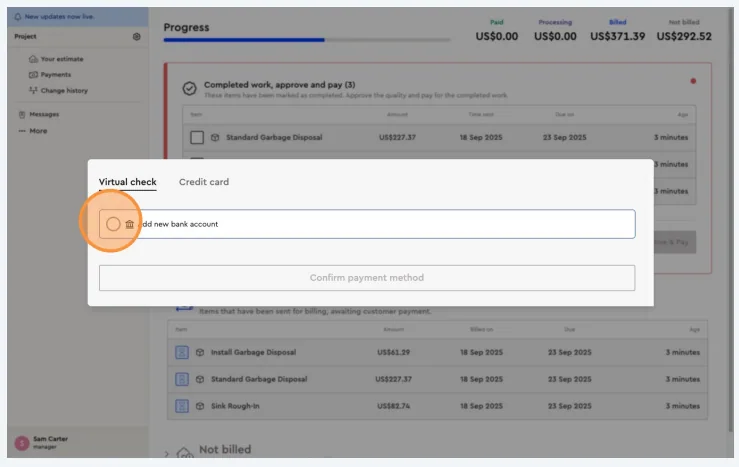
• The client will then choose their preferred payment method (ACH/EFT or credit/debit card).
• Once their payment method has been set up, they won’t need to repeat this step.
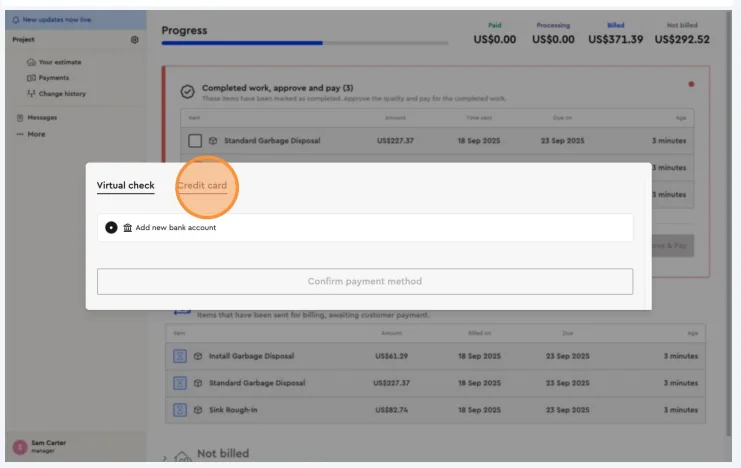
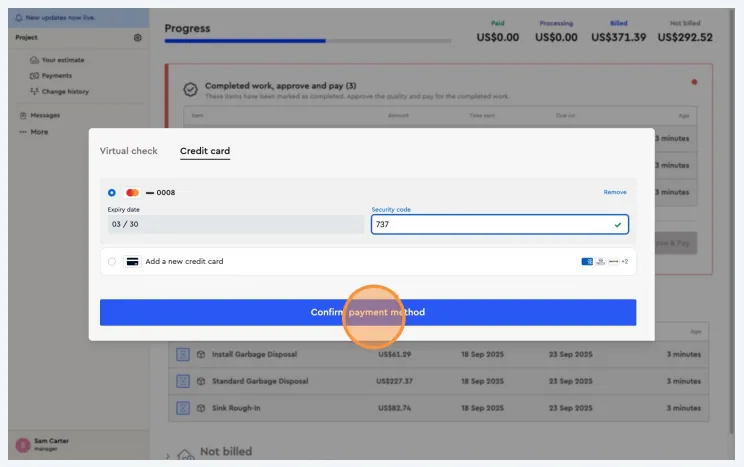
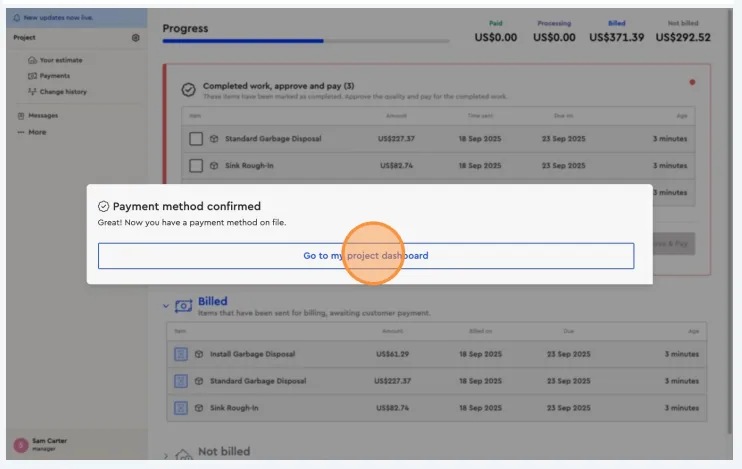
For future payment requests, the client will only need to review the request, approve it, and complete the payment — making the process quick and seamless throughout the project
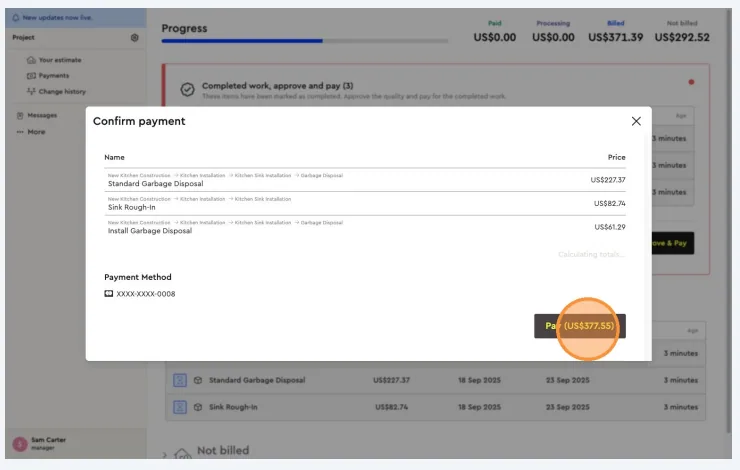
Next best guides
- Stage Based PaymentsPayments & Invoicing · Progress payments
- Percentage Based Payments (segmented)Payments & Invoicing · Progress payments
- Approving a job and project termsProposals & Client Experience · Customer portal
- Phase Based PaymentsPayments & Invoicing · Progress payments
- Rolling Basis PaymentsPayments & Invoicing · Progress payments



