




Adding Detail to Labor Costing of Items
Adding detailed labor costs can improve the accuracy of your quotations and project estimates.
More in Estimating
Estimating
Estimate basics
- How to Create a New Estimate
- How to Add an Item to an Estimate
- Sending an Estimate in Bolster
- How to Duplicate an Estimate
- Client Notifications & Activity Tracking
- Manually Accepting Proposals
- How to Change the Salesperson on an Individual Job
Working in the estimate
- How to Enable Estimate Sidebar Settings
- How to Toggle Column Visibility
- How to Resize Columns in the Estimate View
Pricing & markup
- How To Price An Item (Labor, Material, or Subcontractor)
- How to Adjust Profit Markup
- Change Profit Margin Per Line Item
- How to Add a Fee-Based Item
- How Discounts Work in Bolster
- Adding tax to estimate pricing
- Custom Labor Rates & Time Tracking
- Adding Detail to Labor Costing of Items
- Creating a Custom Calculation for Items in an Estimate
Minimums & base costs
- Add Labour Minimum or Base Costs
- How to Add a Labour Minimum or Base Cost
- How to Add a Base or Minimum Materials Cost
- How to Add Base and Minimum Materials Cost
Materials & production
- How to Configure Material Options and Pricing
- Material Tab Overview and Process
- Production Tab For Items
- How to Split Labor and Material Items
- How to Add Production Notes and SKU to Line Items
Takeoff tool
- Takeoff Tool Introduction
- Takeoff Tool Introduction
- Adding a Floorplan and Setting Scale
- How to Measure Inside Lengths
- How to Draw Deck Area and Total Joist Length
- Using the Takeoff Tab for Dimension Input
AI estimating
Access the Item
- Begin by selecting the item you wish to add labor costing details to in your estimate.
- In this example, we will use flooring.
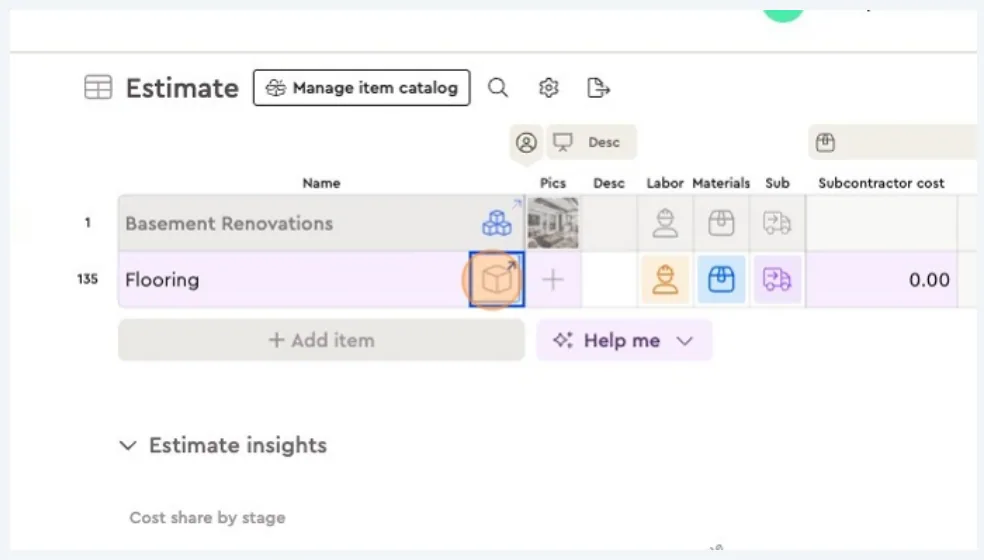
Navigate to Unit Pricing
- Click on the square icon associated with the item to enter the unit pricing section.
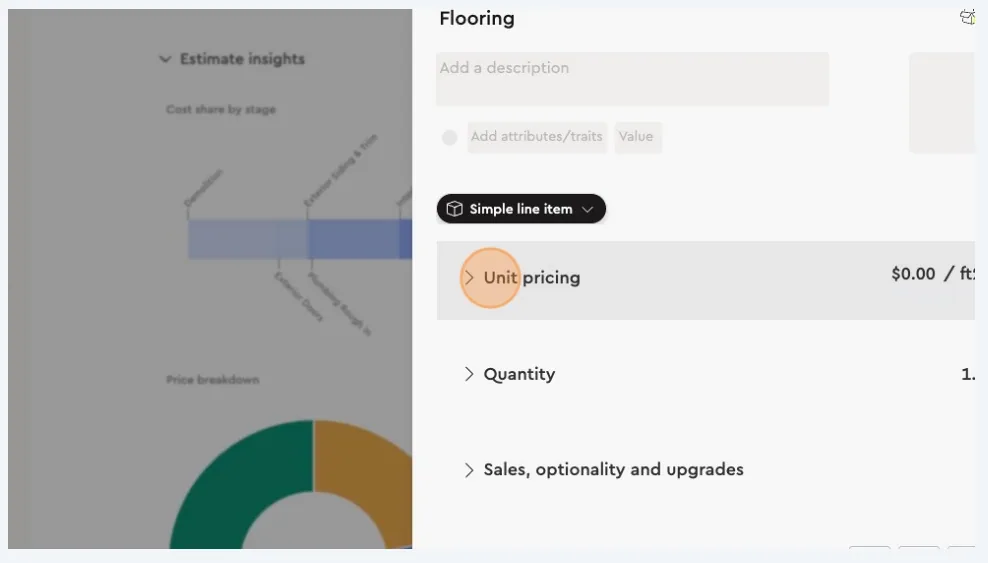
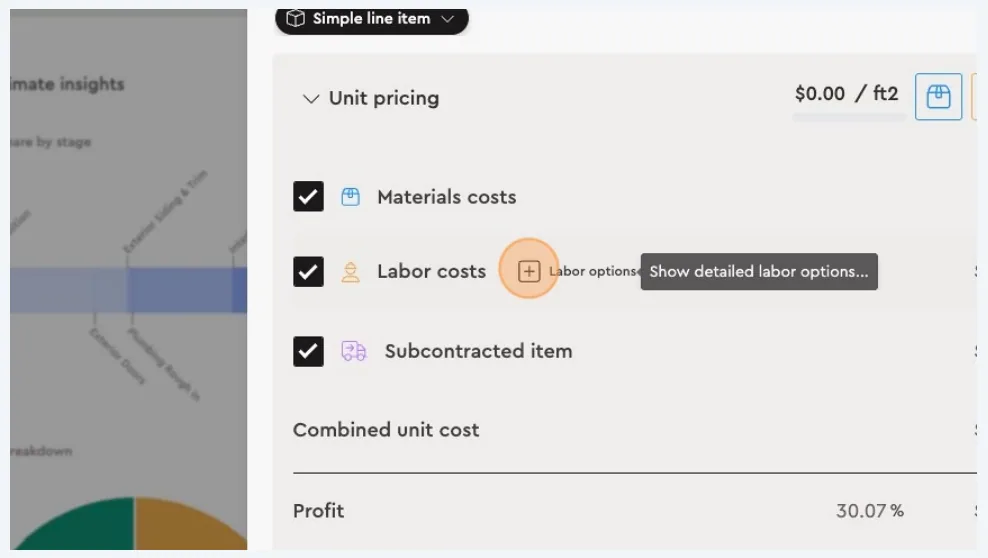
Edit Labor Costs
- Within the unit pricing section, locate the labor costs field.
- Click on the square icon next to it to open the detailed labor costing options.
Add Detailed Information
- Here, you can input additional details related to labor costs.
- This may include specific labor tasks, hourly rates, or any other relevant information that could enhance the accuracy of your cost estimates.
- Note that these fields are optional and can be customized based on your needs.
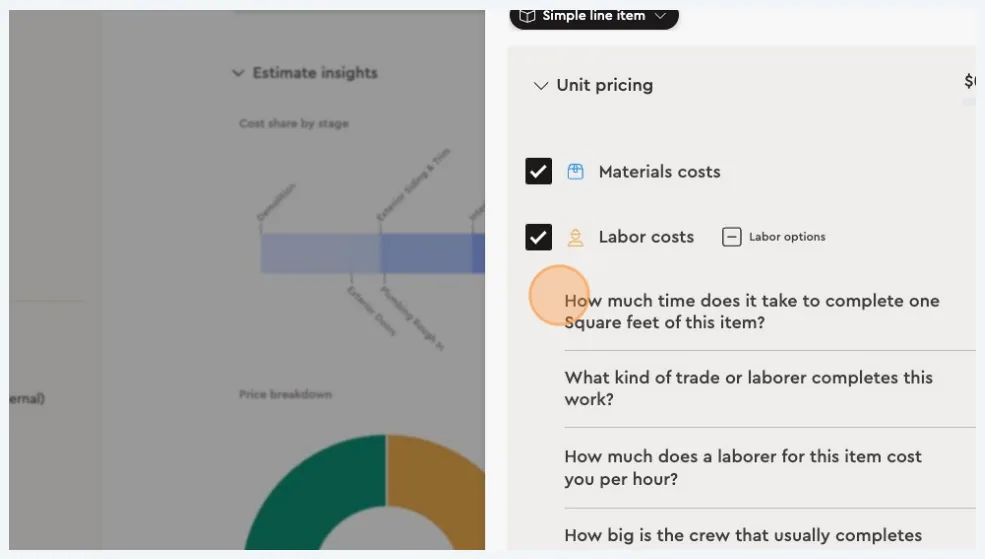
By following these steps, you can add more granularity to the labor costing of items in Bolster, thereby improving the precision of your project quotations. This feature allows for flexibility and customization, enabling you to tailor labor costs to specific project requirements.
Next best guides
- How To Price An Item (Labor, Material, or Subcontractor)VideoEstimating · Pricing & markup
- Add Labour Minimum or Base CostsVideoEstimating · Minimums & base costs
- How to Use the Budget TabVideoProject Management · Budget & costs
- How to Adjust Profit MarkupVideoEstimating · Pricing & markup
- Adding tax to estimate pricingVideoEstimating · Pricing & markup



