




How to Draw Deck Area and Total Joist Length
This guide provides a straightforward method for accurately calculating deck area and total joist length.
More in Estimating
Estimate basics
- How to Create a New Estimate
- How to Add an Item to an Estimate
- Sending an Estimate in Bolster
- How to Duplicate an Estimate
- Client Notifications & Activity Tracking
- Manually Accepting Proposals
- How to Change the Salesperson on an Individual Job
Working in the estimate
- How to Enable Estimate Sidebar Settings
- How to Toggle Column Visibility
- How to Resize Columns in the Estimate View
Pricing & markup
- How To Price An Item (Labor, Material, or Subcontractor)
- How to Adjust Profit Markup
- Change Profit Margin Per Line Item
- How to Add a Fee-Based Item
- How Discounts Work in Bolster
- Adding tax to estimate pricing
- Custom Labor Rates & Time Tracking
- Adding Detail to Labor Costing of Items
- Creating a Custom Calculation for Items in an Estimate
Minimums & base costs
- Add Labour Minimum or Base Costs
- How to Add a Labour Minimum or Base Cost
- How to Add a Base or Minimum Materials Cost
- How to Add Base and Minimum Materials Cost
Materials & production
- How to Configure Material Options and Pricing
- Material Tab Overview and Process
- Production Tab For Items
- How to Split Labor and Material Items
- How to Add Production Notes and SKU to Line Items
Takeoff tool
- Takeoff Tool Introduction
- Takeoff Tool Introduction
- Adding a Floorplan and Setting Scale
- How to Measure Inside Lengths
- How to Draw Deck Area and Total Joist Length
- Using the Takeoff Tab for Dimension Input
AI estimating
Watch the training video: “Deck Area and Joist Length” to see the full workflow in action.
The video demonstrates how to pair deck and joist measurements so the tool automatically calculates joist length for you.
👉 You can either watch the video or follow the detailed steps below.
Step-by-step Guide:
Before you start drawing, make sure your estimate includes:
- Deck square footage (area measurement)
- Joist length (linear feet)
Both should exist as separate line items so they can be paired together later
- Deck square footage (area measurement) & Joist length (linear feet)
In the Layers panel, choose Deck Area and Total Joist Length.
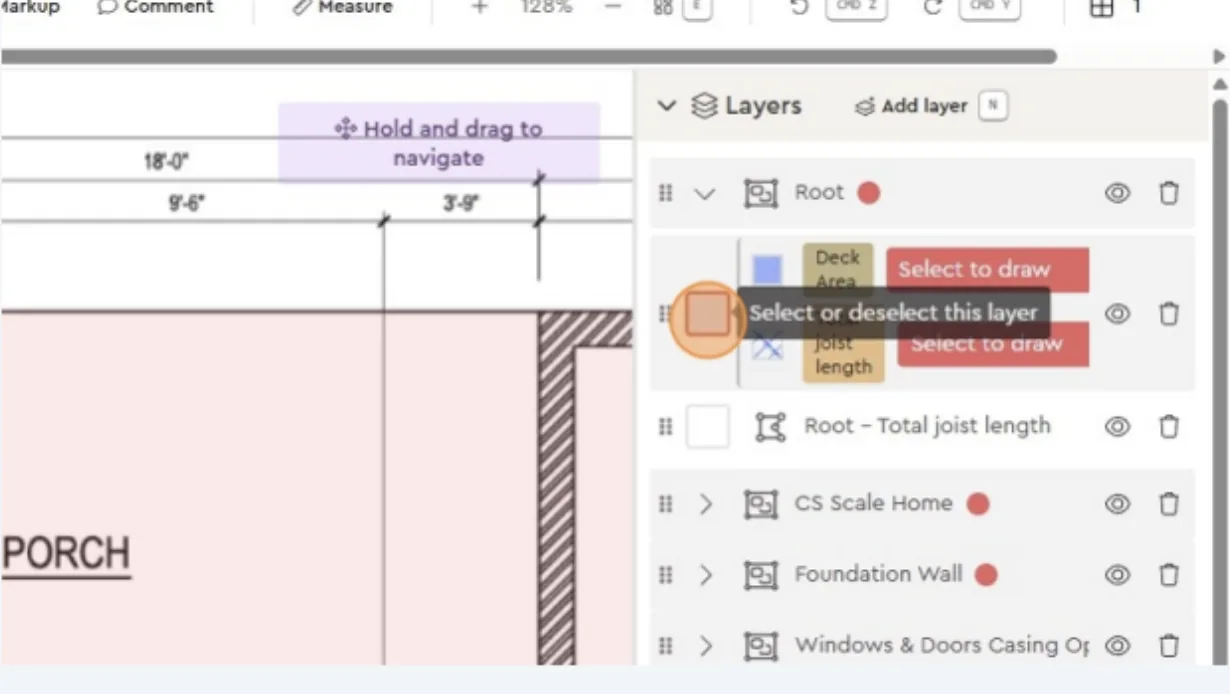
Pair (or “join”) them by linking the two layers together — drag and drop Deck Area onto Total Joist Length (or vice versa).
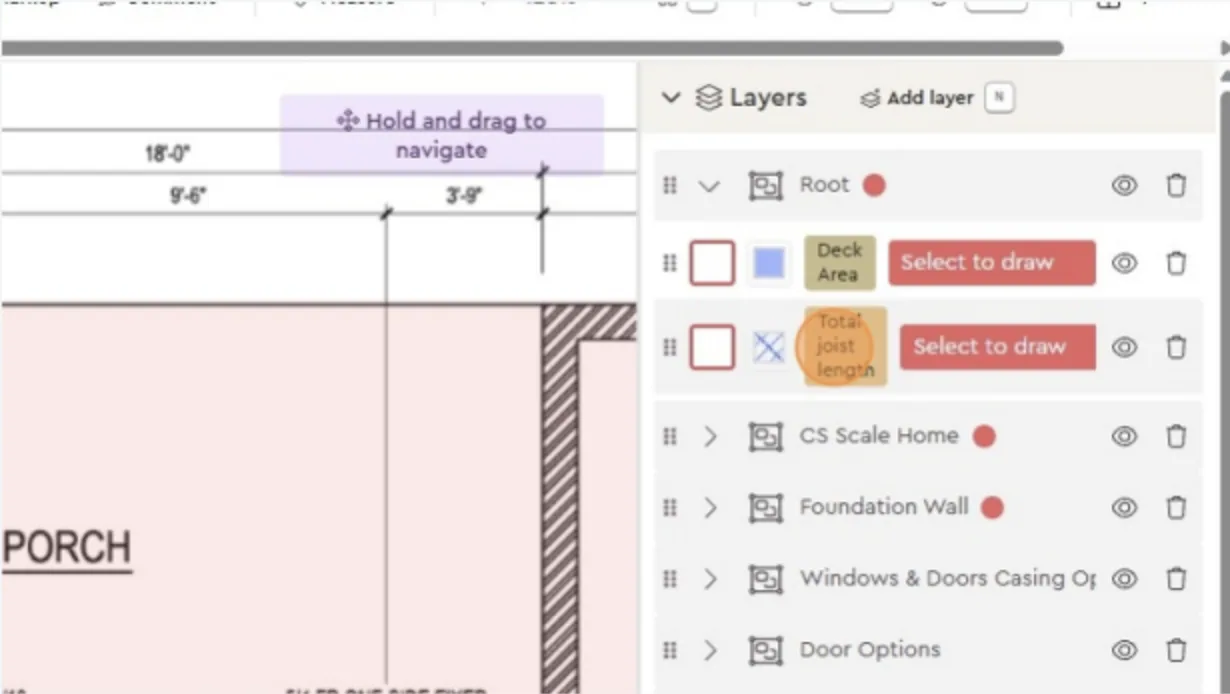
- You’ll see a small connecting line indicating they’re joined. Then click the box to start drawing.
Why this matters: pairing ensures that when you draw one outline, the tool automatically calculates both deck area and total joist length.
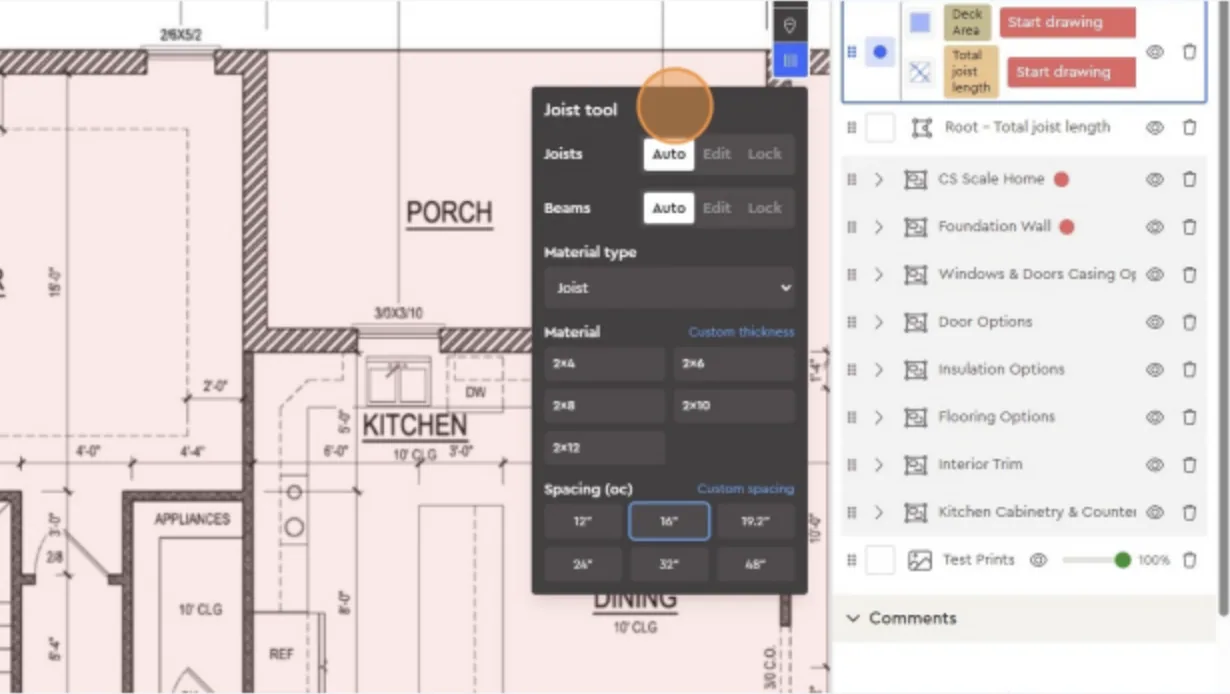
3. Configure the joist tool
Set your parameters:
- Material type (e.g., 2x8 joists)
- Spacing (e.g., 16” on center)
- Any other relevant specs like thickness or material choice
This tells the system how to generate the joists once you draw the area.
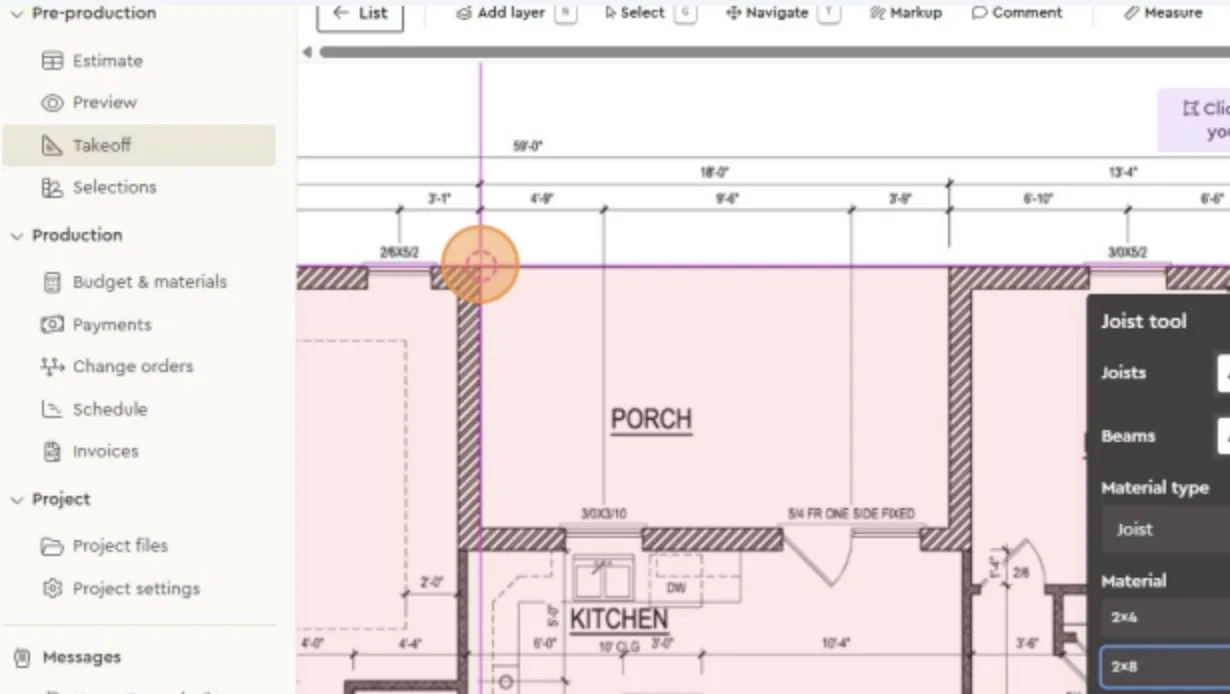
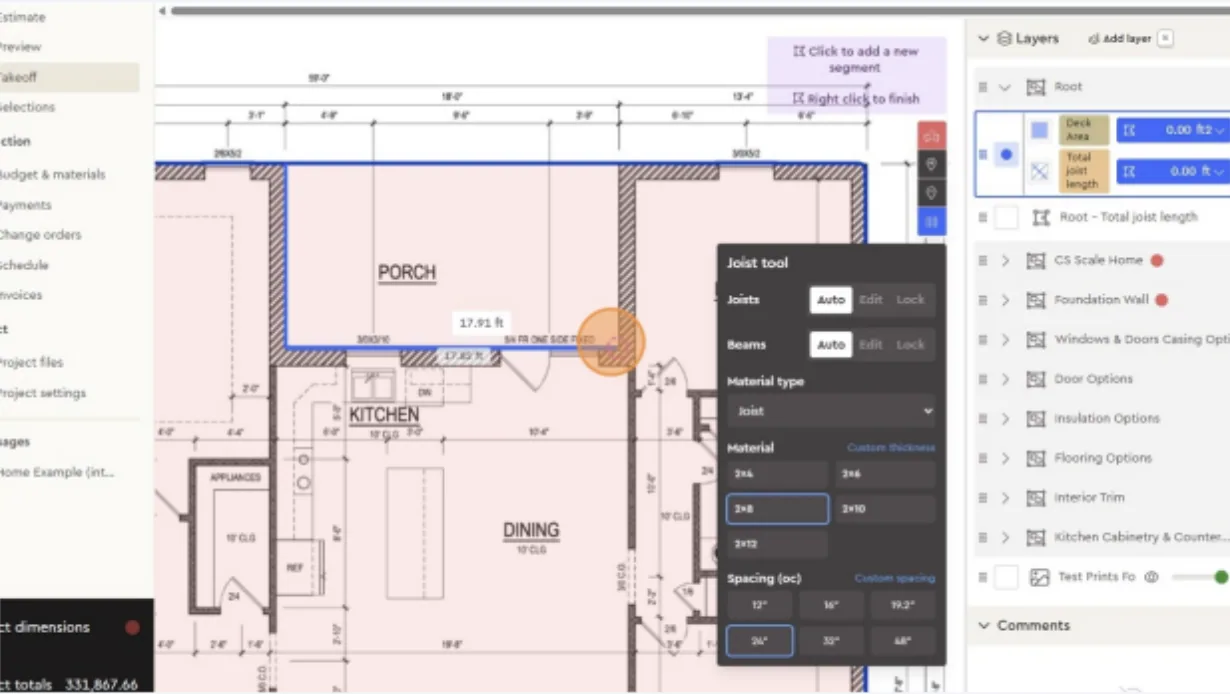
- Draw the deck footprint
- Zoom into the area you want to measure (e.g., the porch).
- Begin clicking each corner of the deck outline.
-
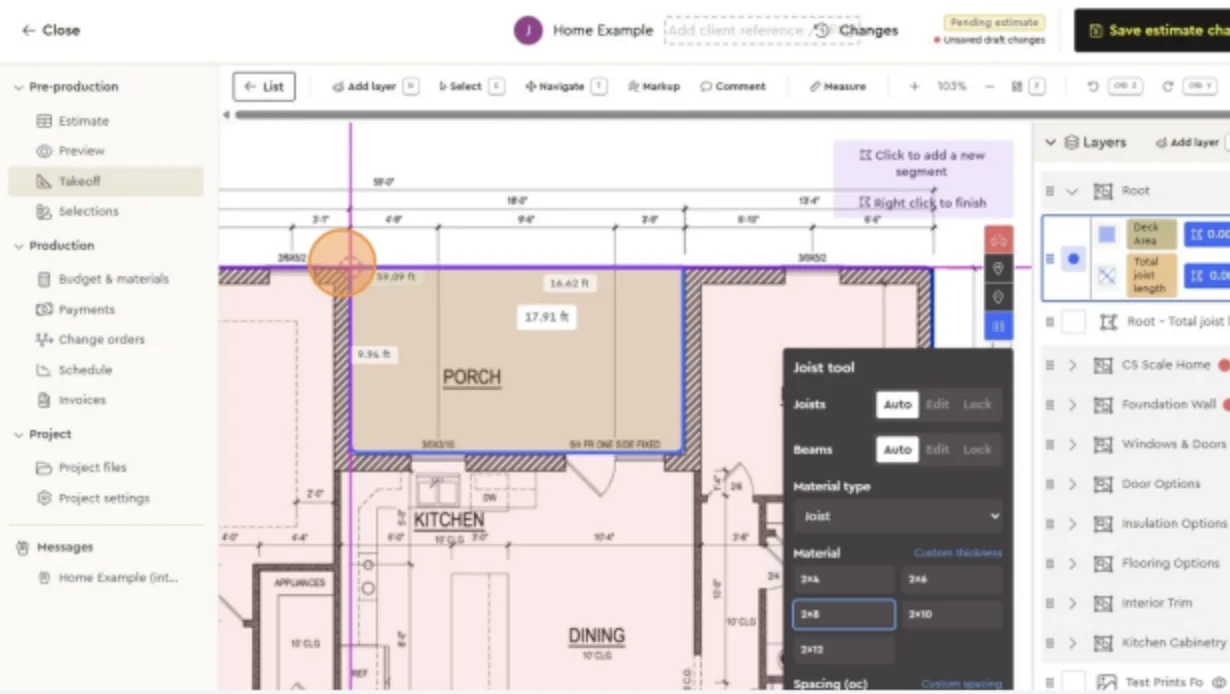
Continue until the area is enclosed.
-
Right-click to finish the drawing
-
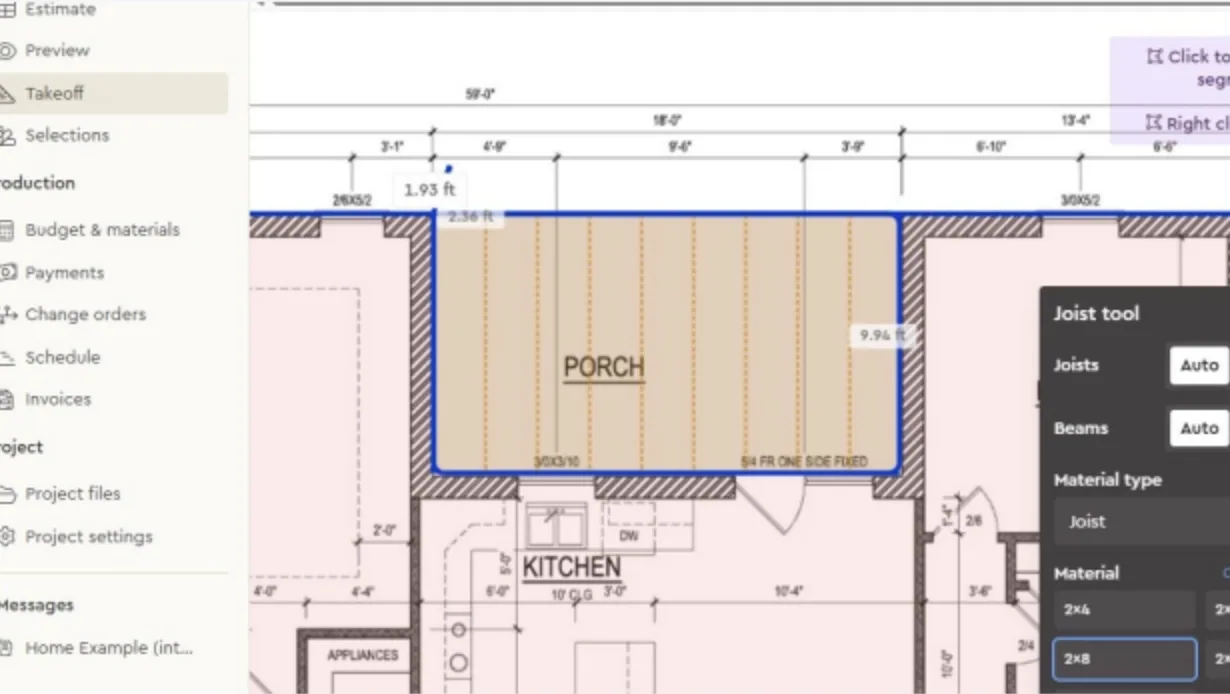
The tool now automatically:
- Displays the deck area (ft²)
- Calculates the total joist length (linear ft)
- Review results
- Look at the right-hand panel for totals.
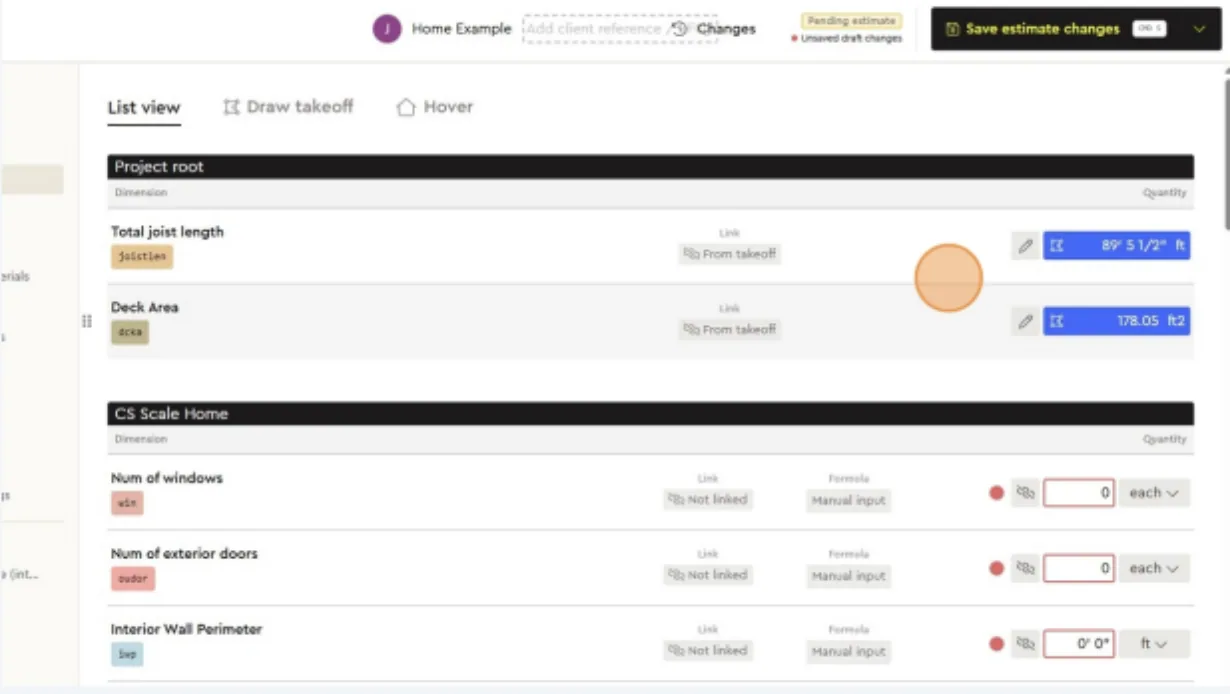
- Deck Area: 178.05 ft²
- Total Joist Length: 89.46 ft
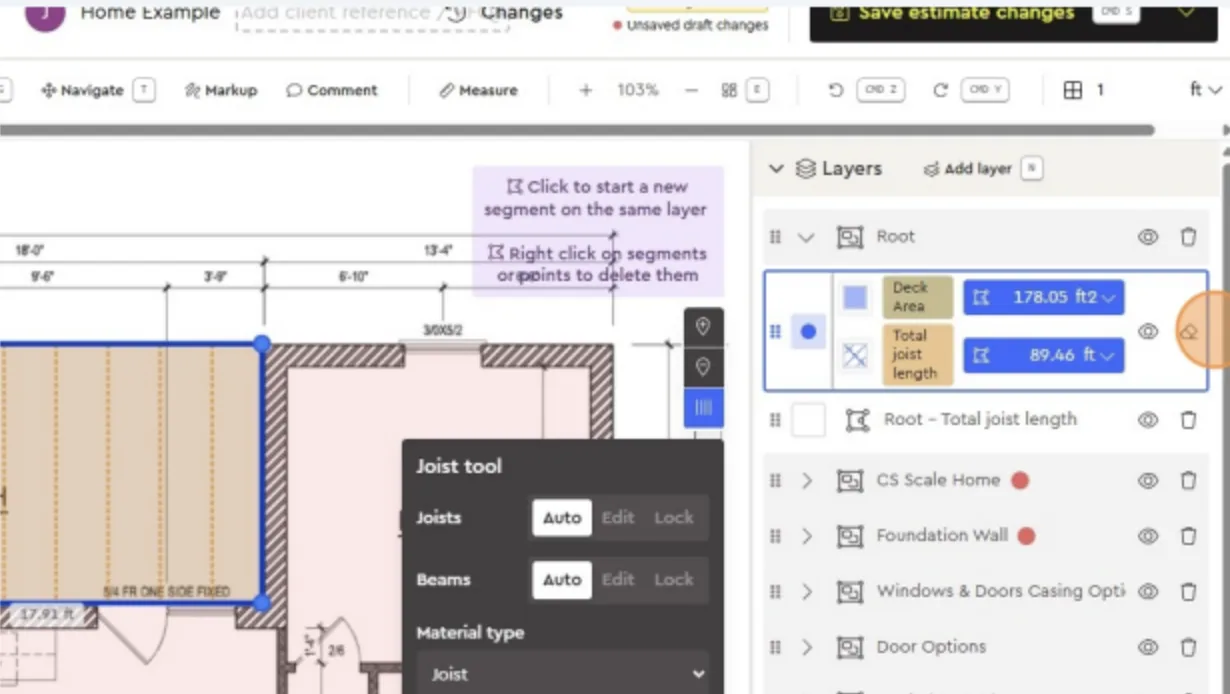
These numbers are linked to your estimate, so they update your project quantities instantly.
-
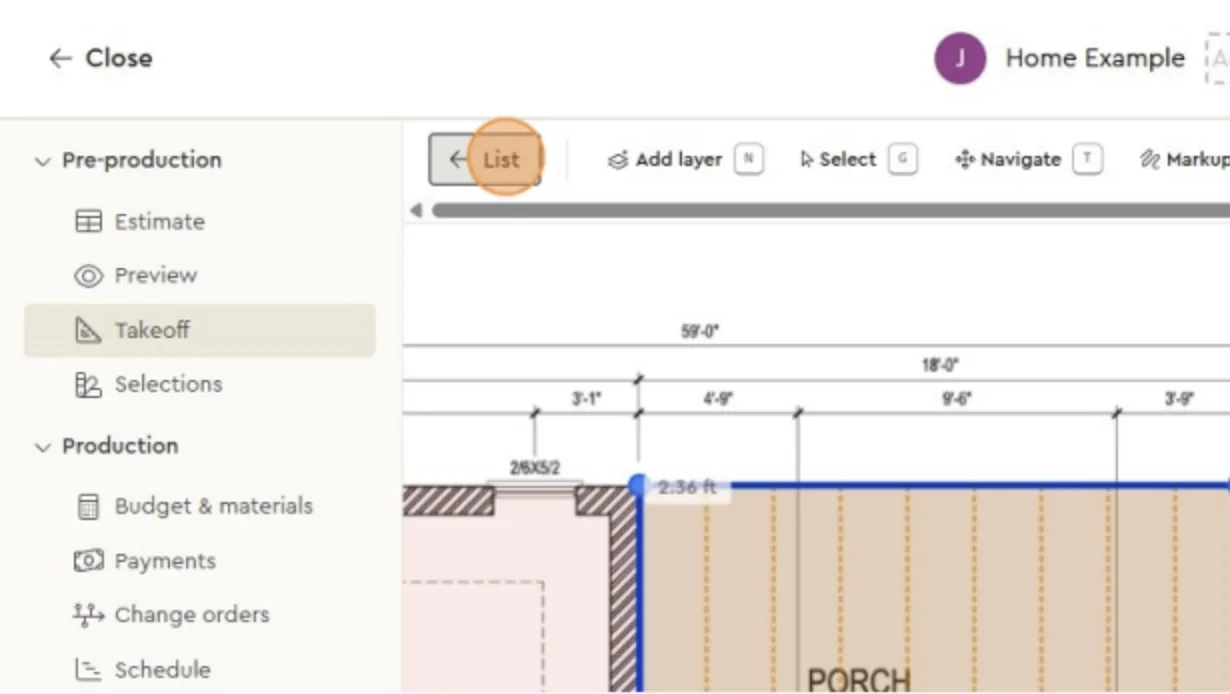
View in List mode
Click List to see the deck and joist measurements summarized with all other project dimensions
-
This makes it easy to confirm that values are linked correctly to your estimate.
Tips for accuracy:
- Always pair deck and joist layers before drawing, otherwise they won't calculate together.
- Double-check that the correct spacing and material are selected in the Joist tool.
- Use zoom for precision when outlining corners.
Next best guides
- Takeoff Tool IntroductionVideoEstimating · Takeoff tool
- Takeoff Tool IntroductionVideoEstimating · Takeoff tool
- Adding a Floorplan and Setting ScaleVideoEstimating · Takeoff tool
- How to Use Linked Dimensions in EstimatesVideoItems, Assemblies & Catalog · Dimensions & formulas
- How to Use Dimension Boxes in EstimatesVideoItems, Assemblies & Catalog · Dimensions & formulas



