




How to Measure Inside Lengths
This guide provides a straightforward method for accurately measuring inside lengths, in this example we are measuring the length of kitchen cabinet.
More in Estimating
Estimate basics
- How to Create a New Estimate
- How to Add an Item to an Estimate
- Sending an Estimate in Bolster
- How to Duplicate an Estimate
- Client Notifications & Activity Tracking
- Manually Accepting Proposals
- How to Change the Salesperson on an Individual Job
Working in the estimate
- How to Enable Estimate Sidebar Settings
- How to Toggle Column Visibility
- How to Resize Columns in the Estimate View
Pricing & markup
- How To Price An Item (Labor, Material, or Subcontractor)
- How to Adjust Profit Markup
- Change Profit Margin Per Line Item
- How to Add a Fee-Based Item
- How Discounts Work in Bolster
- Adding tax to estimate pricing
- Custom Labor Rates & Time Tracking
- Adding Detail to Labor Costing of Items
- Creating a Custom Calculation for Items in an Estimate
Minimums & base costs
- Add Labour Minimum or Base Costs
- How to Add a Labour Minimum or Base Cost
- How to Add a Base or Minimum Materials Cost
- How to Add Base and Minimum Materials Cost
Materials & production
- How to Configure Material Options and Pricing
- Material Tab Overview and Process
- Production Tab For Items
- How to Split Labor and Material Items
- How to Add Production Notes and SKU to Line Items
Takeoff tool
- Takeoff Tool Introduction
- Takeoff Tool Introduction
- Adding a Floorplan and Setting Scale
- How to Measure Inside Lengths
- How to Draw Deck Area and Total Joist Length
- Using the Takeoff Tab for Dimension Input
AI estimating
Watch the training video: “Measuring Inside Line Lengths” for a full demonstration.
The video shows how to measure cabinet lengths (or other interior lines such as walls) and check results in your estimate.
👉 You can either watch the video, or follow the detailed steps below.
Step-by-step Guide:
Measuring inside lengths is a common task when working with floor plans. This process can be applied to any interior line you need to measure whether it's the run of a kitchen cabinet, the span of an interior wall, the length of a countertop, or any other internal linear element. In this example, we'll walk through measuring cabinet length, but the same method applies across different use cases
-
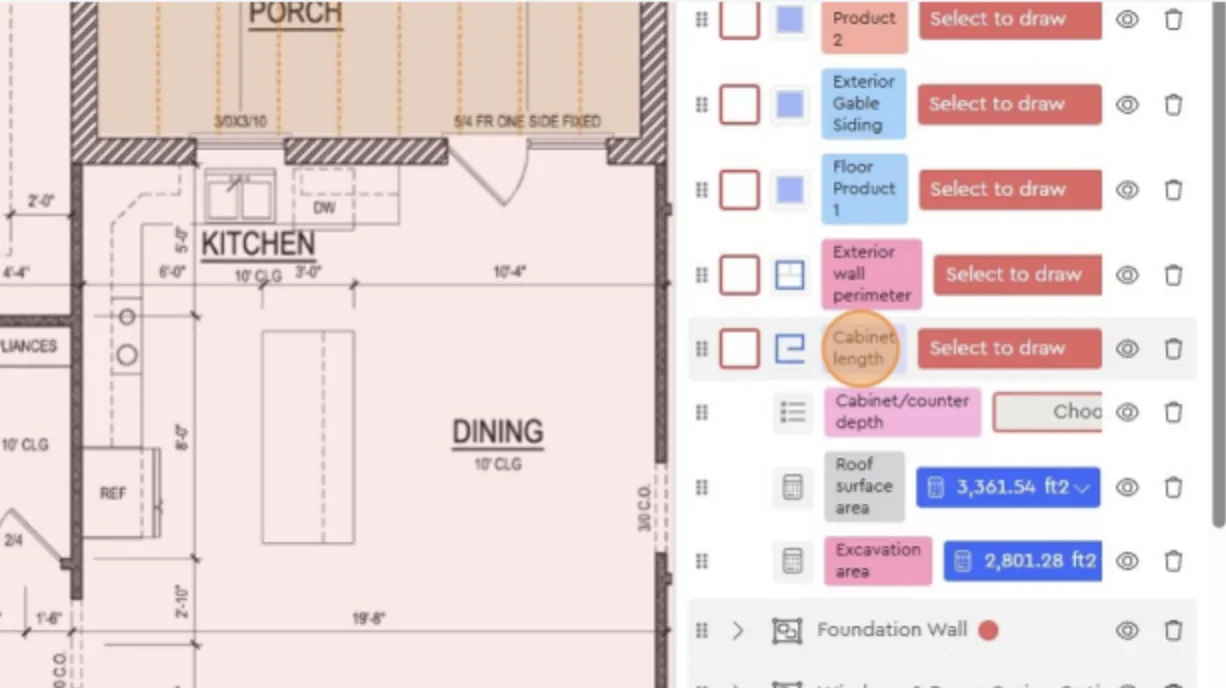
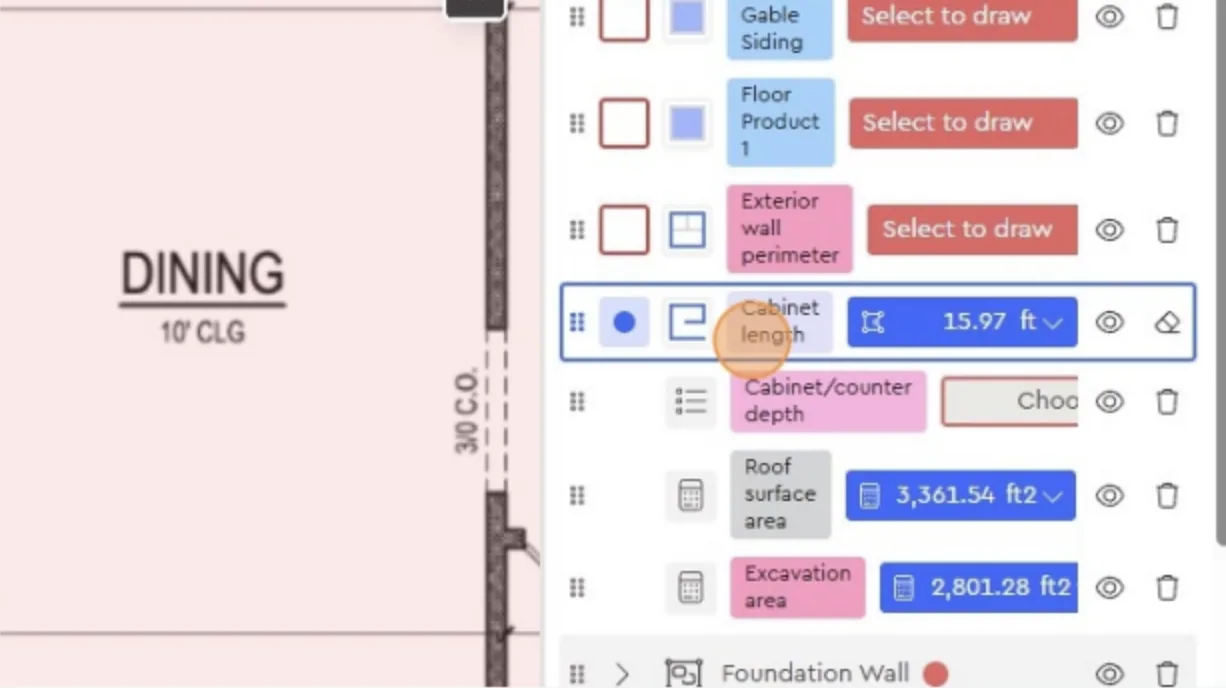
Select the measurement category
• In the Layers panel, choose Cabinet length.
• This is used in the example, but you could select another inside measurement type (e.g., interior wall).
-
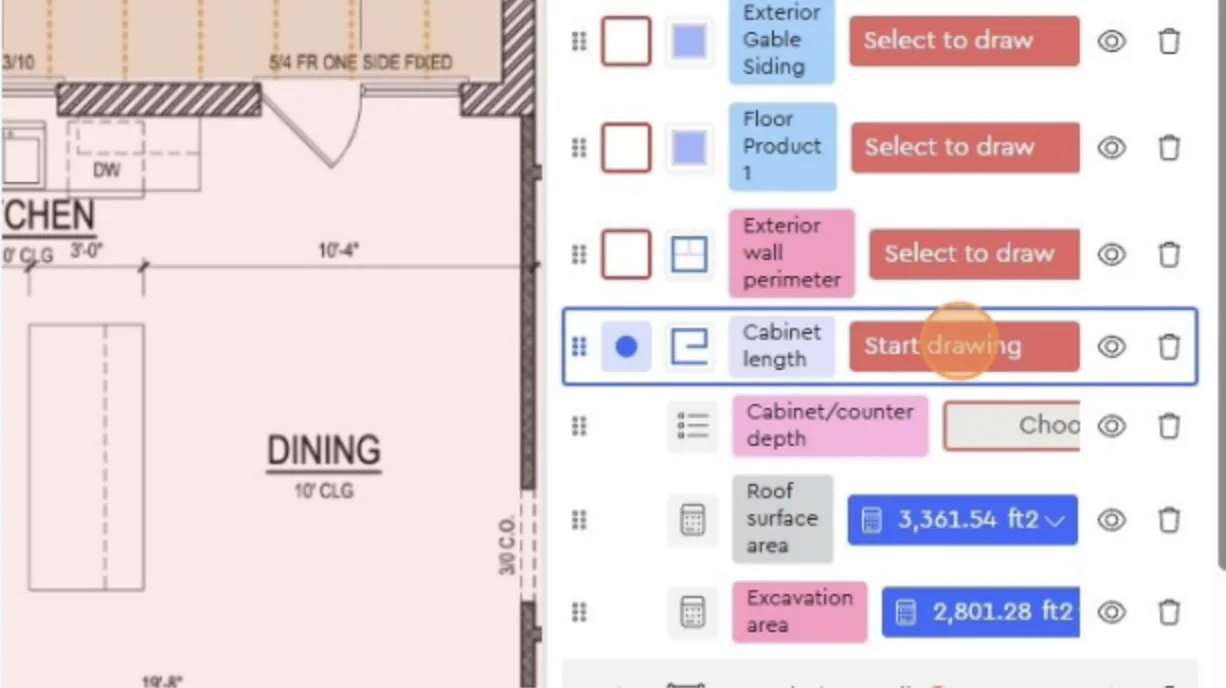
Click “Start drawing”
-
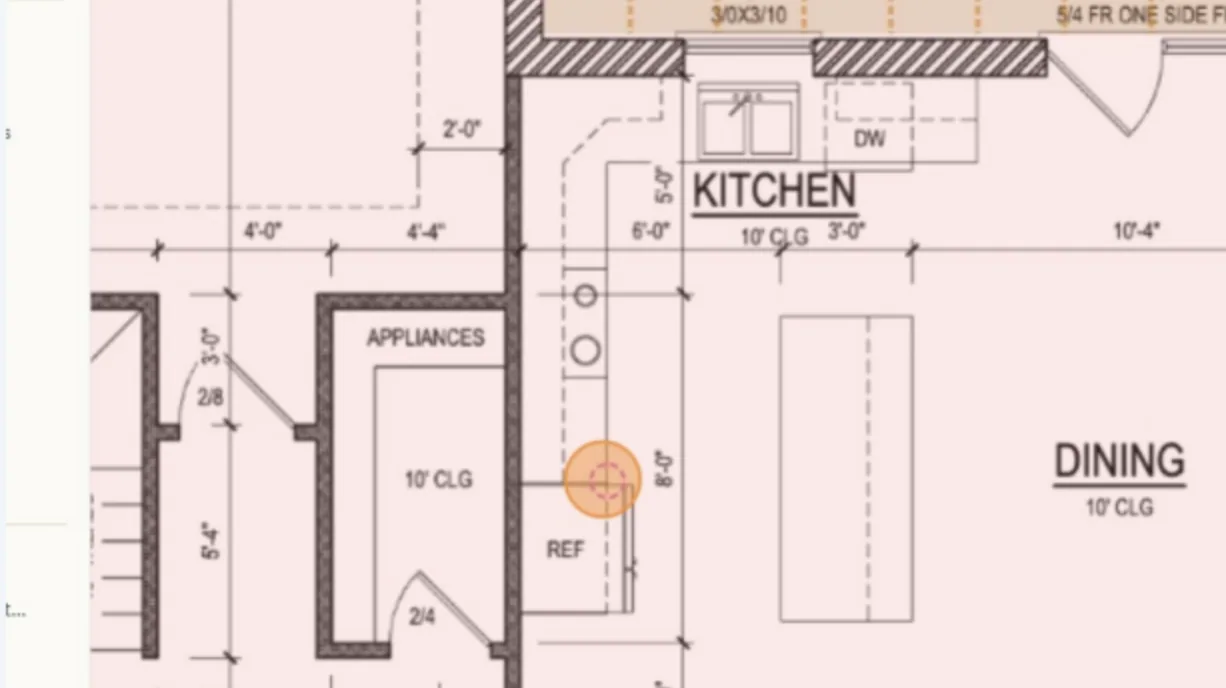
Place your first click at the starting point of the cabinet or wall.
-
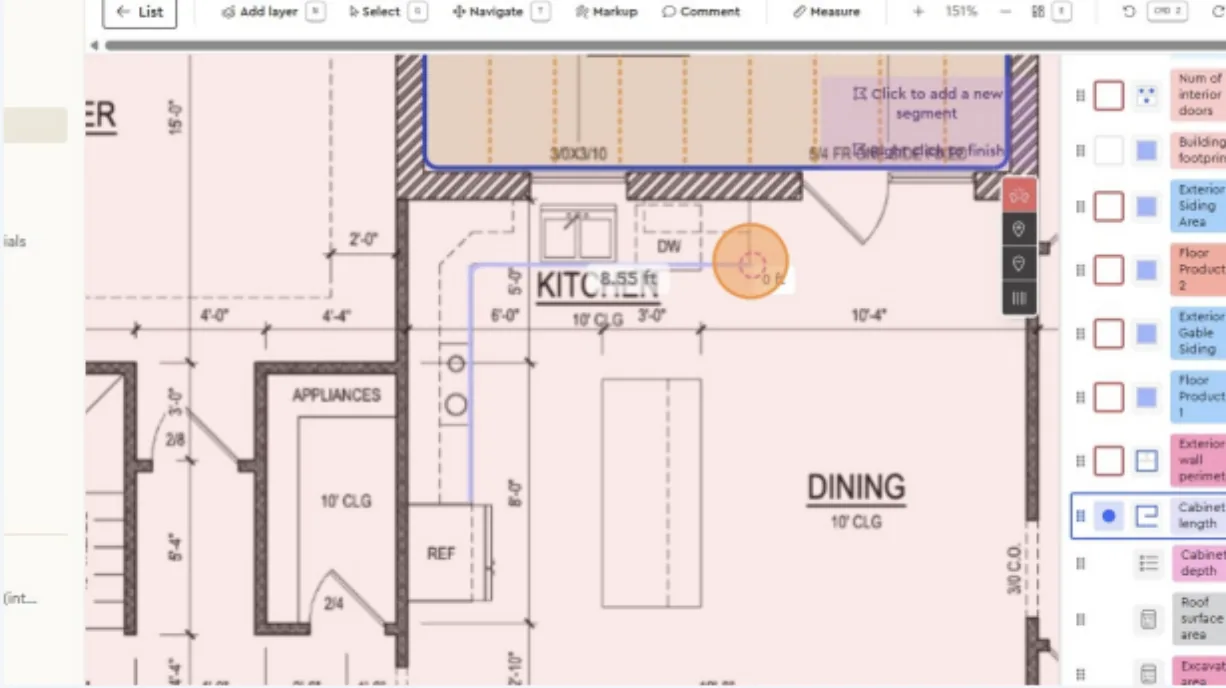
Continue clicking along the inside line you want to measure.
Once finished, right-click to close the measurement
-
The measurement will appear immediately (e.g., 15.72 ft).
You can adjust or redraw if needed by clearing the segment and starting again.
-
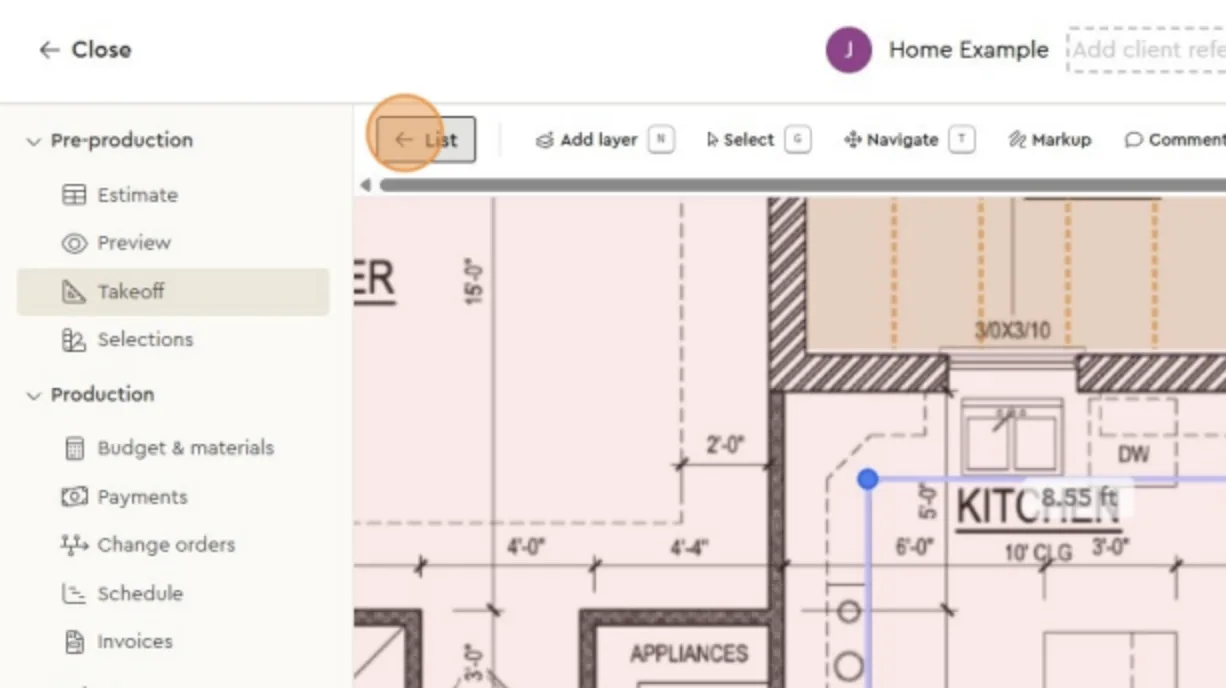
Click List at the top
-
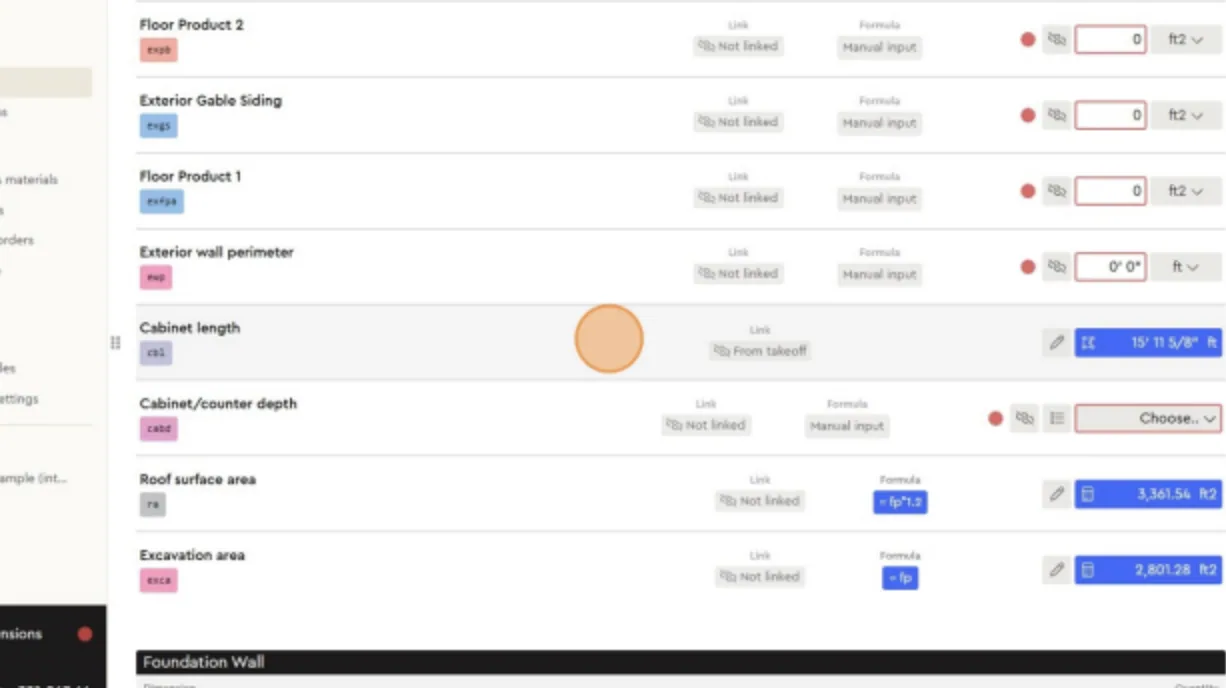
In the list view, find Cabinet length with the updated measurement value.
This confirms the inside measurement has been recorded correctly and is linked to your estimate.
Next best guides
- Takeoff Tool IntroductionVideoEstimating · Takeoff tool
- Using the Takeoff Tab for Dimension InputVideoEstimating · Takeoff tool
- Takeoff Tool IntroductionVideoEstimating · Takeoff tool
- How To Change Quantity (Qty) or Unit Of Measure (UoM) for an ItemVideoItems, Assemblies & Catalog · Line items
- How to Use Linked Dimensions in EstimatesVideoItems, Assemblies & Catalog · Dimensions & formulas



